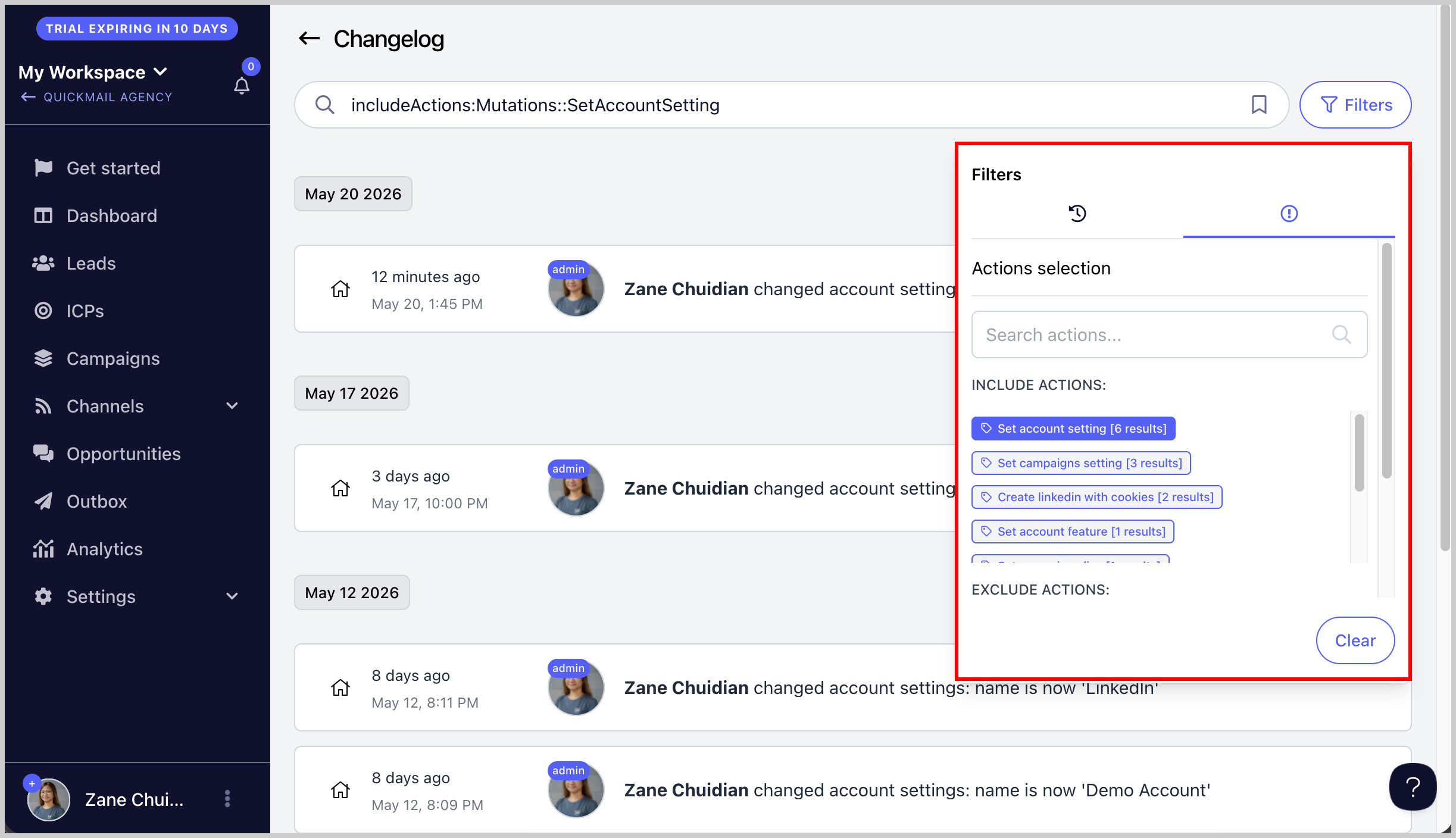
Using the Changelog and Filters to Find Activity History
The Changelog section in QuickMail is a powerful tool that helps you track and review activity across your account. It’s especially useful for monitoring changes, reviewing team member actions, and troubleshooting issues.
Accessing the Changelog
To access the Changelog: Go to Settings → Team → Options button → Changelog
This will open a detailed activity log containing changes made to campaigns, settings, inboxes, team members, and more.
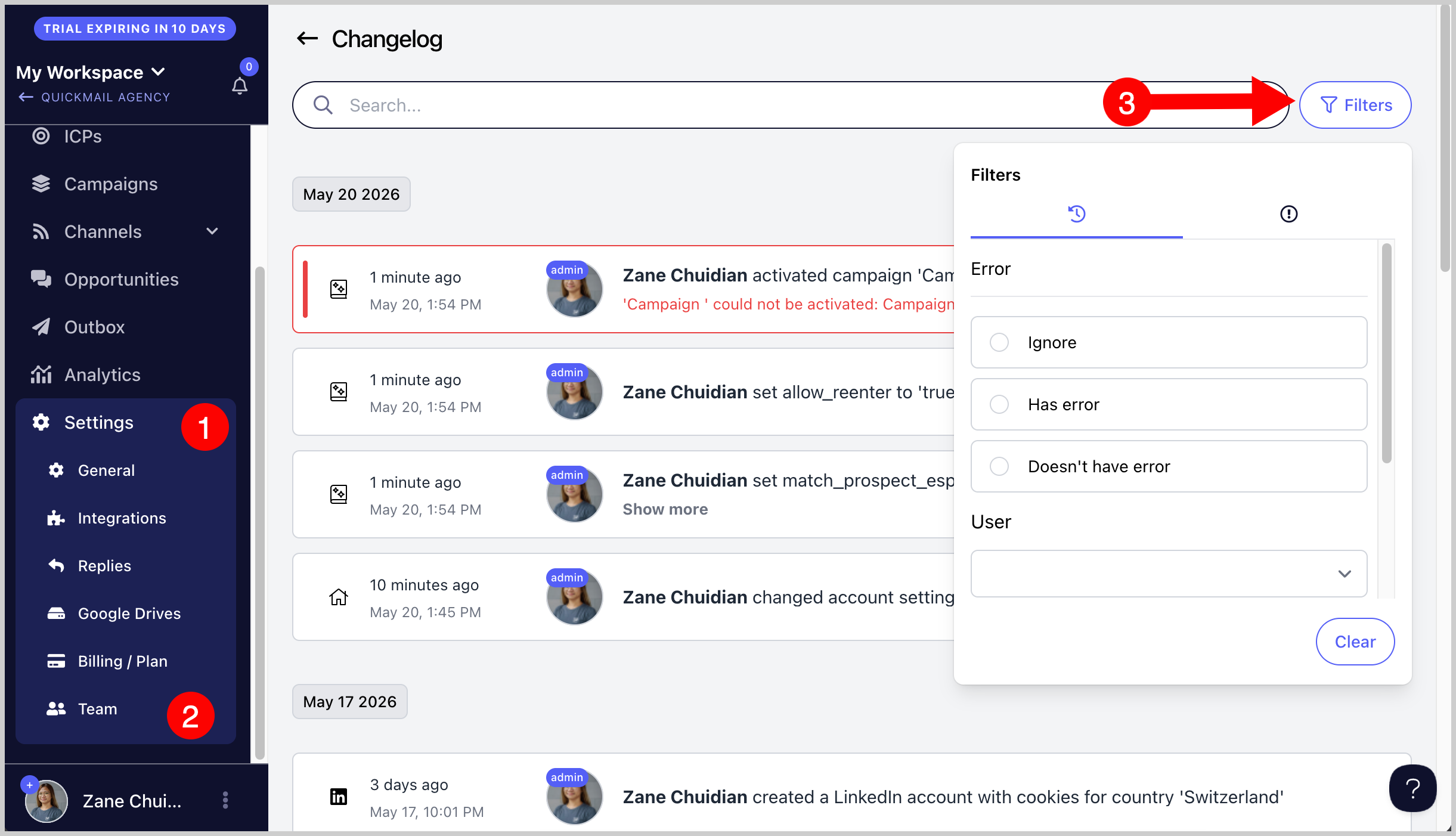
Using Filters
Within the Changelog screen, you can filter activities using different criteria, such as:
- Errors
- User
- Date
- Action taken
These filters make it easier to quickly find specific events or investigate account activity.