Account And Billing
Downloading Invoices
Downloading Invoices
Note: Invoices can only be downloaded by account admins. Team members will have error downloading invoices
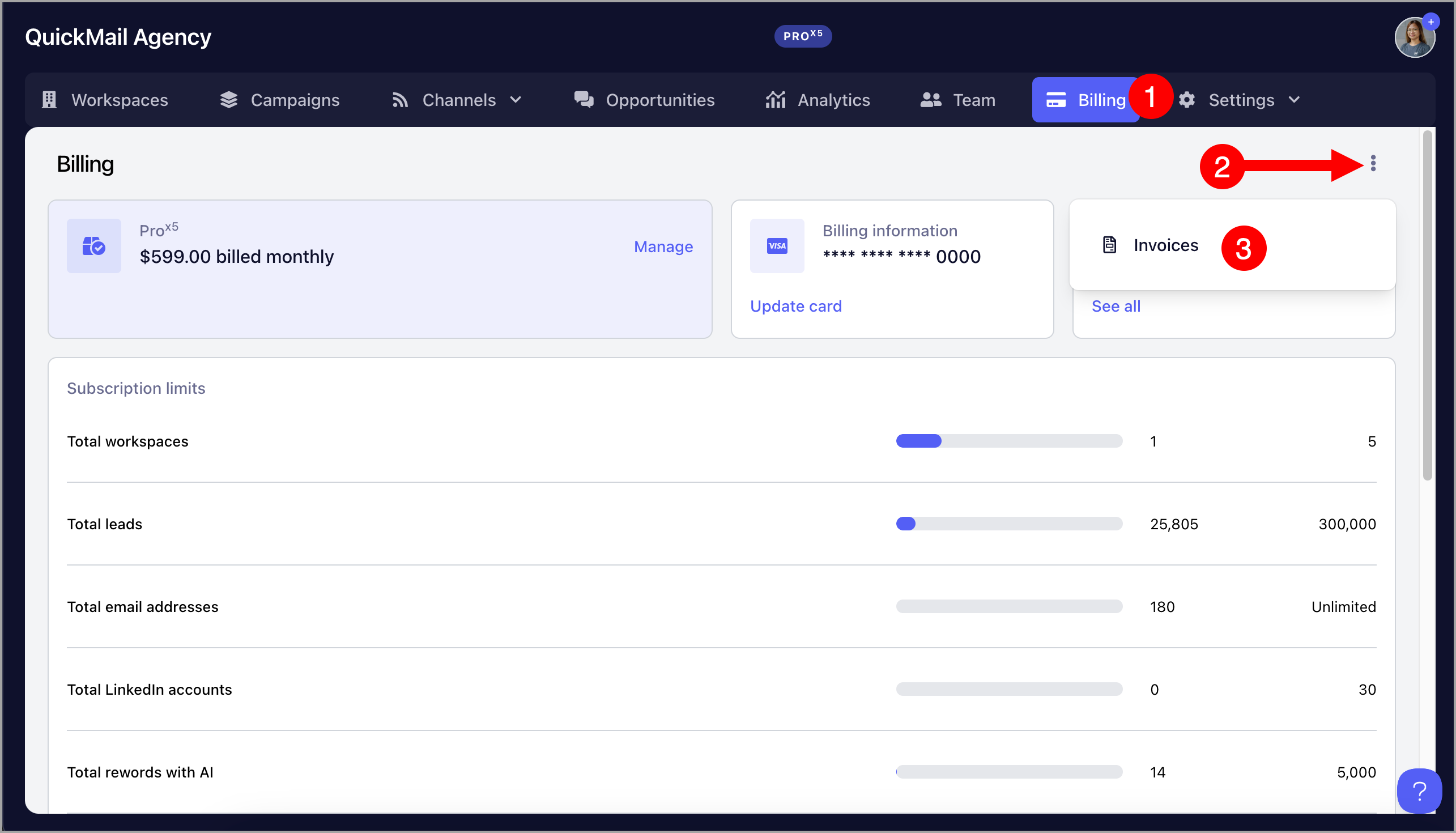
For Agencies:
The invoices can be downloaded in the agency dashboard.
To do that, go to the agency dashboard → Billing → Click "See all" under Next Invoice
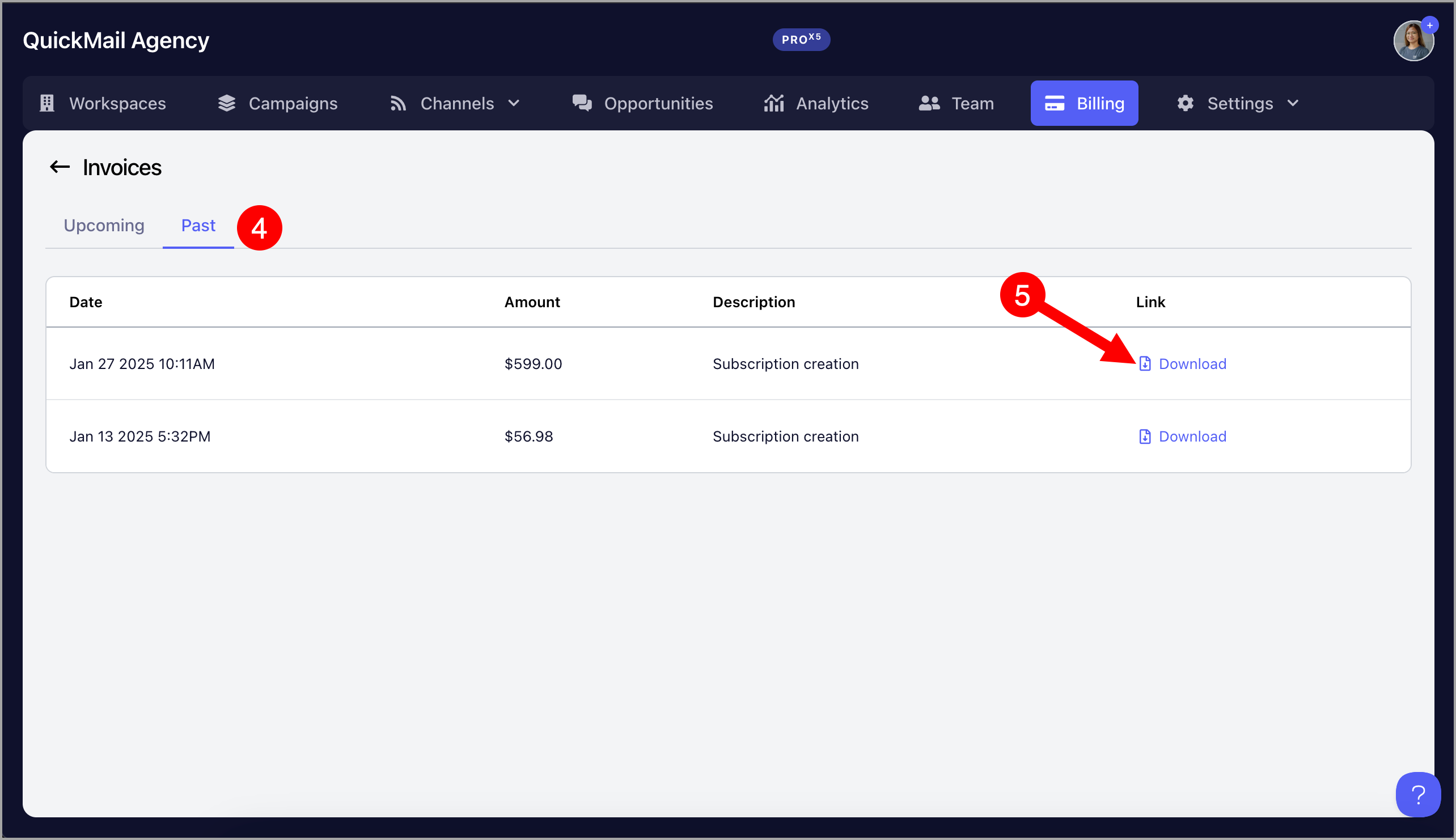
After that, go to "Past" tab → Download invoices
For Teams:
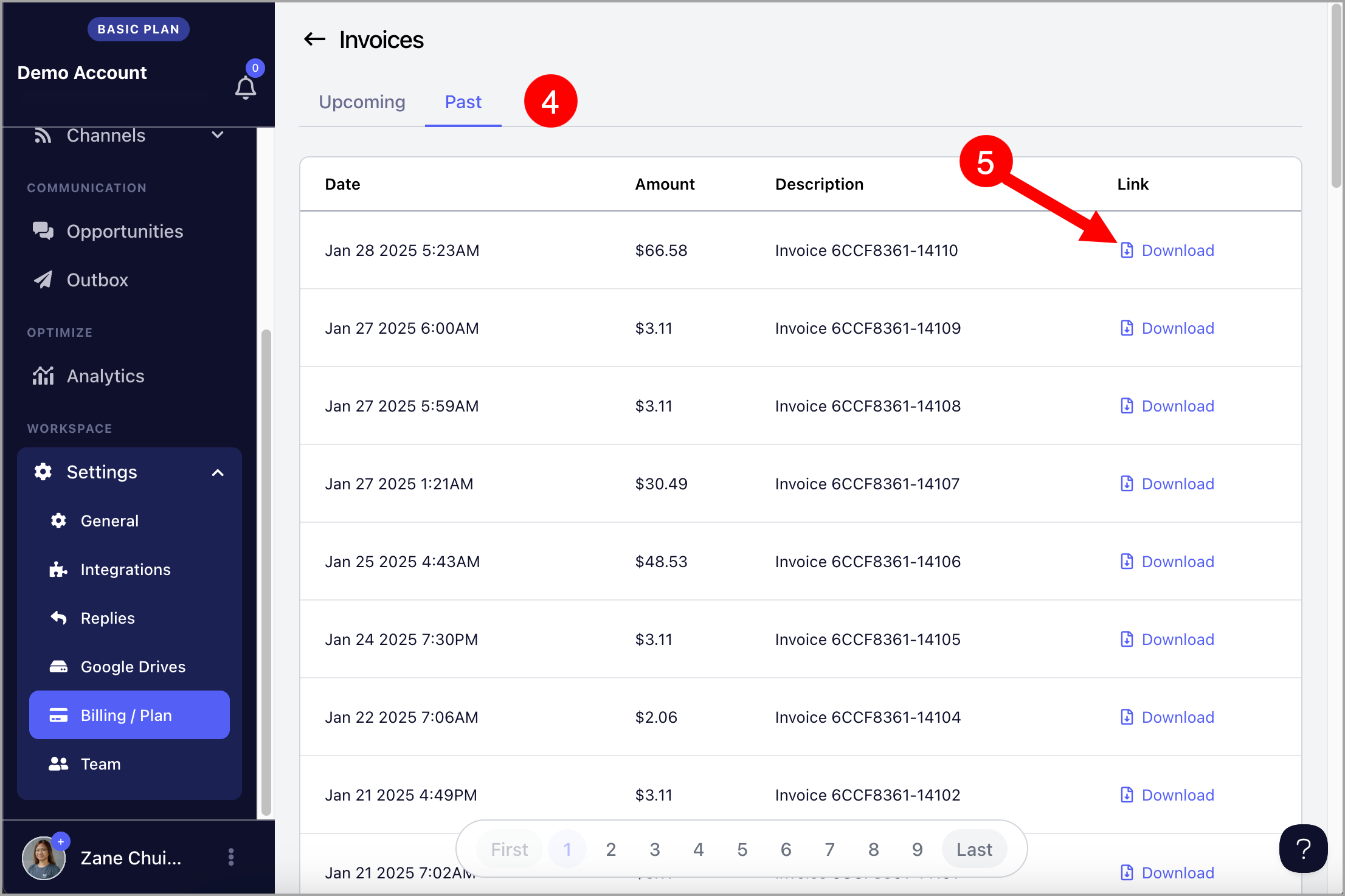
The invoices must be downloaded in the workspace-level.
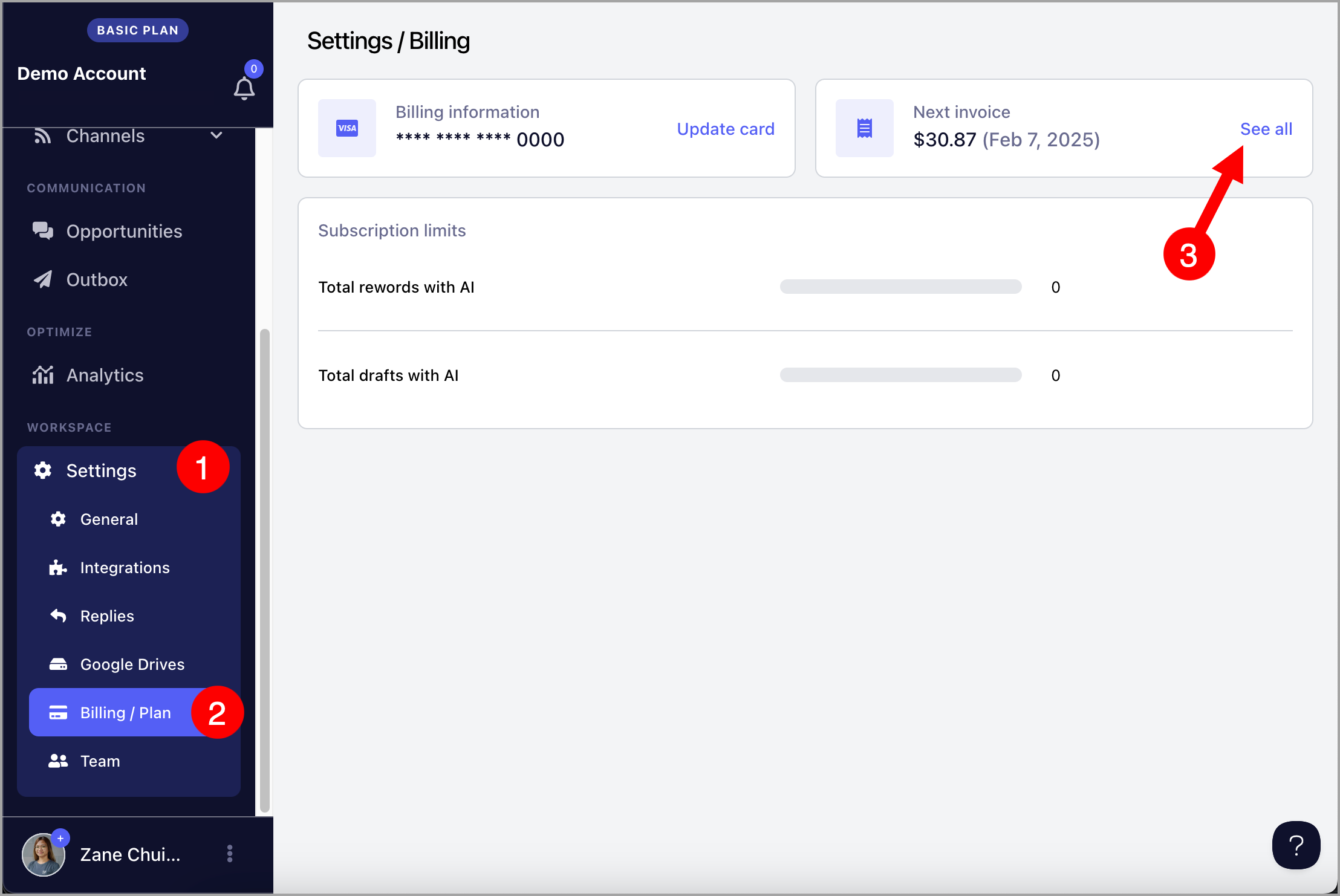
To do that, go to workspace Settings → Billing/Plan → Click "See all" under Next Invoice
After that, go to "Past" tab → Download invoices