Canceling your subscription
Canceling your subscription
In this article:
Team Account (Starter and Growth Plans)
Agency account
Trial account
I'm having an error canceling my subscription
Team Account (Starter and Growth Plans)
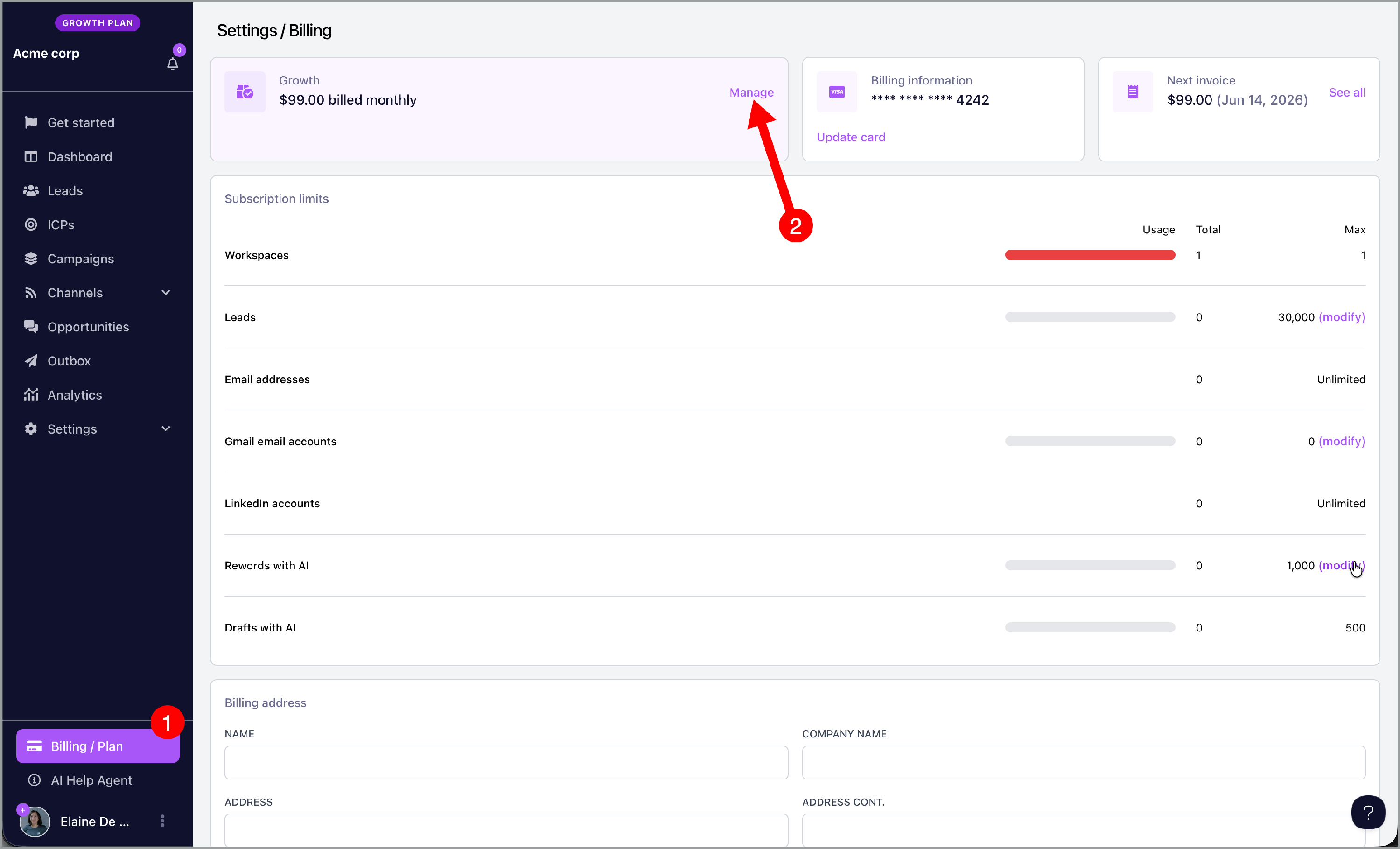
To cancel your workspace subscription, go to your billing page and click manage.
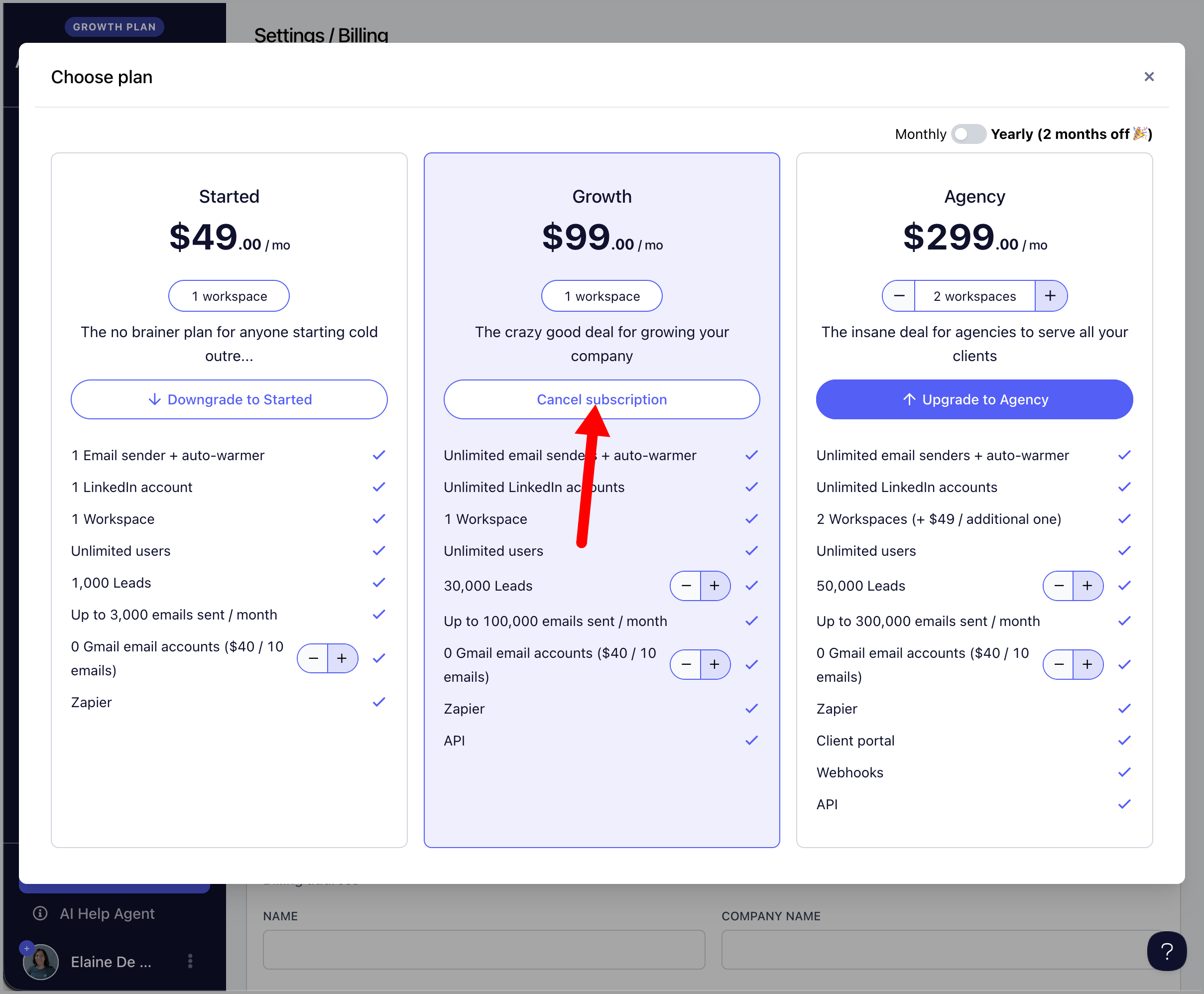
Then, click cancel subscription.
Agency account
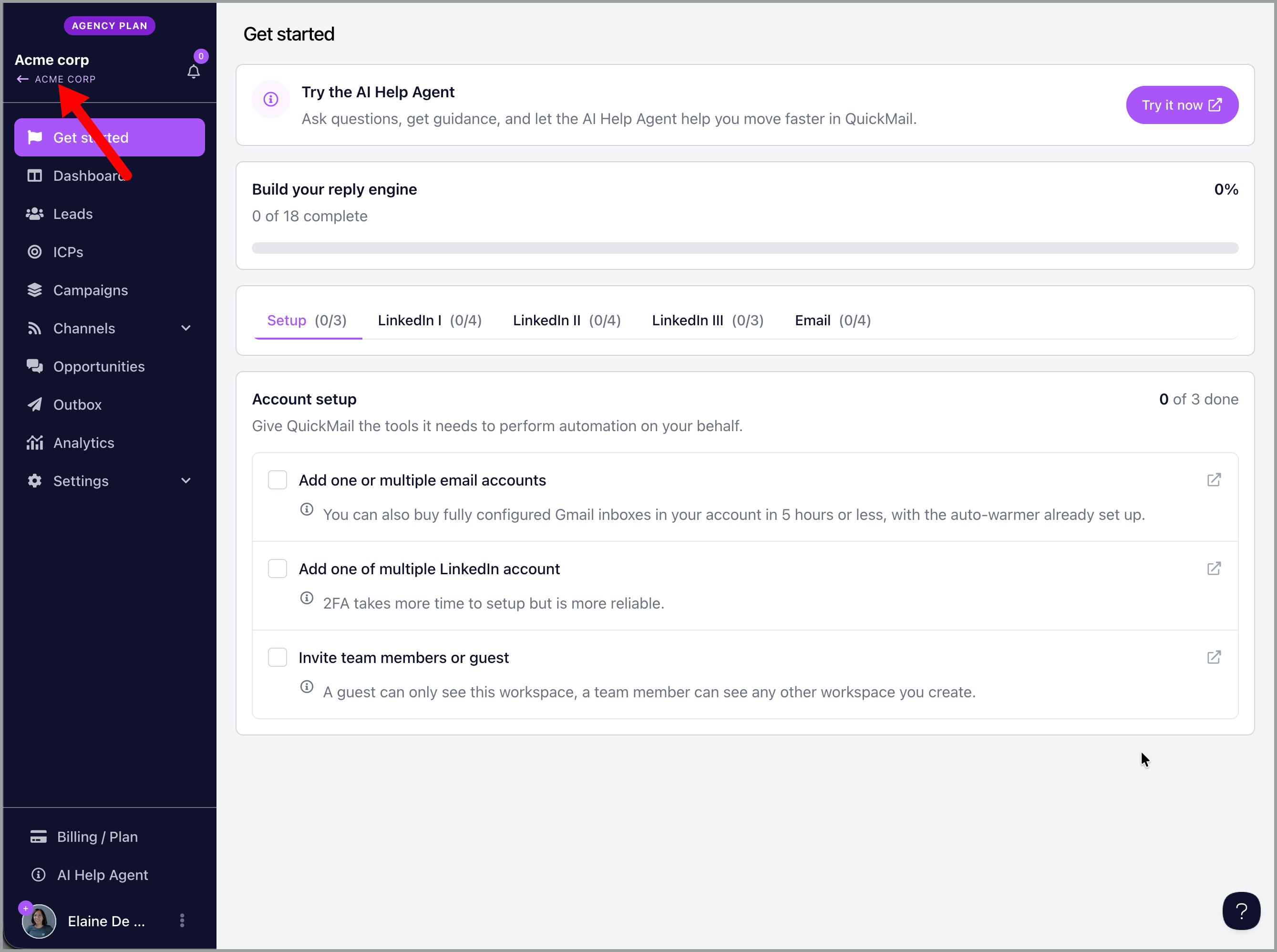
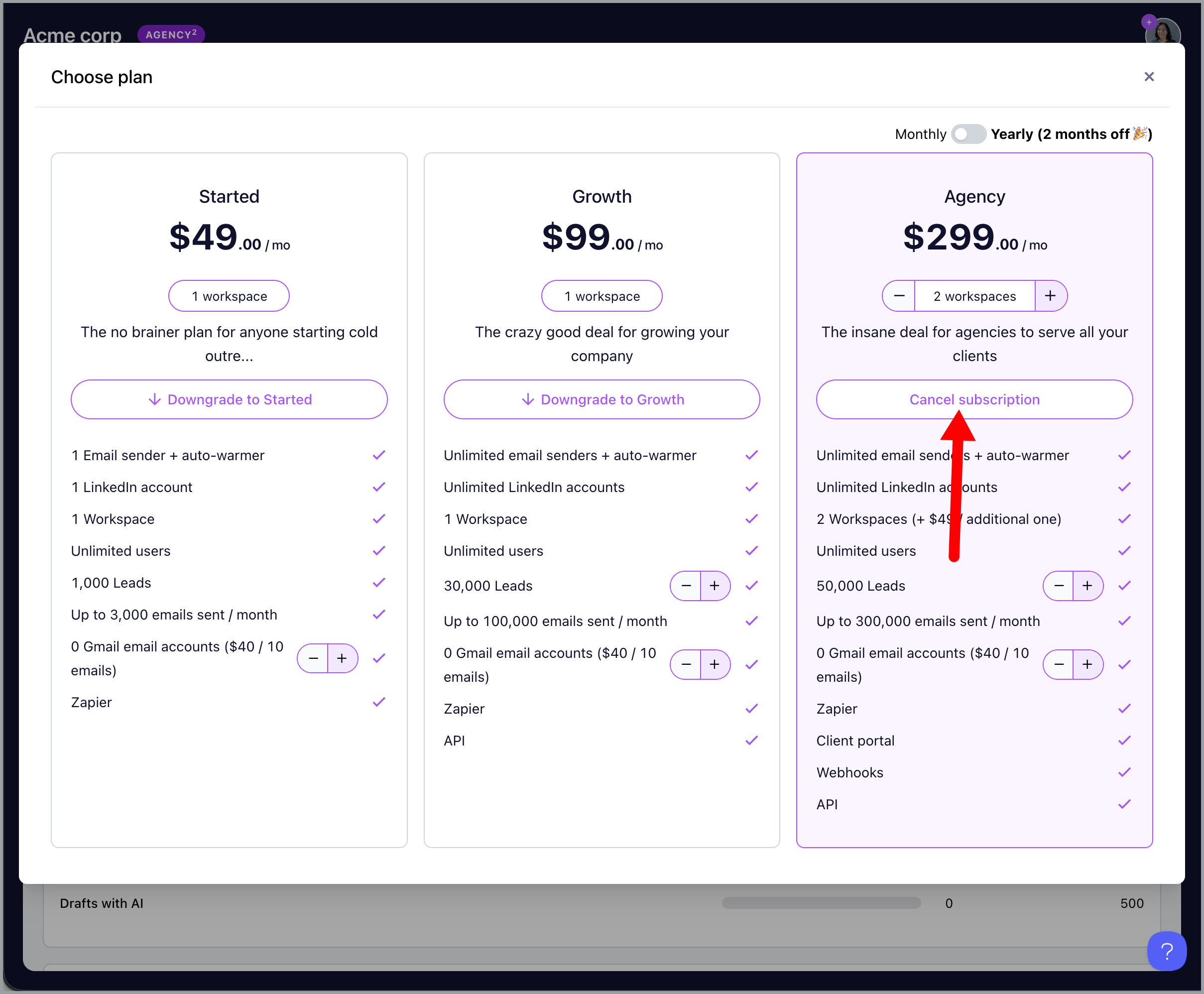
To cancel your agency subscription, go to your agency dashboard by clicking your agency name in one of the workspaces.
Then, go to -> billing -> manage.
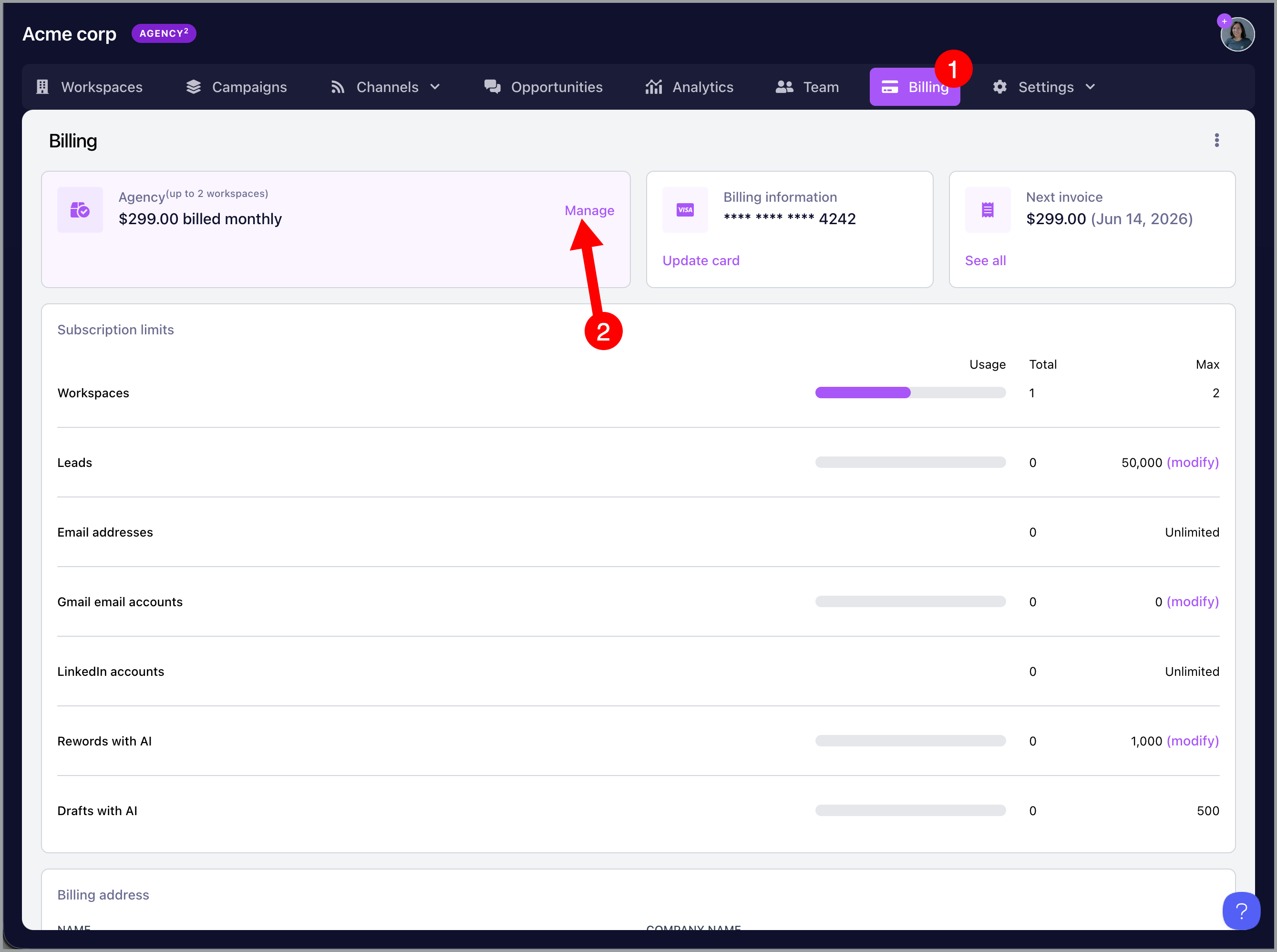
Click cancel subscription
Trial account
No need to cancel the account.
Once the 14-day trial expires, the account will not be charged. Instead, it will simply expire and be automatically deleted, no need to contact Support and no further action is required.
I'm having an error canceling my subscription
If you have Google inboxes bought from QuickMail, only support can cancel them at the moment. To speak with a human agent, click on the chatbot, then select "Escalate to Human" to cancel your Google inboxes and subscription.
Only email addresses admins can cancel the subscription. Please reach out to your account admin for help.