Improving Account Revenues Using the Calculator
Improving Account Revenues Using the Calculator
Why Use the Revenue Calculator?
Many users wonder how many emails they need to send daily from a certain number of email accounts and domains to achieve their goals. Users are also often unsure about what stats thresholds they should aim for.
The revenue calculator helps avoid that confusion by allowing you to visualize targets for delivered emails, opens, replies, positive replies, and bookings. It also helps you track and optimize email outreach by showing how much revenue you are generating and what stats need to improve to reach your revenue goals.
How to Use the Revenue Calculator?
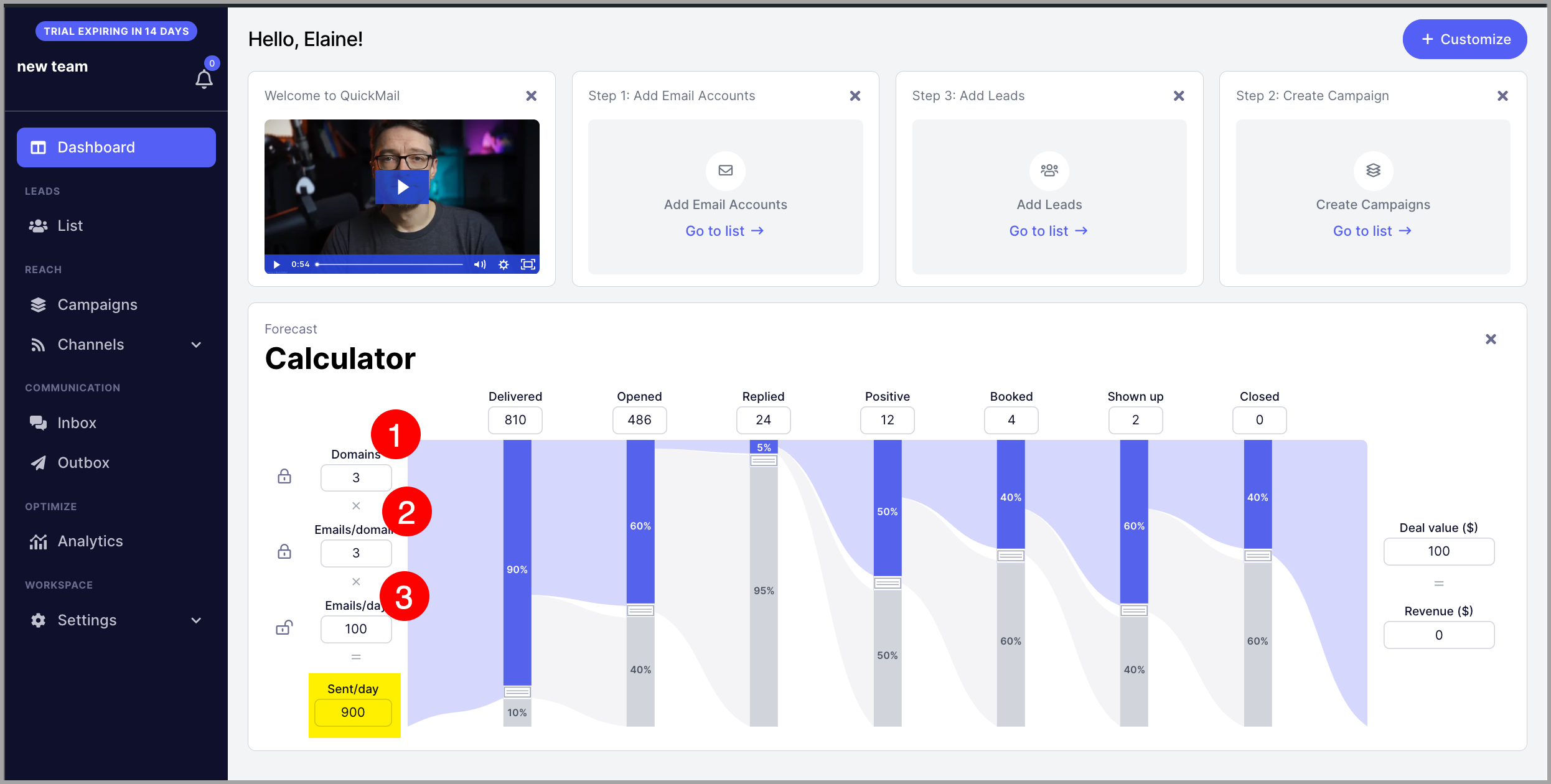
To get started, input how many domains you have, how many email accounts you have in each domain, and how many emails each account sends daily.
The default values are 3 domains, 20 email accounts per domain, and 300 emails per domain. You can change these by editing the fields based on your account setup.
Based on your inputs, the calculator will automatically show how many emails your whole account can send daily.
Here's an example:
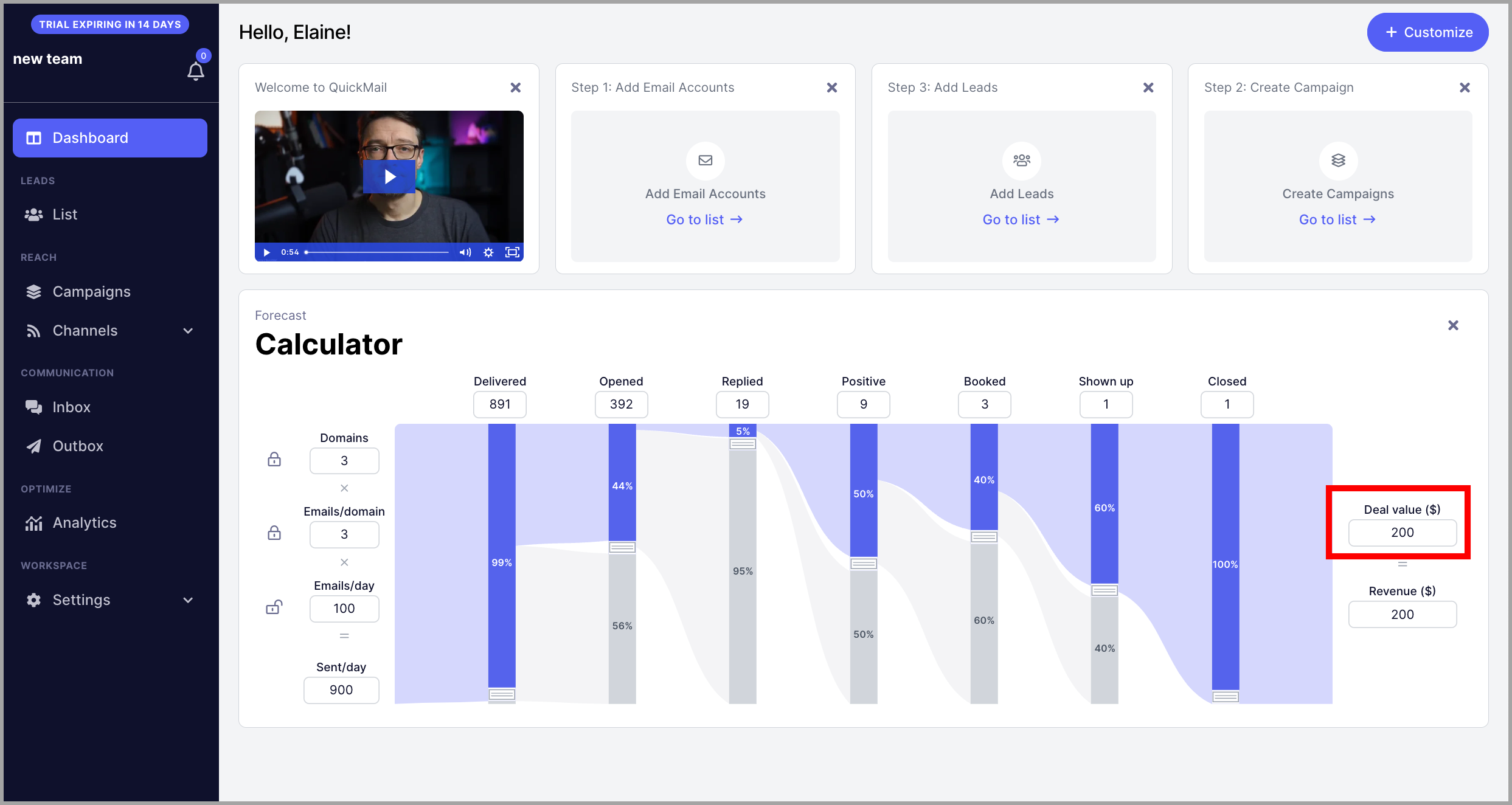
Next, set how much value each deal is worth by editing this number:
Based on your total daily emails, you can adjust your delivered rate — this refers to emails that did not bounce. The default is 90%, but you can adjust the percentage by dragging the slider on delivered emails.
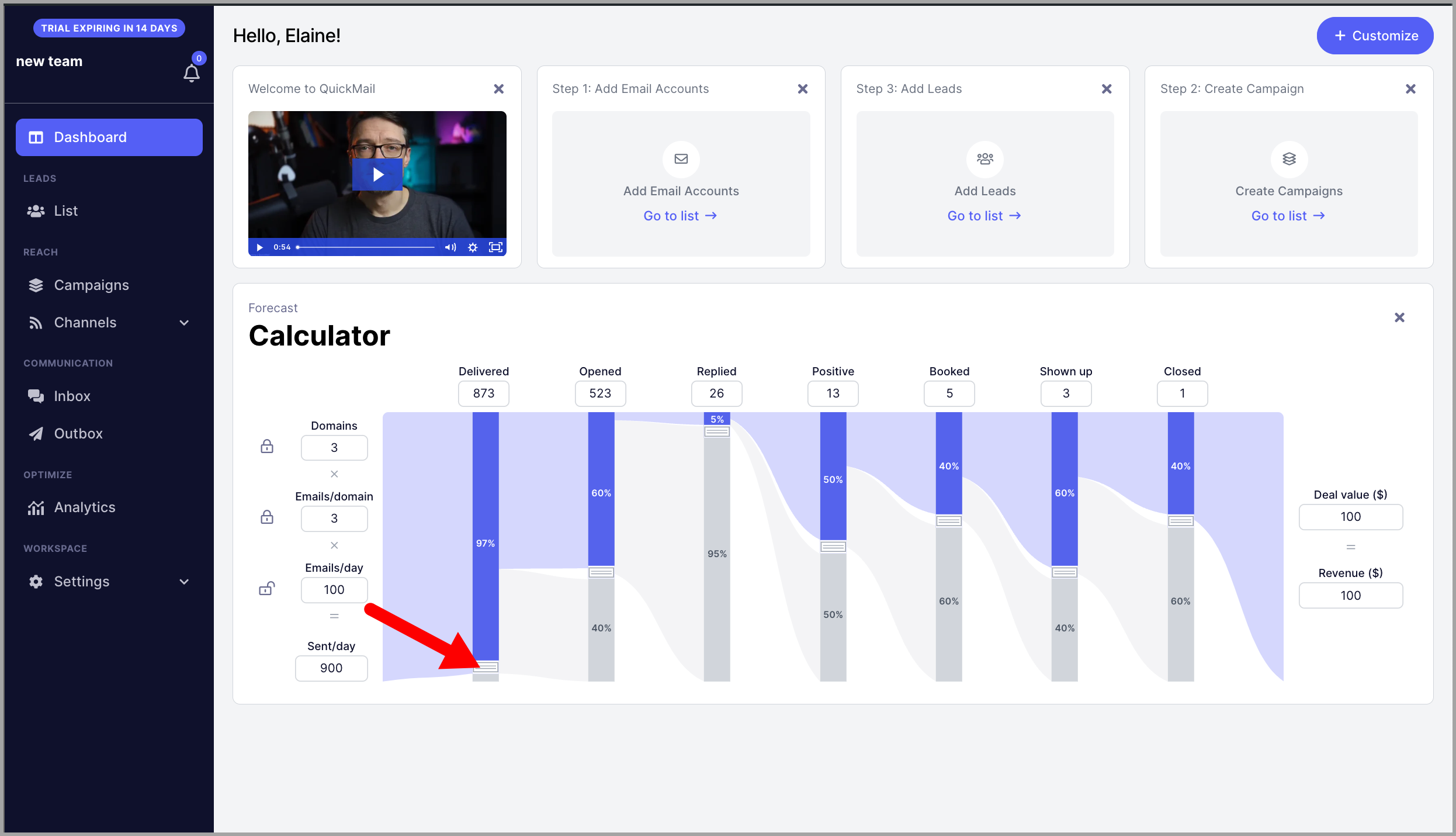
You can adjust all variables to get the ratio of each.
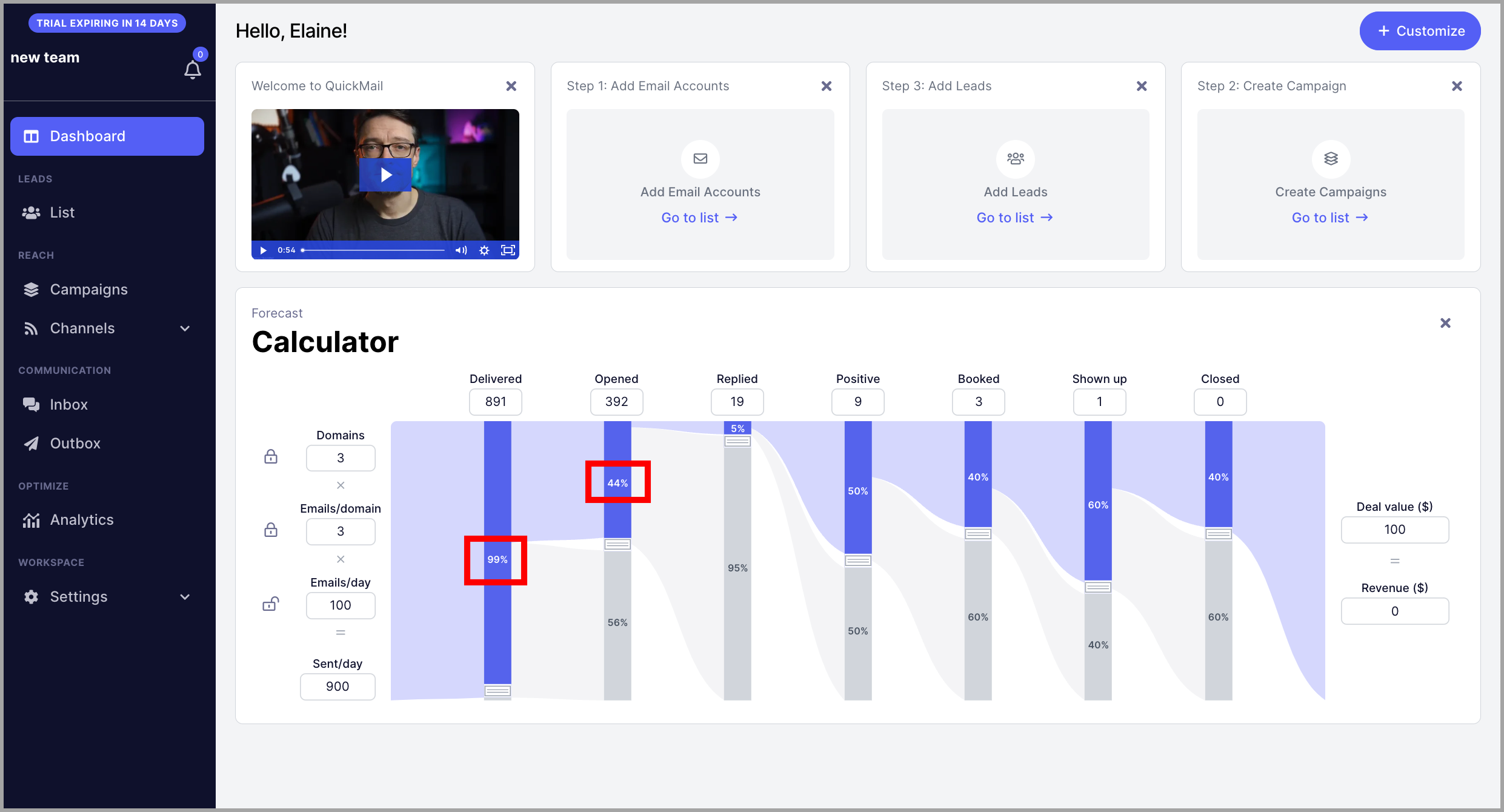
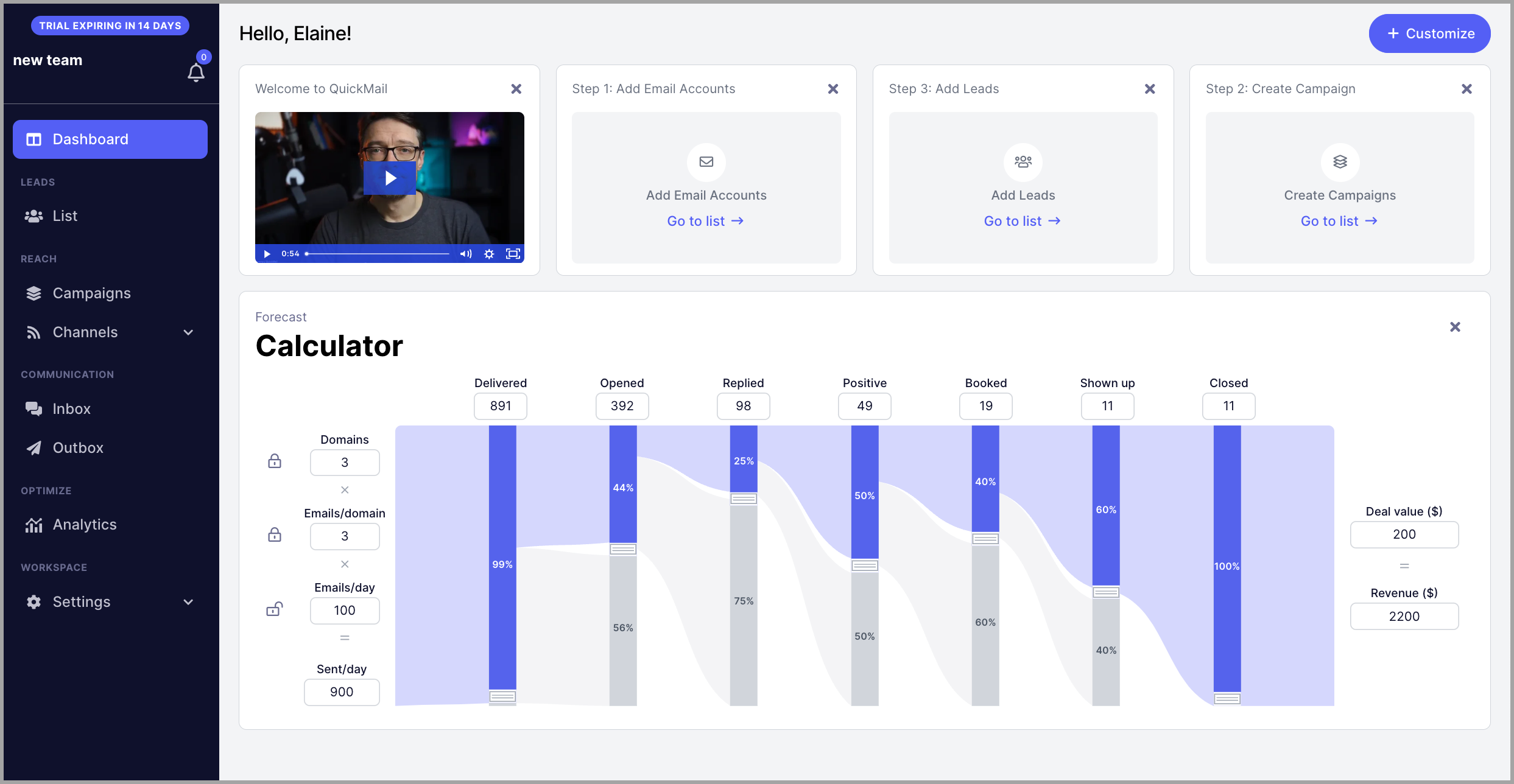
Here's an example of an account that generated $2,200. It has 99% delivered emails; out of delivered emails 44% have opened; out of those opens, 25% replied; out of those replies 50% sent a positive reply; out of those positive replies, 40% have booked; out of those bookings, 60% showed up; and all of those who showed up turned into closed deals.
Pro tip: To get an accurate open rate, reply rate, and positive reply rate, check the Analytics page.
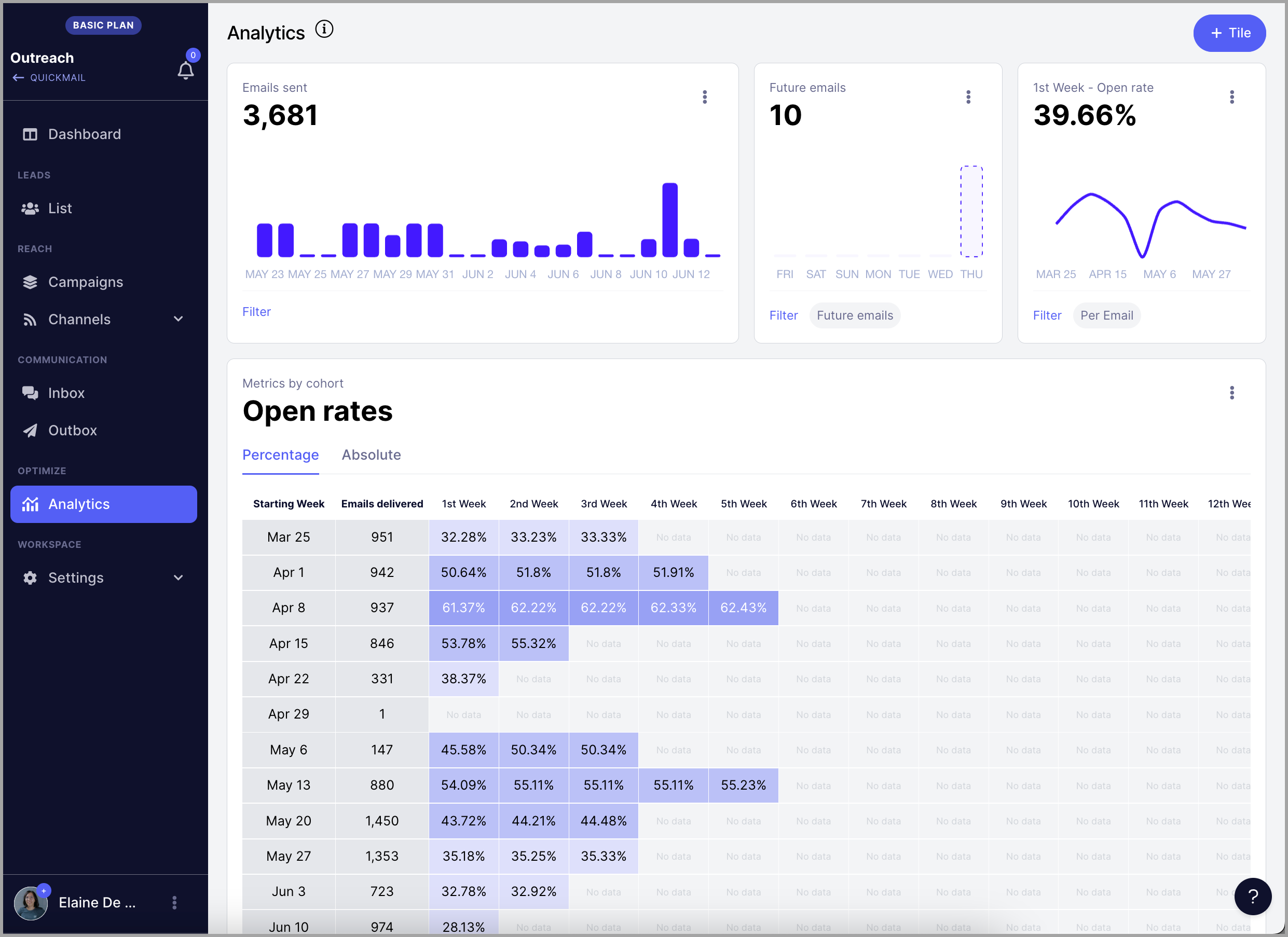
For example, this account has an average open rate of ~44% this month.
And an average bounce rate of ~1%.
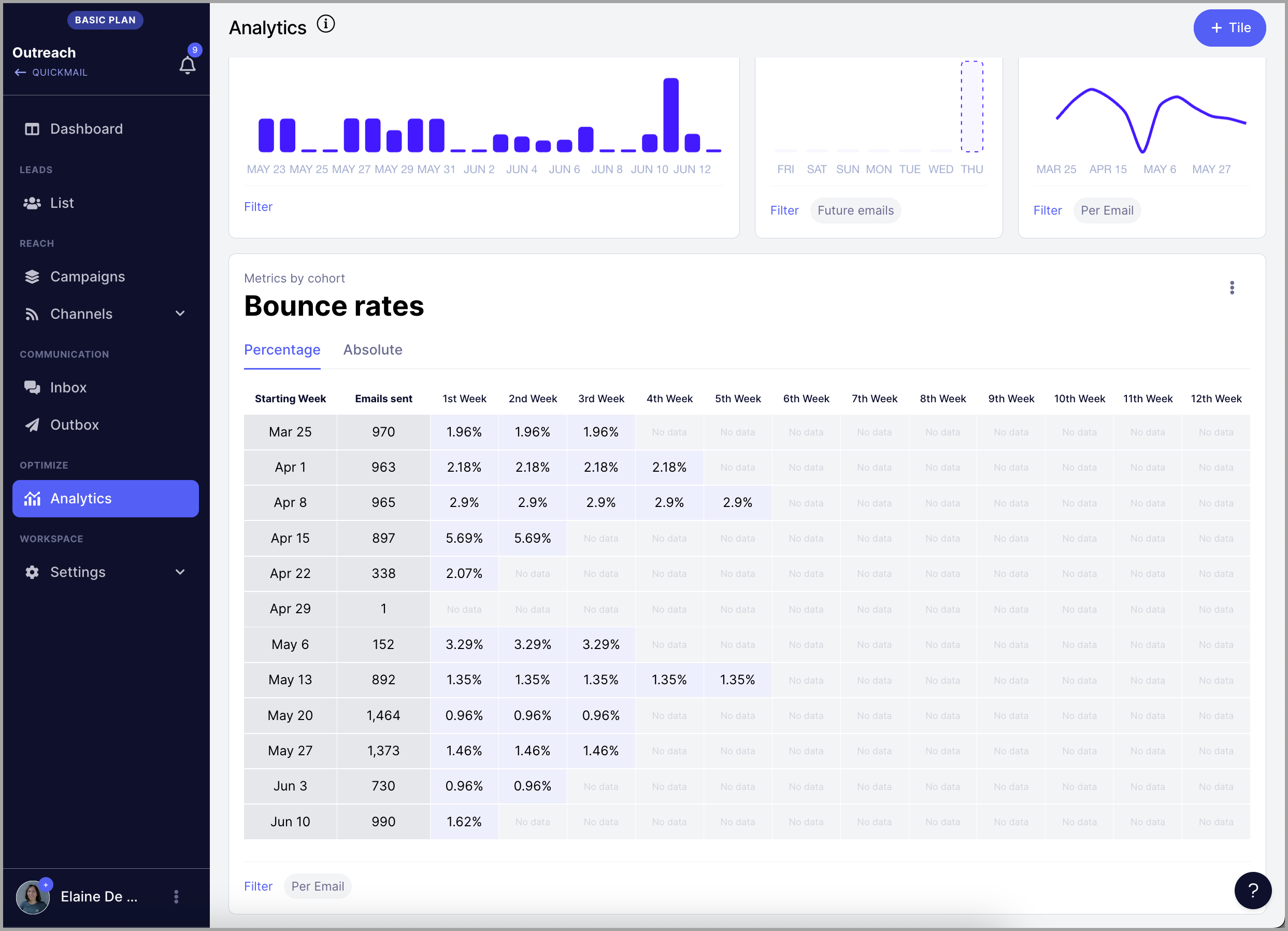
So you can set your delivered emails to 99% and the open rate to 44%. Like this: