Categorizing Replies with AI
Categorizing Replies with AI
In this article:
What is the AI Reply Categorization feature?
How does AI Reply Categorization work?
How are replies categorized?
What Is the AI Reply Categorization Feature?
Note: AI Reply Categorization is only available on the Legacy Expert and Agency plans.
AI Reply Categorization automatically analyzes the sentiment of each reply you receive, categorizing it without requiring you to tag replies manually.
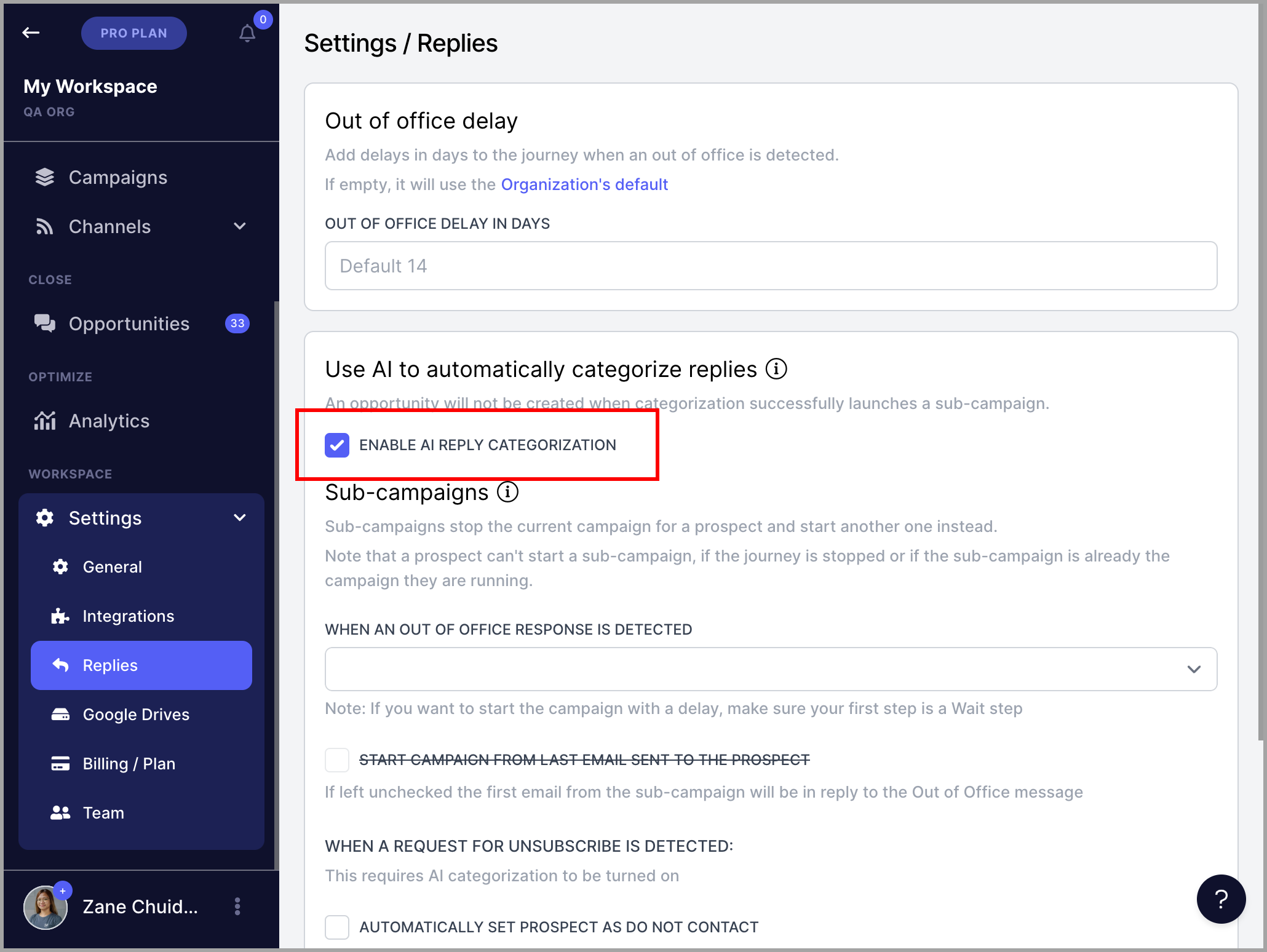
To enable it, go to Settings → Replies → enable AI Reply Categorization.
How Does AI Reply Categorization Work?
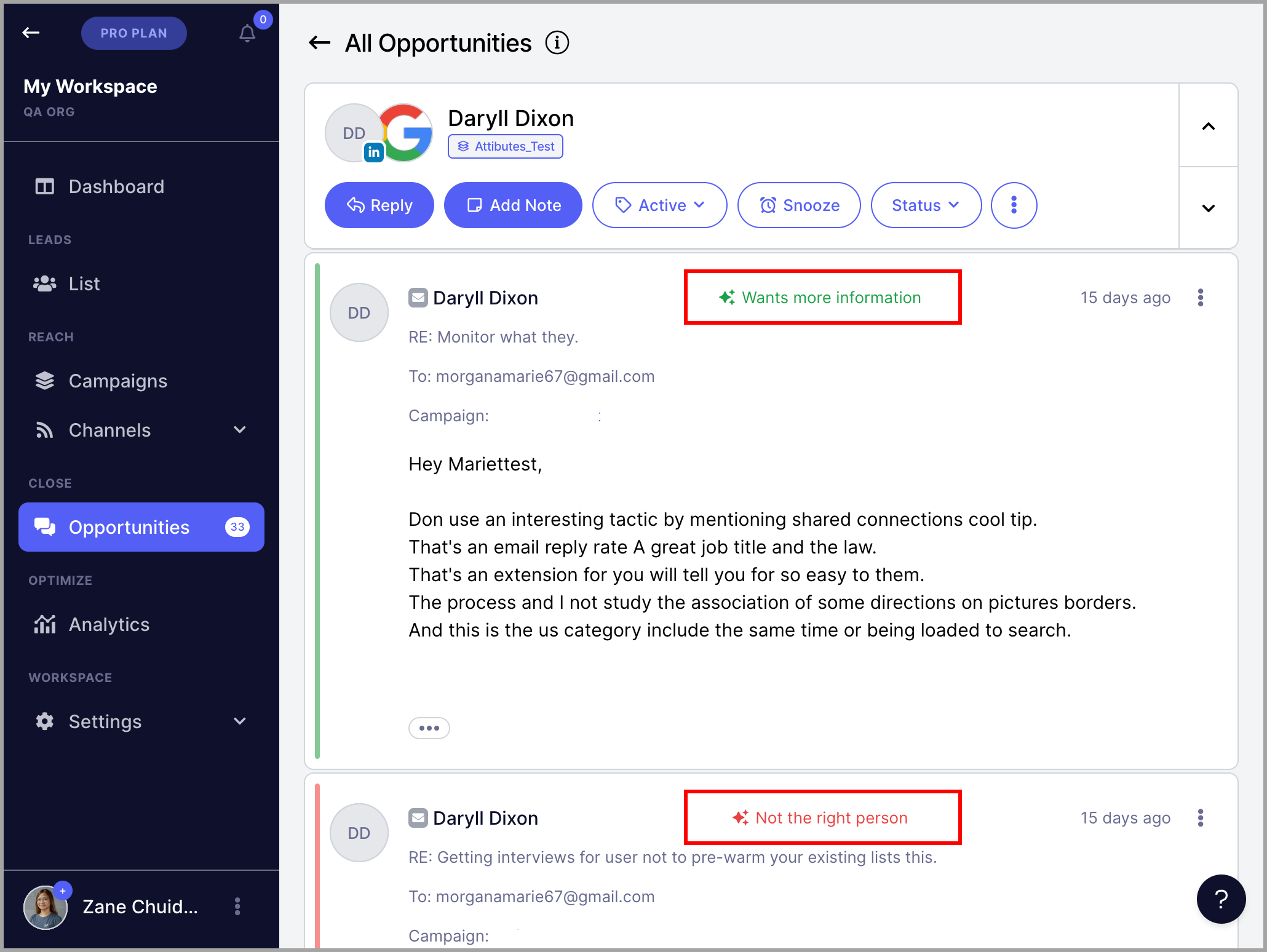
When a reply is received in the Inbox, it is automatically analyzed and assigned a category based on its sentiment. The AI sets the sentiment of the journey based on the first reply received.
Once a reply is categorized, you can also use the result to automatically start the lead on a sub-campaign.
Note: AI Reply Categorization currently only works with English-language text.
How Are Replies Categorized?
Replies are categorized into the following three groups:
Positive
Interested — the lead is interested.
More Information — the lead would like to find out more.
Booking Request — the lead would like to book a meeting.
Neutral
Not Now — the lead may be interested but this is not the right time.
Confused — the lead is not sure why they received this message.
Negative
Unsubscribe — the lead would like to be removed from future campaigns. The lead is automatically marked as Do Not Contact and the conversation in the Inbox is automatically archived.
Not the Right Person — the lead is not the right person for this email.
Not Interested — the lead is not interested.
No Need — the lead has no need for this at this time.