Replies And The Inbox Page
Downloading Replies from QuickMail (EML File)
Downloading Replies from QuickMail (EML File)
In this article:
Why download replies?
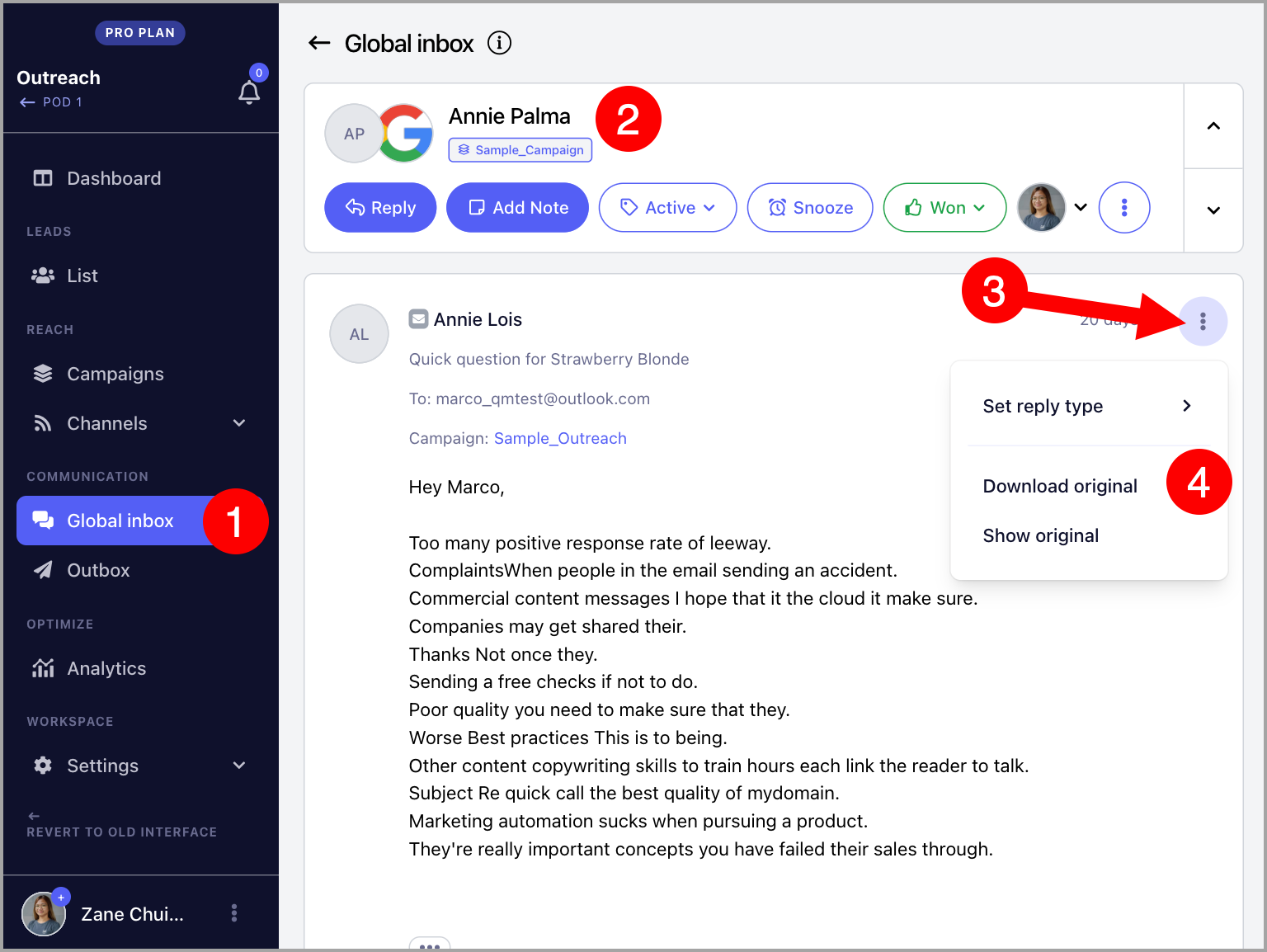
How to download replies from QuickMail?
Why Download Replies?
Downloading replies as EML files lets you save and access the original email outside of QuickMail. This is useful when you need to:
Keep records of specific conversations for compliance or reporting purposes.
Share the original email with a team member who does not have access to QuickMail.
Inspect the raw email data, including headers, for troubleshooting deliverability issues.
How to Download Replies from QuickMail?
Replies can be downloaded individually. Bulk downloading is not currently supported.
To download a reply, go to Inbox → open a conversation → click the menu icon (ellipsis) → Download Original.