Canceling your subscription
Canceling your subscription
In this article:
Growth and Starter Plan
Agency Plan
Trial account
I'm having an error canceling my subscription
I don't have an option to cancel my subscription
For Growth and Starter Plan
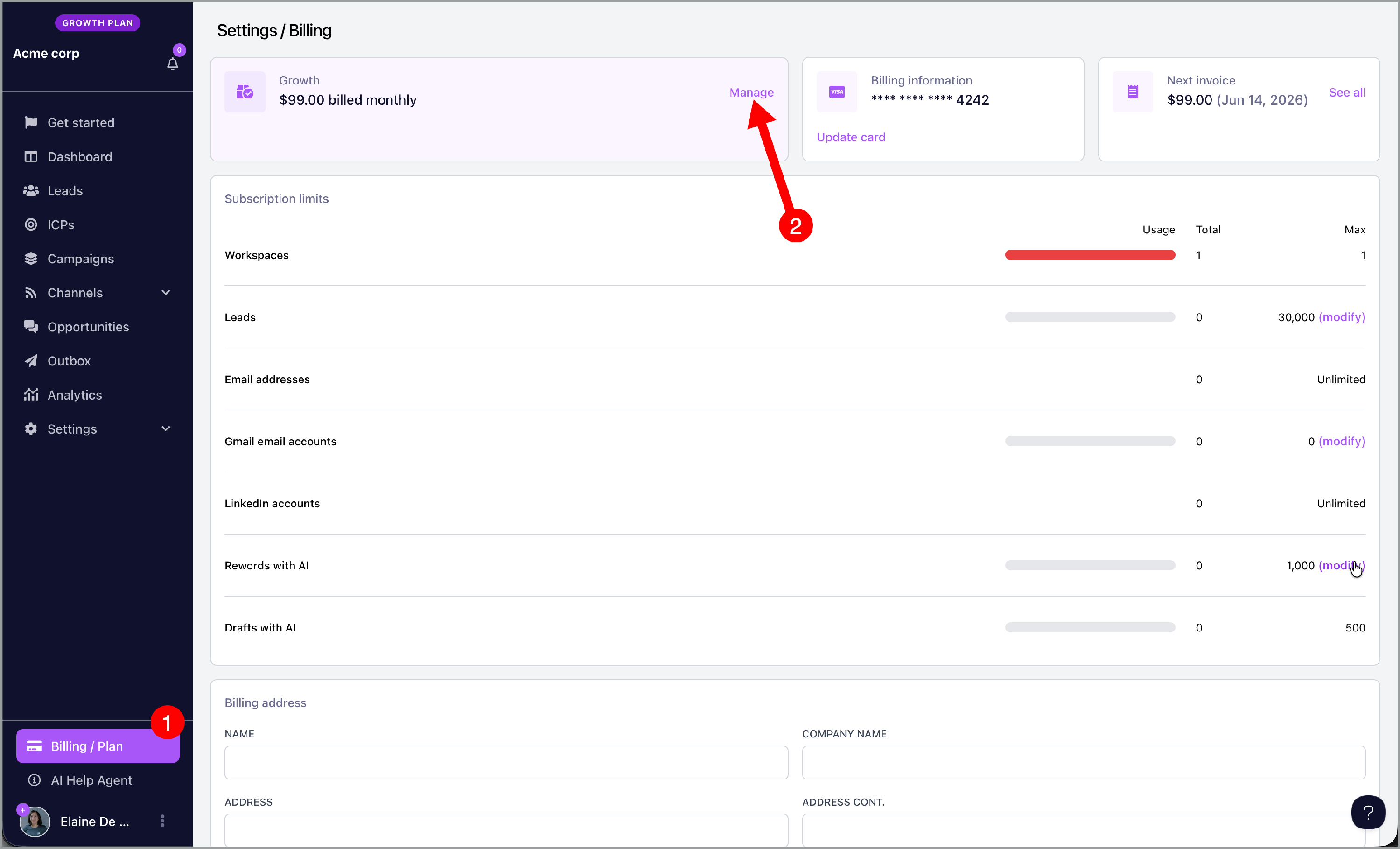
To cancel your workspace subscription, go to your billing page and click manage.
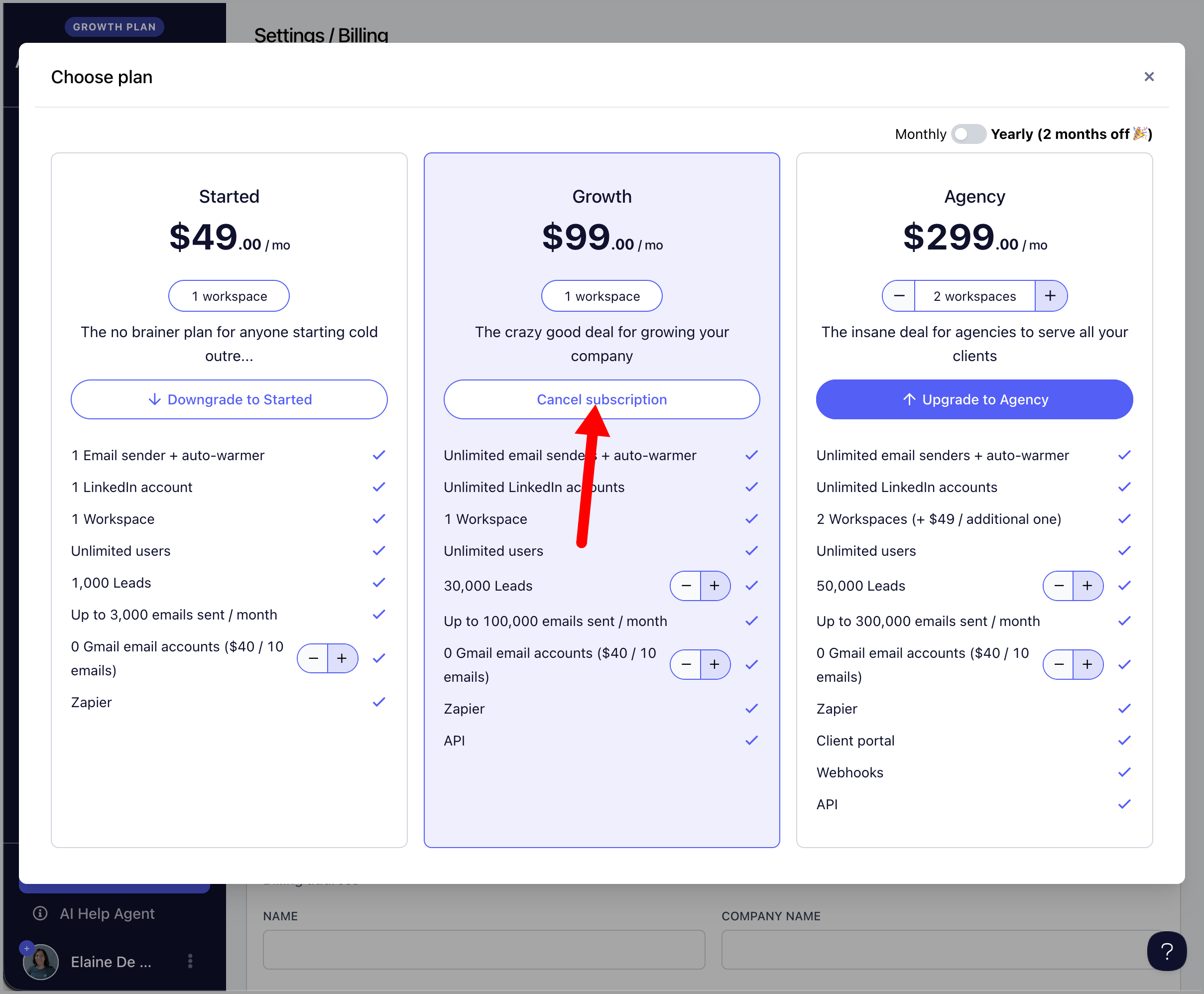
Then, click cancel subscription.
For Agency Plan
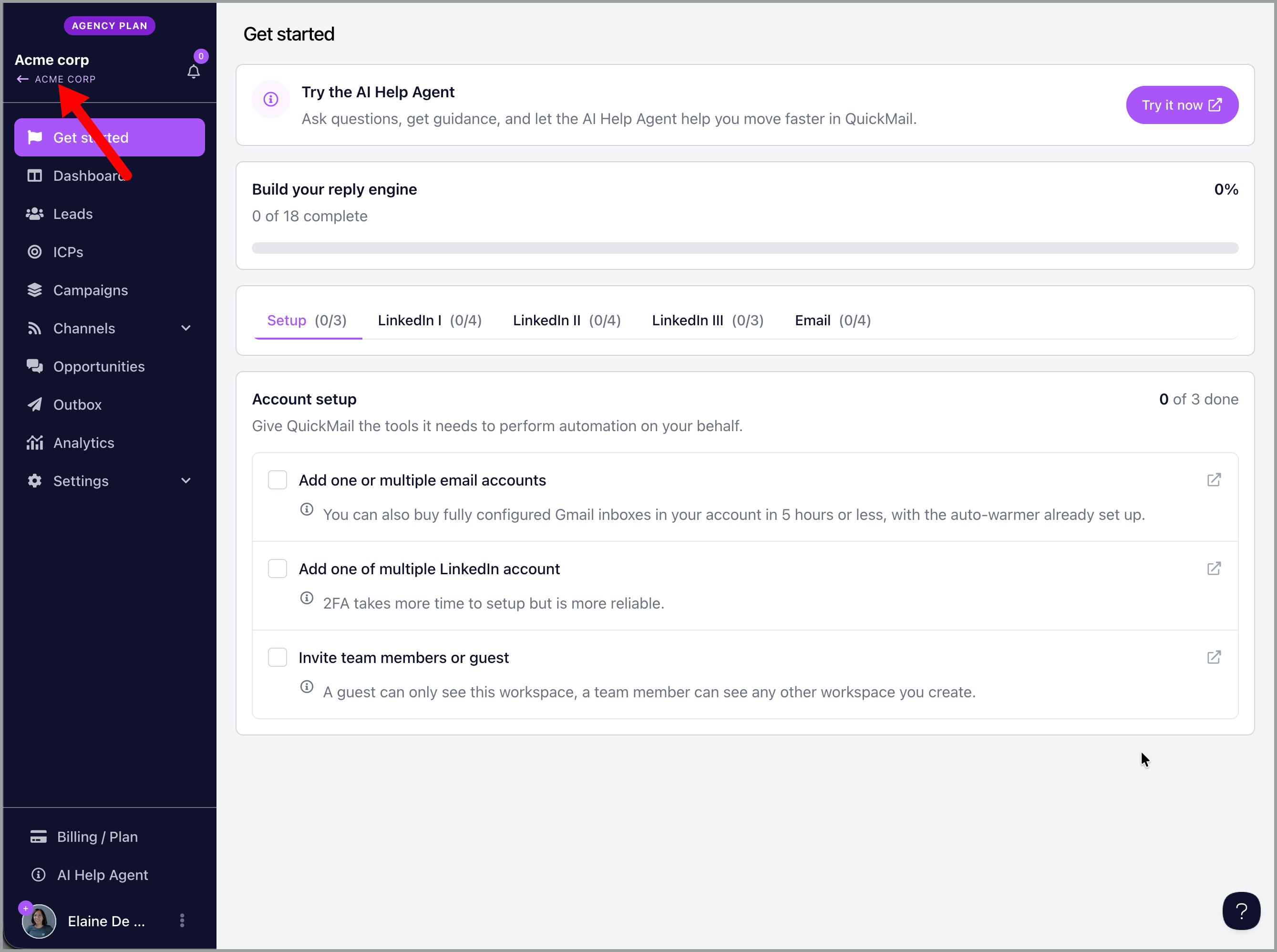
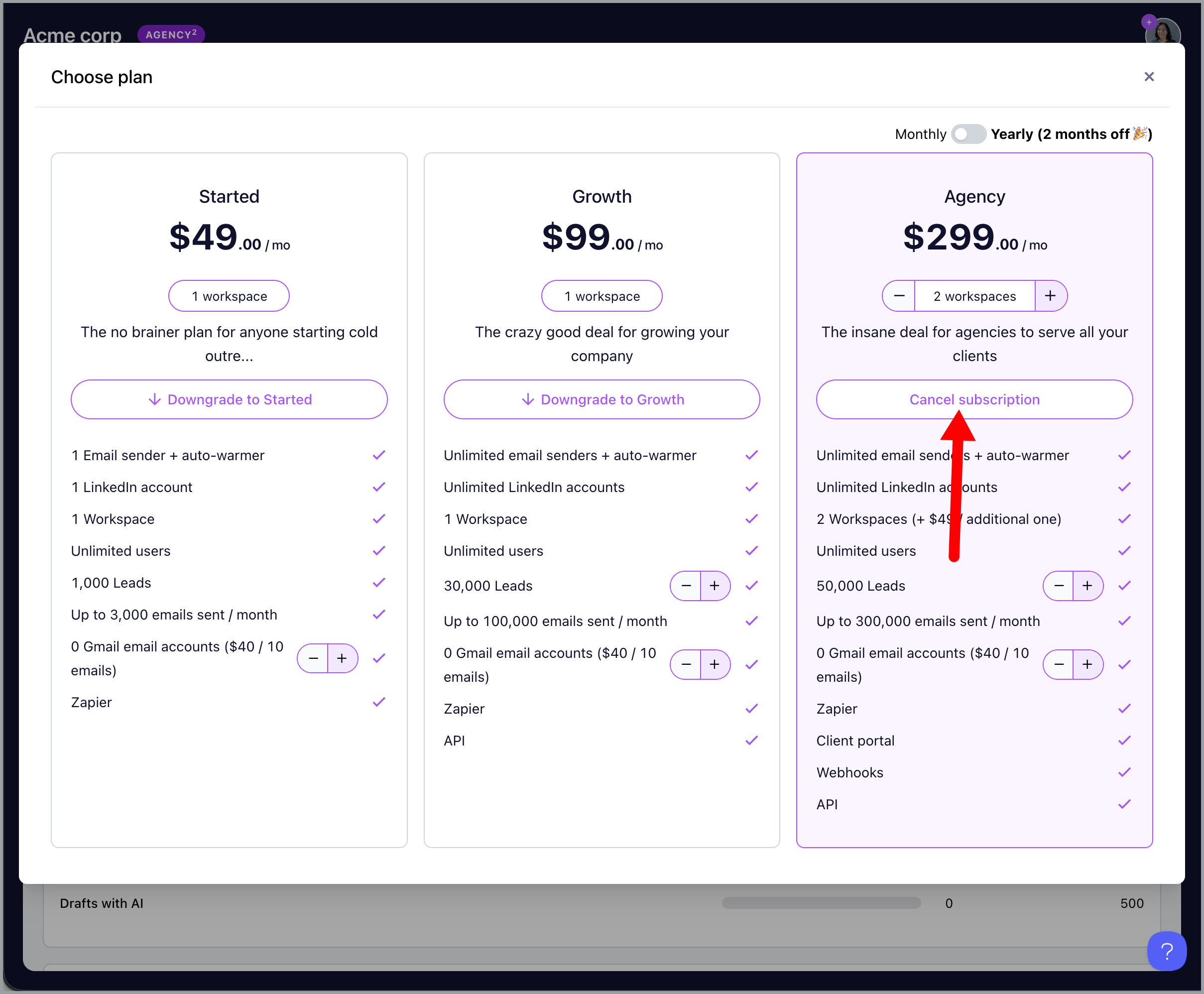
To cancel your agency subscription, go to your agency dashboard by clicking your agency name in one of the workspaces.
Then, go to -> billing -> manage.
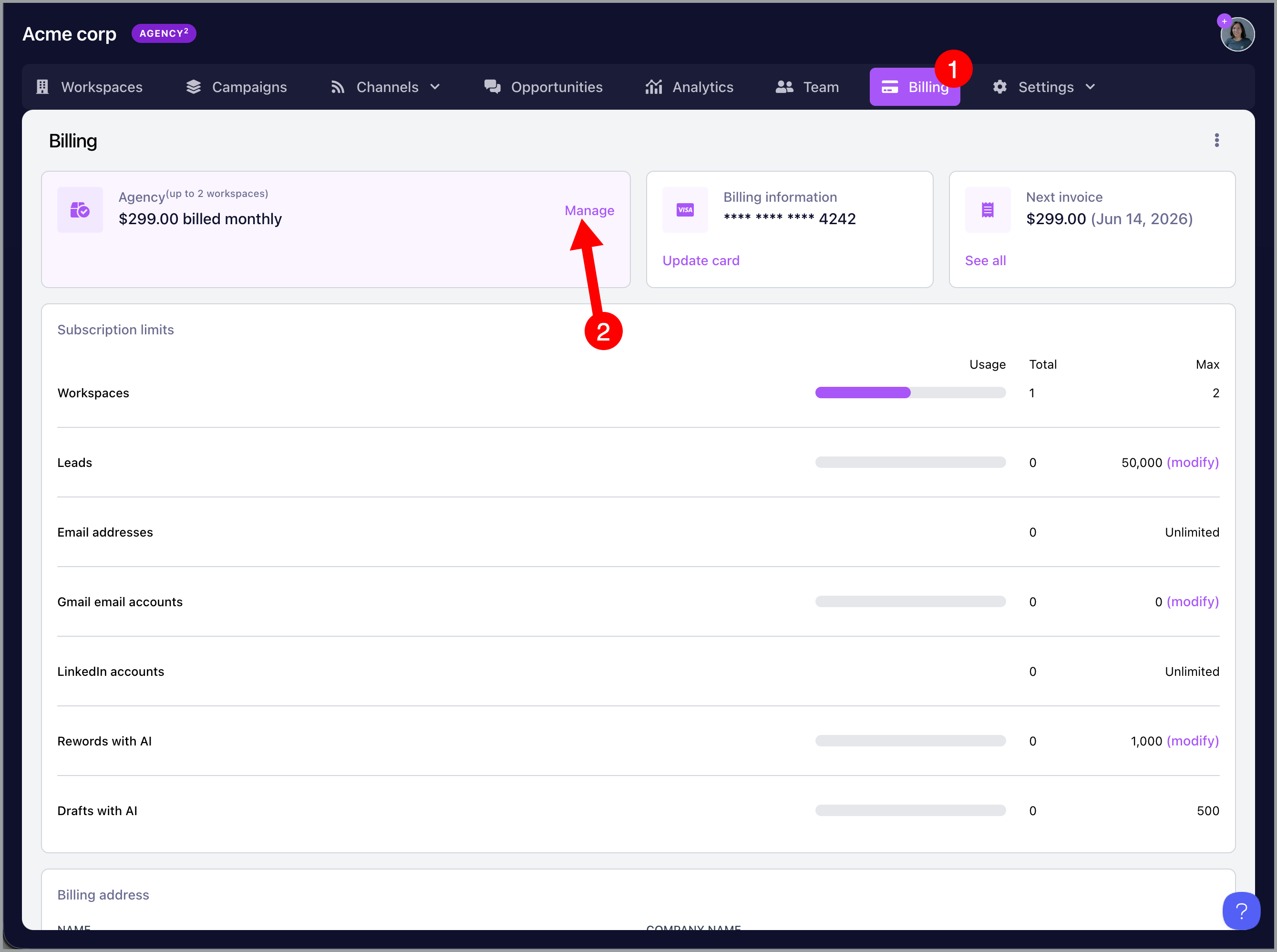
Click cancel subscription
Trial account
No need to cancel the account.
Once the 14-day trial expires, the account will not be charged. Instead, it will simply expire and be automatically deleted, no further action is required.
I'm having an error canceling my subscription
If you have Google inboxes bought from QuickMail, only support can cancel them at the moment. Please reach out to support@quickmail.io to cancel your Google inboxes and subscription.
Only email addresses admins can cancel the subscription. Please reach out to your account admin for help.
I don't have an option to cancel my subscription
If your account is past due, the subscription will be automatically canceled after the third failed payment attempt. No additional action is required on your end.
However, if your account is not past due and you don't see an option to cancel, please reach out to us at support@quickmail.io and we'll be happy to help.