Account Management
Managing Channels with Bulk Actions
Managing Channels with Bulk Actions
In this article:
Why use bulk actions?
How to take bulk actions?
Which bulk actions are available?
Why Use Bulk Actions?
Bulk actions allow you to manage multiple email and LinkedIn accounts at the same time, saving time by reducing the need to update each account individually.
How to Take Bulk Actions?
Select multiple email or LinkedIn accounts → select the bulk action to take.
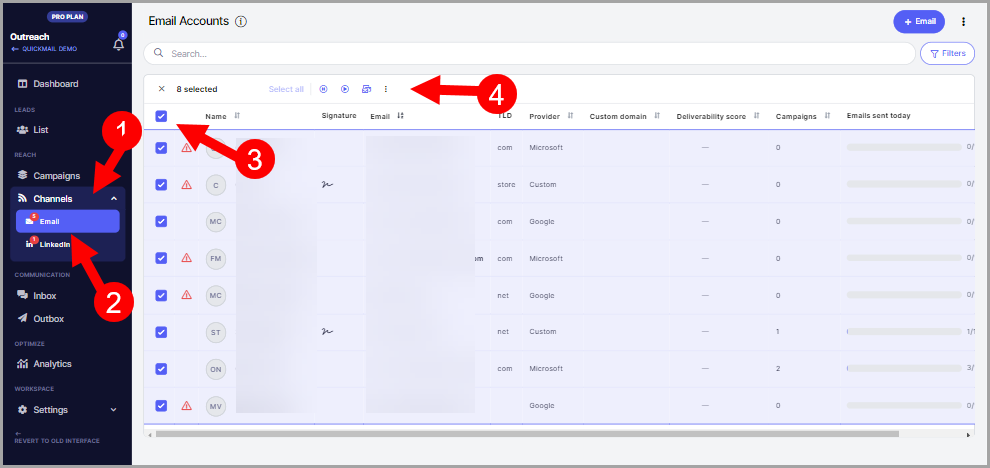
Which Bulk Actions Are Available?
Pause sending
Resume sending
Set daily email limit
Delay between emails
Set email signature
Set custom domain
Delete
Bulk actions coming soon.