Managing the Exclusion List
Managing the Exclusion List
In this article:
Why keep an exclusion list?
How to exclude domains?
How to exclude email addresses?
How to exclude LinkedIn profiles?
How do I automatically add leads to the exclusion list if they unsubscribe?
How do I automatically add leads' domains to the exclusion list if they unsubscribe?
Why Keep an Exclusion List?
The exclusion list allows you to prevent emails from being sent to specific email addresses or domains. This is useful if a company has opted out of your campaign, if certain leads are not the right fit, or if you want to prevent contacting free email addresses.
Note: If a lead's domain is on the exclusion list, the lead will not be able to start any campaign and any active journey will be canceled.
How to Exclude Domains?
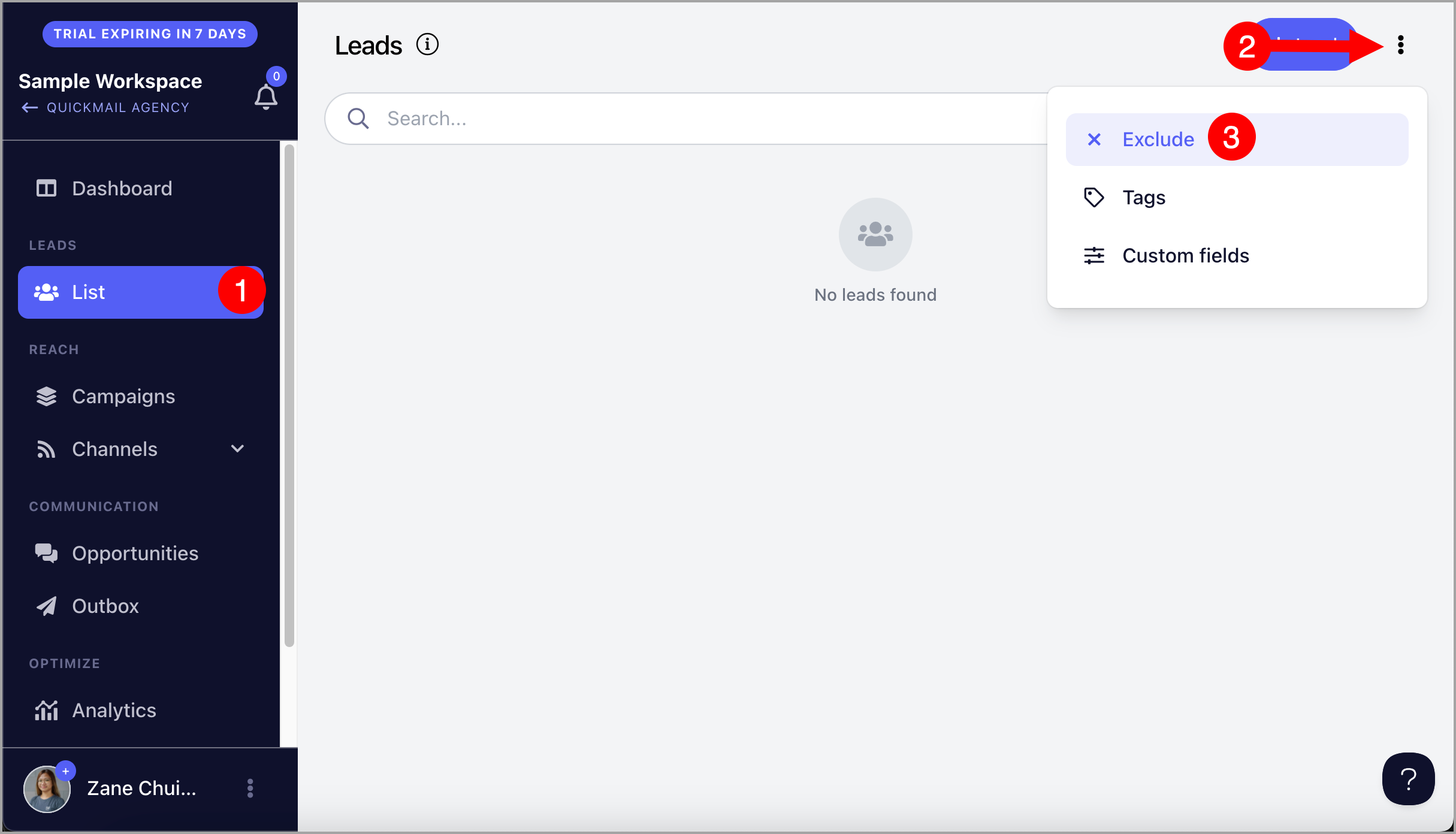
Step 1. Go to List → click the menu icon (three vertical dots) in the top-right corner → Exclude.
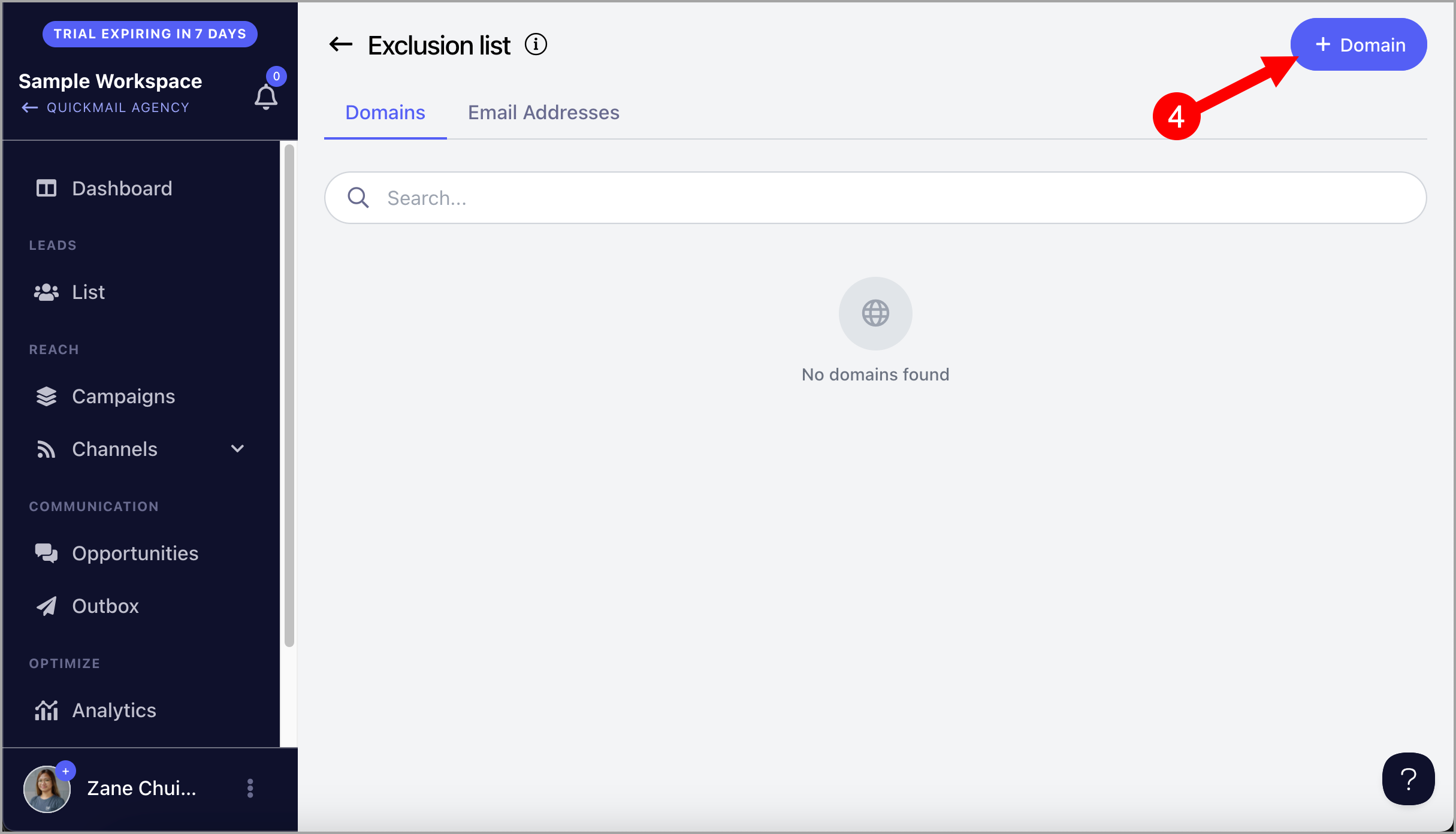
Step 2. Go to the Domain tab → click + Domain.
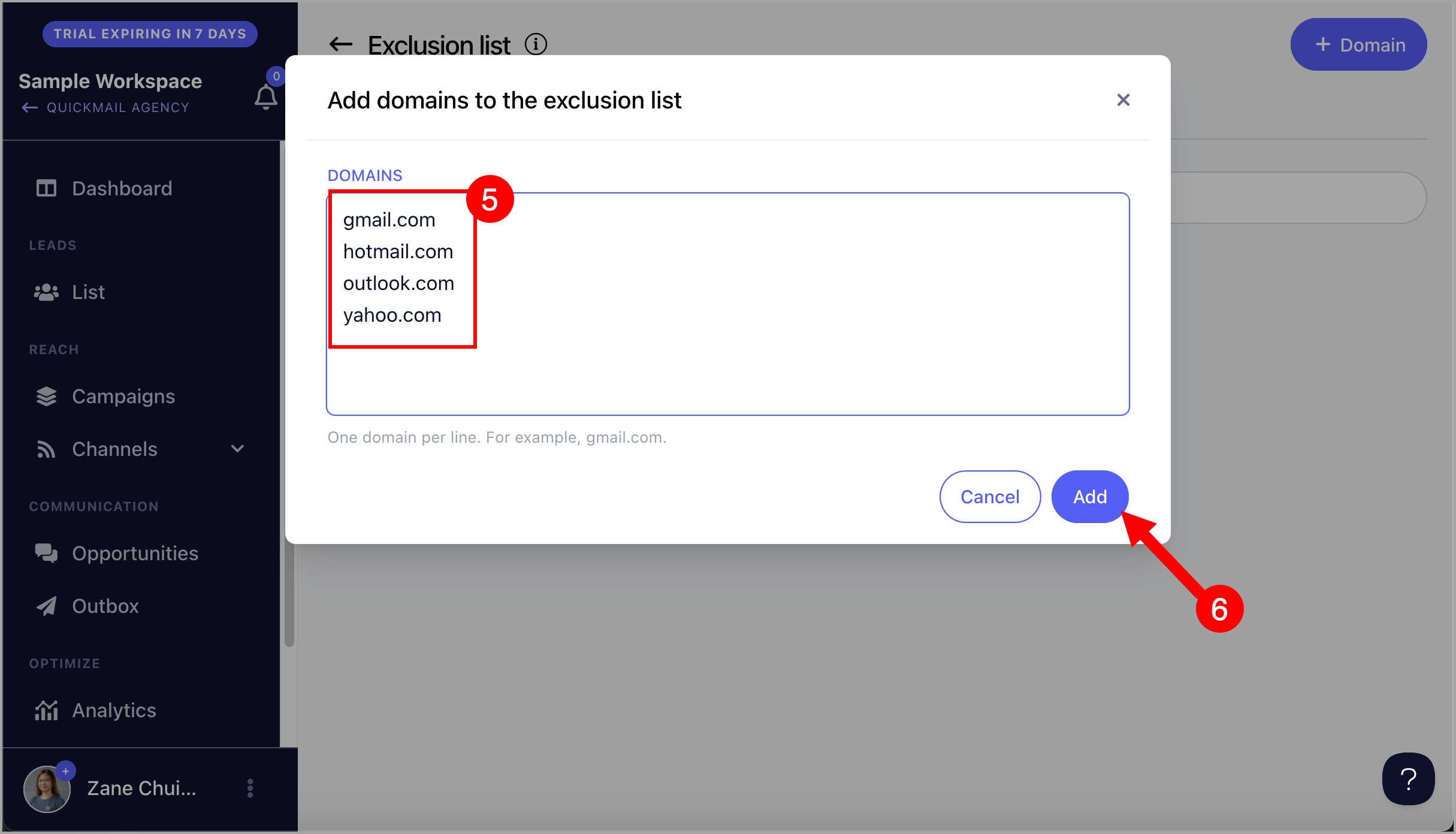
Note: Do not include https://, http://, or www when adding domains.
Step 3. Enter one domain per line to add multiple domains at once → click Add.
How to Exclude Email Addresses?
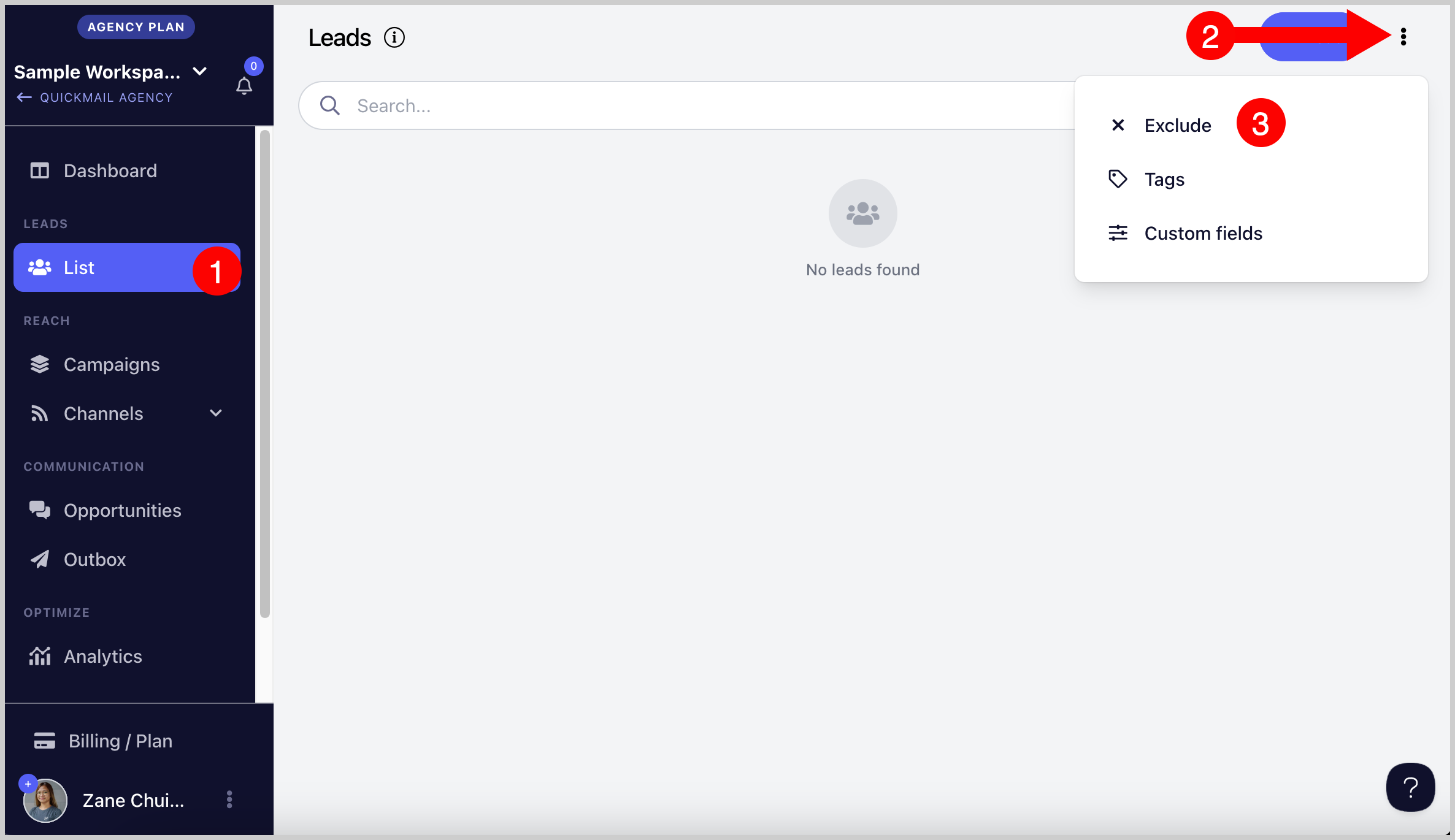
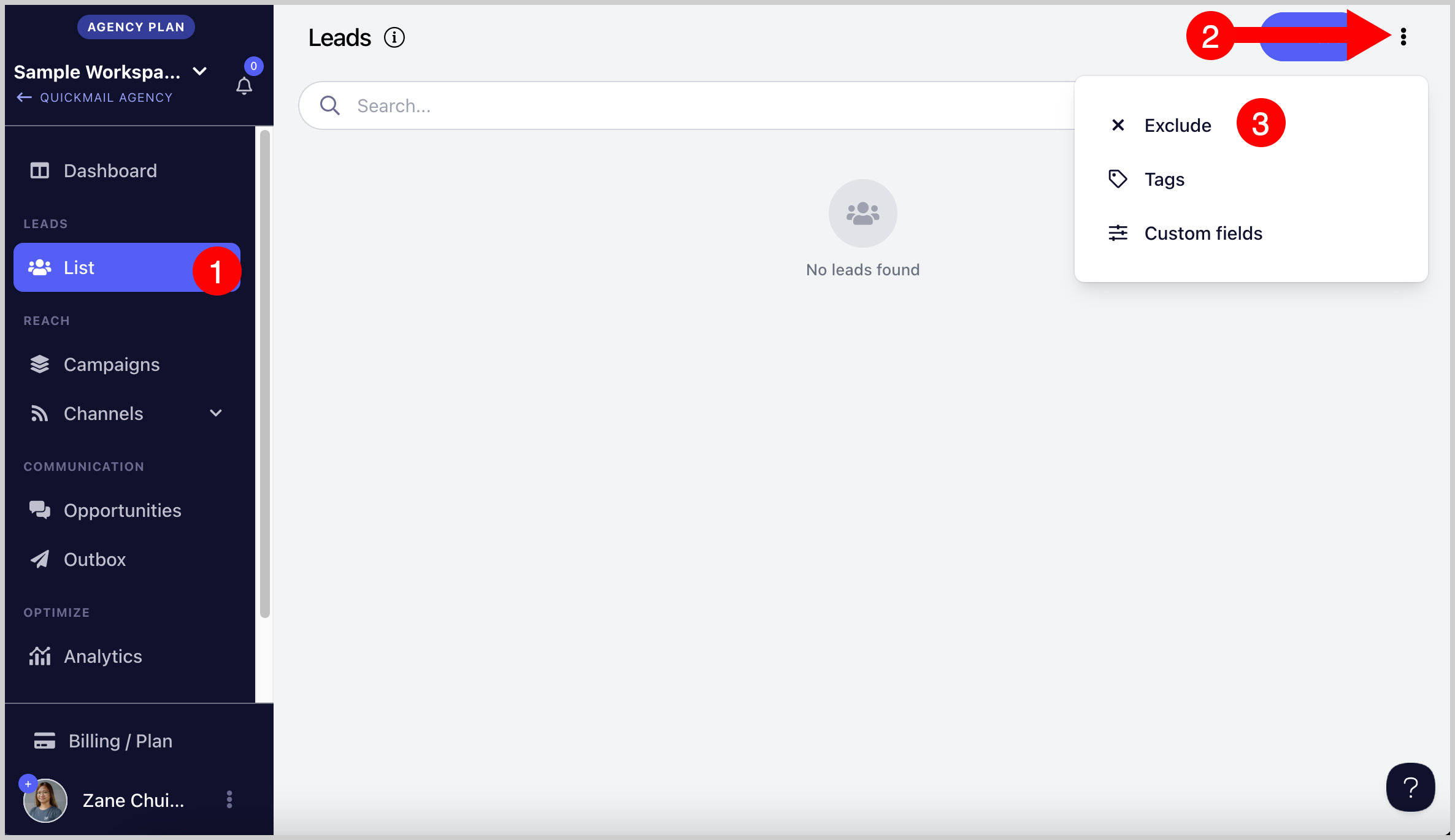
Step 1. Go to List → click Exclude in the top-right corner.
Step 2. Go to the Email Addresses tab → click + Emails.
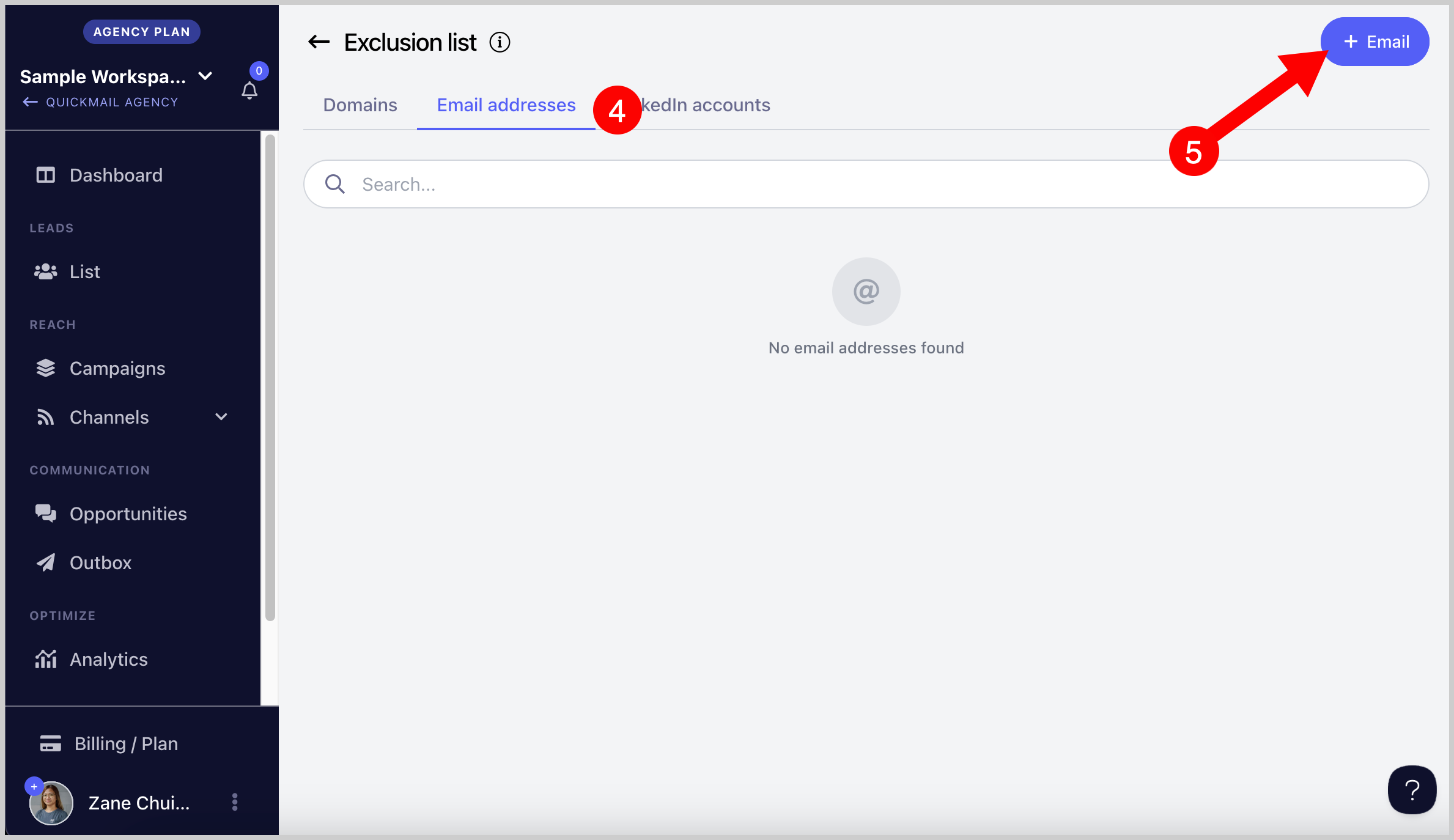
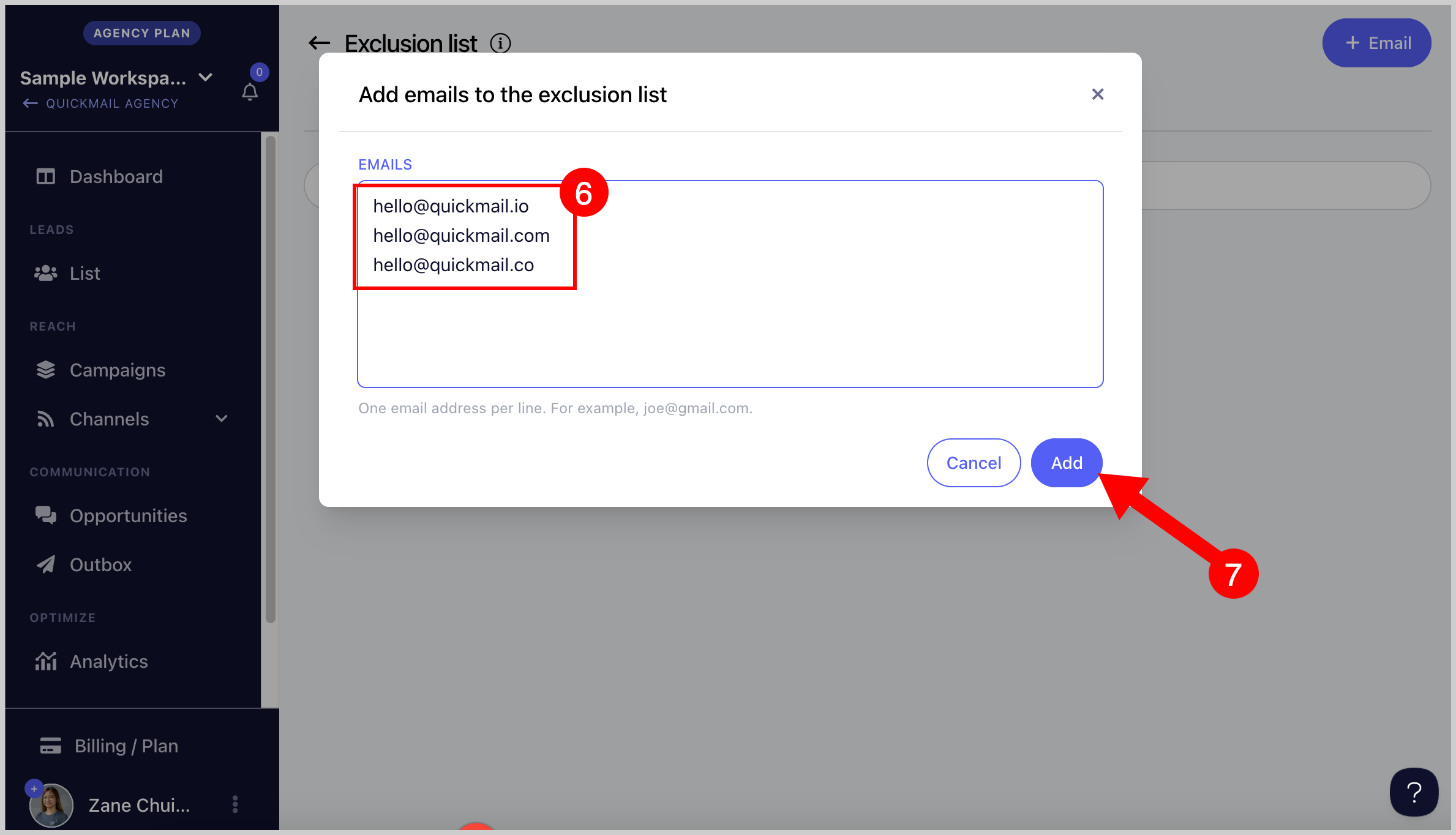
Step 3. Enter one email address per line to add multiple addresses at once → click Add.
How to Exclude LinkedIn Profiles?
Step 1. Go to List → click Exclude in the top-right corner.
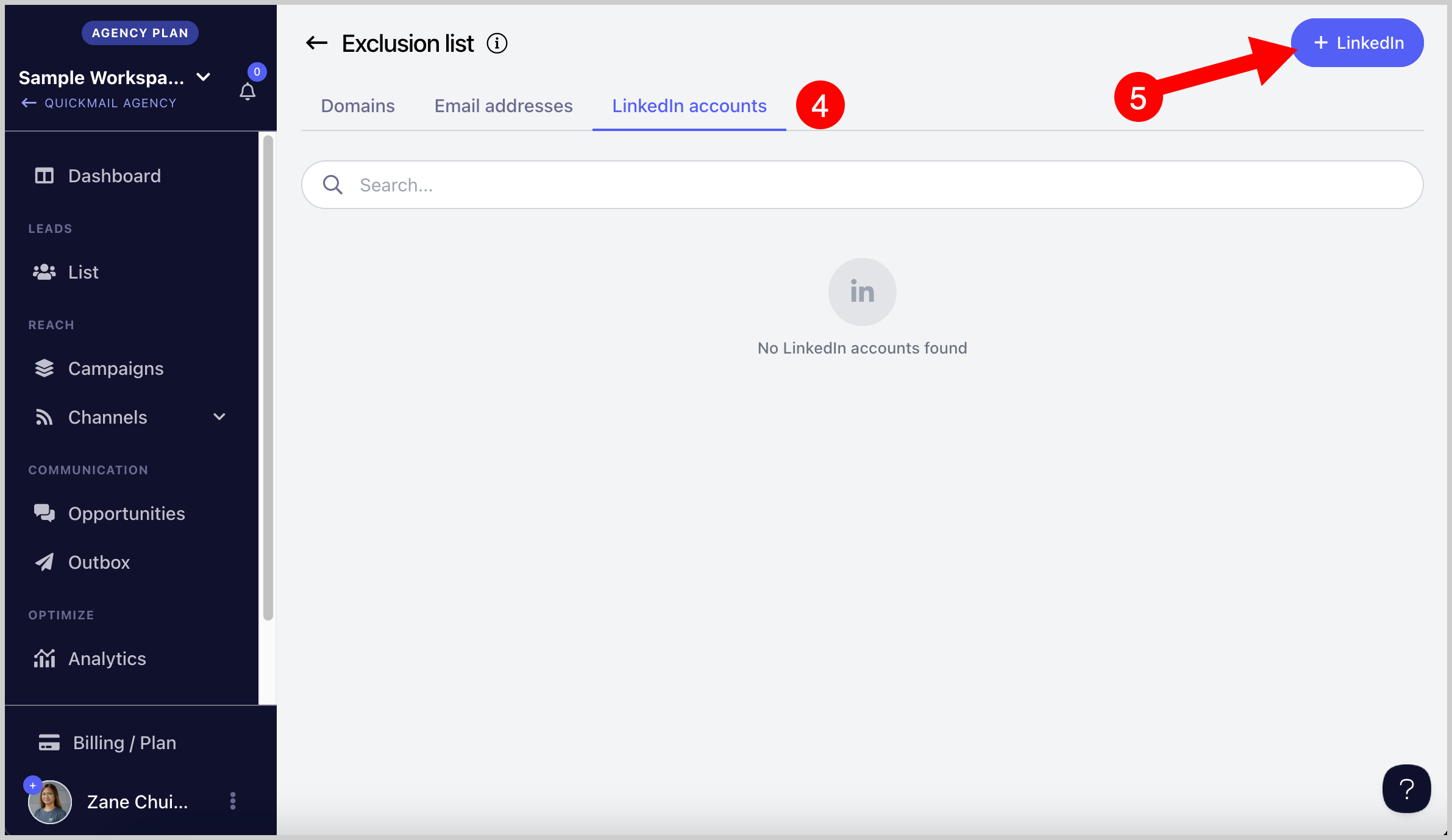
Step 2. Go to the LinkedIn tab → click + LinkedIn.
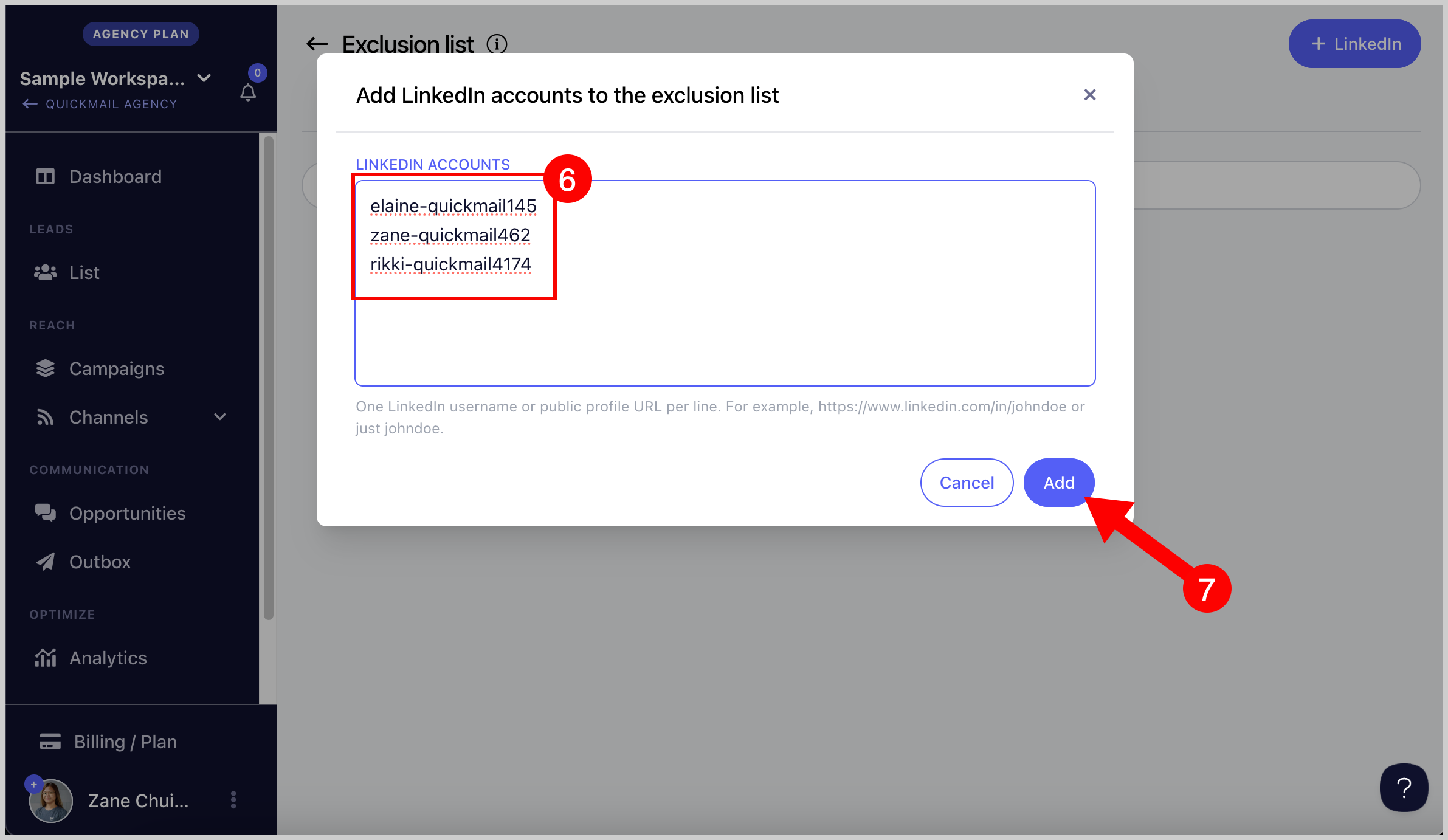
Step 3. Enter one LinkedIn profile ID per line to add multiple profiles at once → click Add.
Profile IDs can be entered in either of these formats:
https://www.linkedin.com/in/elaine-quickmail145/elaine-quickmail145
How Do I Automatically Add Leads to the Exclusion List if They Unsubscribe?
Leads are automatically added to the exclusion list when they unsubscribe from your campaign. No manual action is needed.
How Do I Automatically Add Leads' Domains to the Exclusion List if They Unsubscribe?
This is not yet supported. Domains must be added to the exclusion list manually.