Resuming and Canceling Leads
Resuming and Canceling Leads
In this article:
Why cancel leads?
Why resume leads?
How to resume or cancel leads?
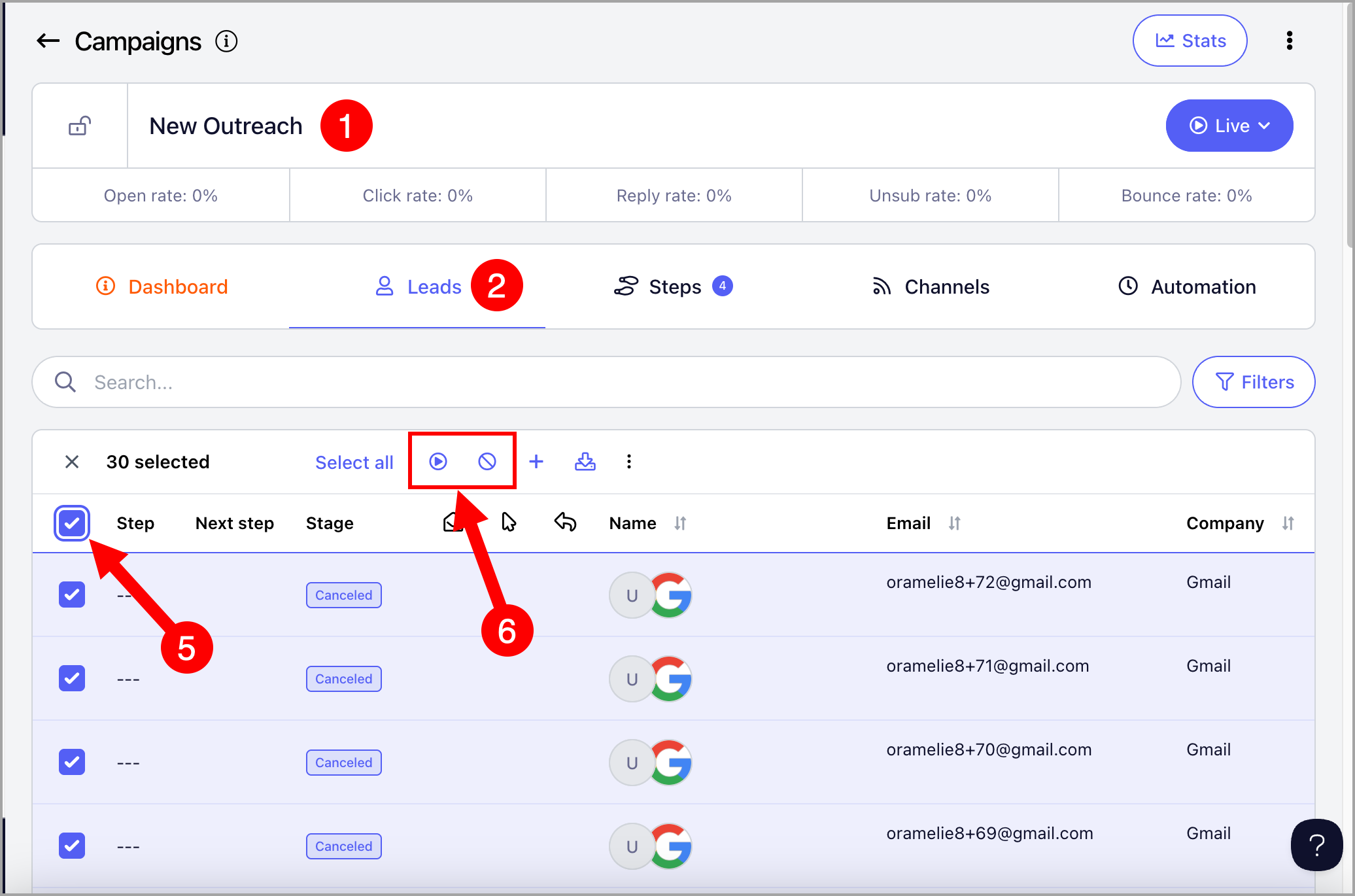
From the campaign
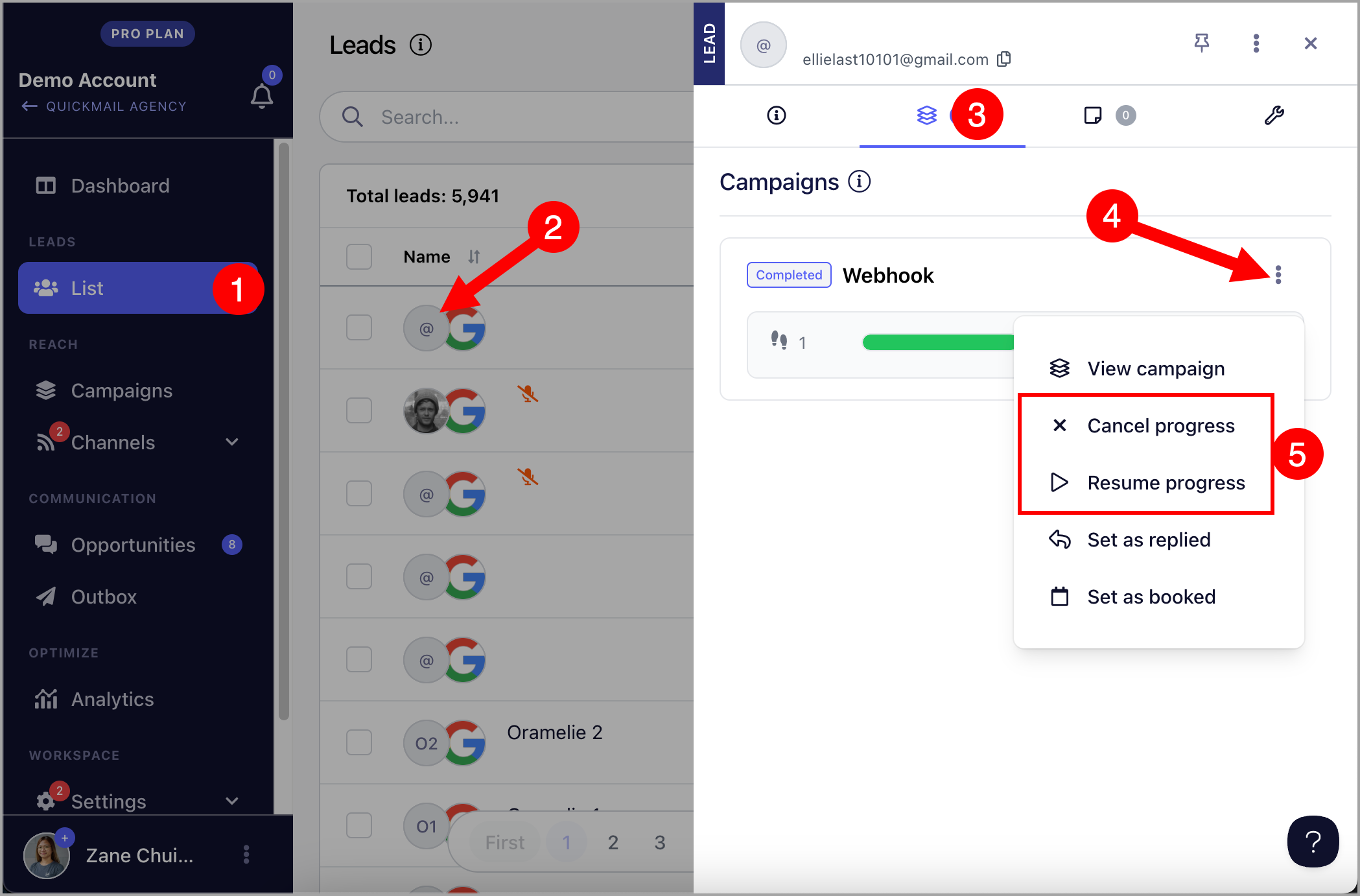
From the lead's quick view
Why Cancel Leads?
Canceling a lead stops the campaign from sending them further emails. The lead's status will change to "Canceled."
Why Resume Leads?
Resuming a lead restarts email sending for leads with a "Canceled," "Replied," or "Completed" status. The lead's status will change to "Running."
There are several reasons you may need to resume leads:
To bypass a wait step — if you want a lead to move to the next step earlier than scheduled, resuming them will skip the remaining wait time.
To apply an updated wait step — changing a wait step does not affect leads already scheduled under the old setting. To apply the new wait step, you need to manually resume those leads.
To resume out-of-office leads — if you know when a lead will be back, you can resume them on a specific date so the next email sends at the right time.
To resume leads that ran into an error — leads do not automatically resume after the error is fixed, so you need to manually resume them.
How to Resume or Cancel Leads?
From the Campaign
Resuming or canceling from the campaign allows you to take action on multiple leads at once.
Go to Campaigns → open a campaign → Leads page → select the leads → click the Play icon to resume or the Cancel icon to cancel.
From the Lead's Quick View
Resuming or canceling from the quick view allows you to take action on individual leads from the List page, the campaign's Leads page, or Opportunities.
To open the quick view, click the lead's thumbnail → go to the second tab → click Resume Progress or Cancel Progress.