Integrations
Integrating Calendly with QuickMail
Integrating Calendly with QuickMail
In this article:
What is Calendly integration for?
How to use Calendly in QuickMail?
How to track the number of bookings?
What Is Calendly Integration For?
Calendly integration allows you to track leads who have booked through your Calendly link.
How to Use Calendly in QuickMail?
Paste your Calendly link into an email step and add it as a hyperlink.
Note: The email address associated with the Calendly link must be added as an email account in QuickMail. Otherwise, bookings will not be detected.
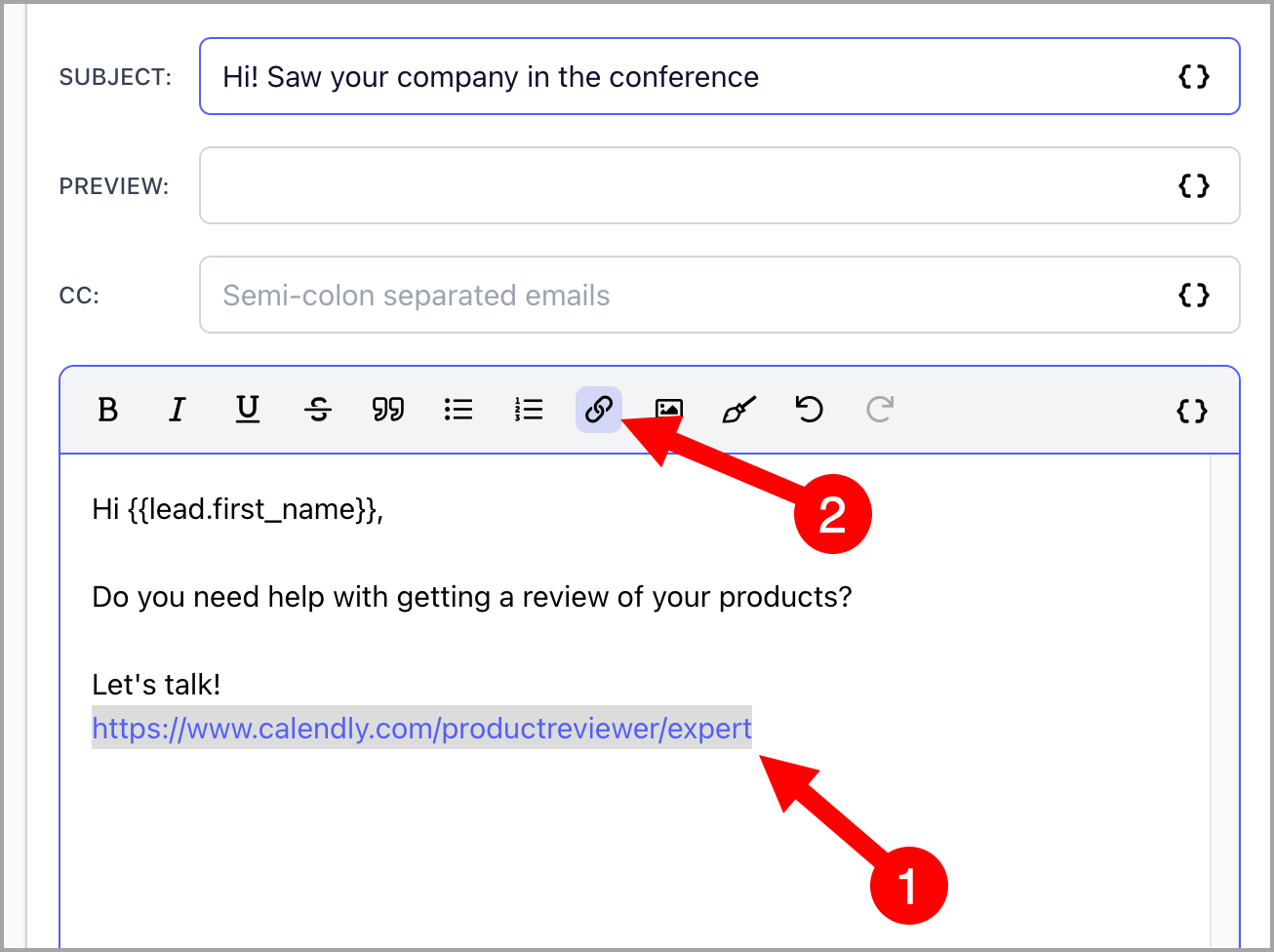
Note: When a lead books a call from your Calendly link, their status in the campaign will be marked as "Booked" and follow-up emails will stop being sent to them.
How to Track the Number of Bookings?
The total number of bookings can be found in the Dashboard. To see bookings for a specific period, use the Booked filter in the analytics.