Linkedin
Instant LinkedIn Follow-Ups (Double Tap) ⚡
Instant LinkedIn Follow-Ups (Double Tap) ⚡
Instant follow-ups help you deliver your message in a way that feels faster, more natural, and easier to engage with.
Instead of sending one long message, you can break it into short, digestible parts that arrive immediately. This makes the interaction feel more like a real conversation and helps improve readability.
In this article:
- How to set up instant LinkedIn follow-ups?
How to Set Up Instant LinkedIn Follow-Ups?
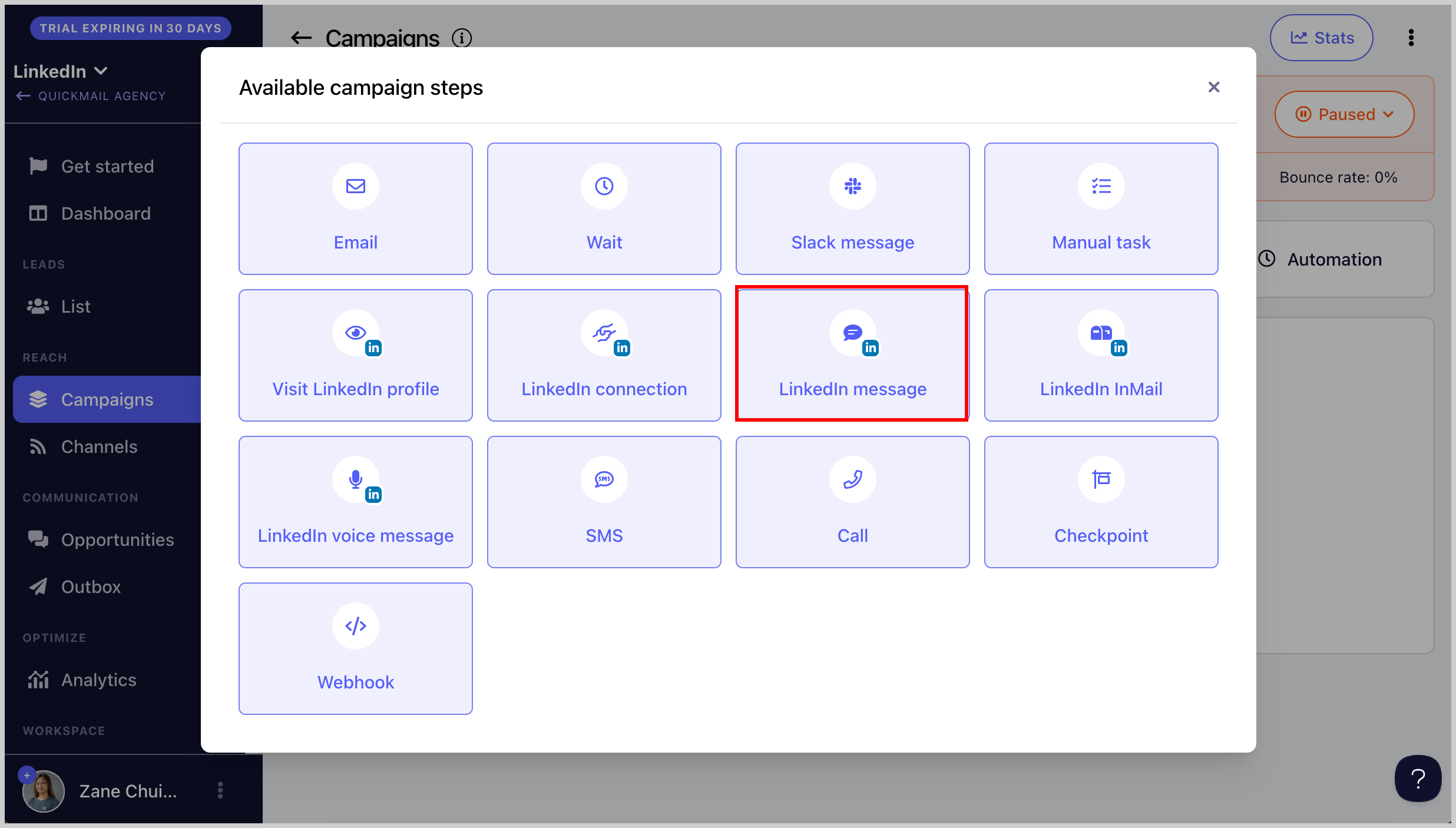
Step 1. Go to a campaign and add a LinkedIn Message Step.
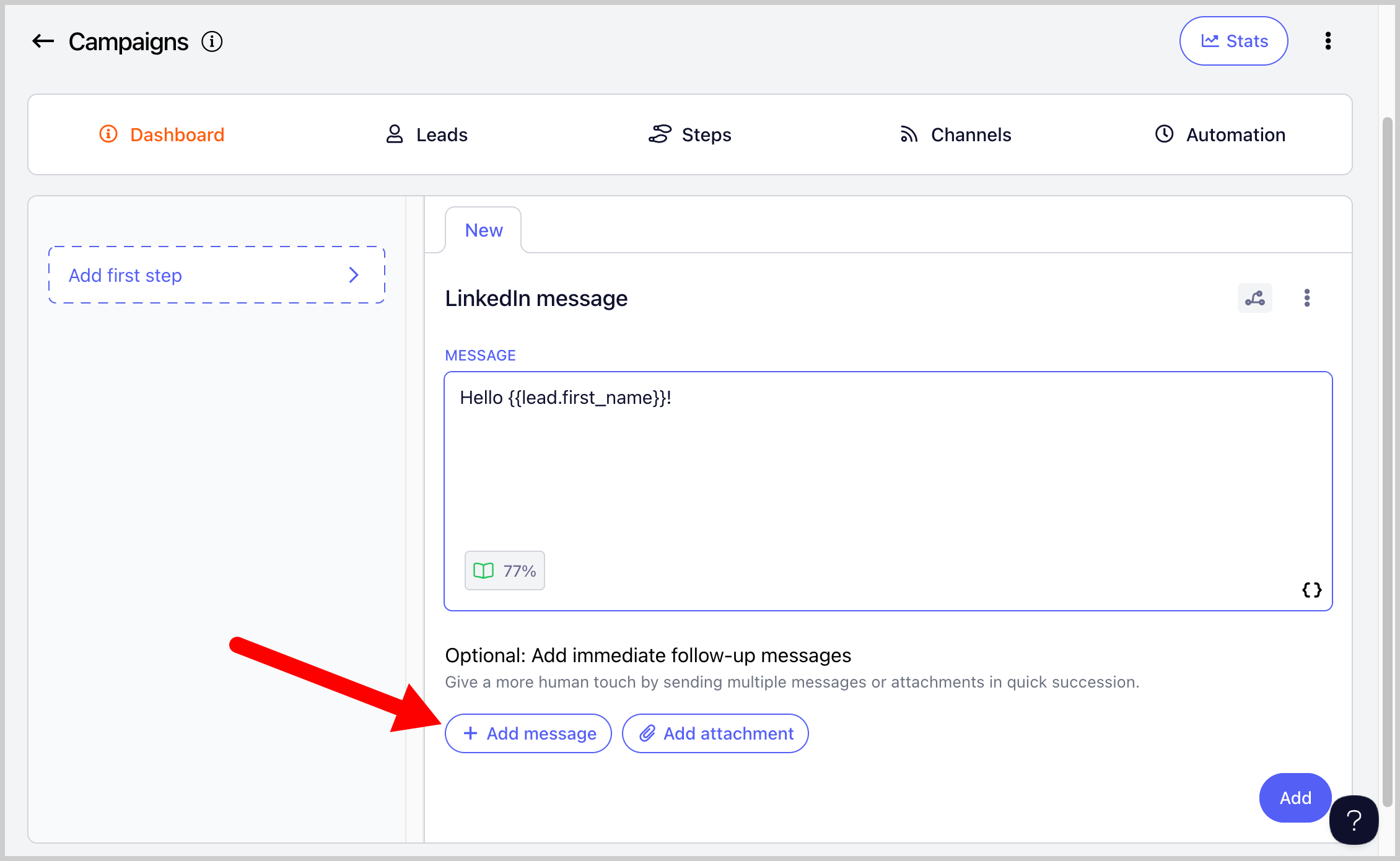
Step 2. Create the initial LinkedIn message, then click + Add Message below it.
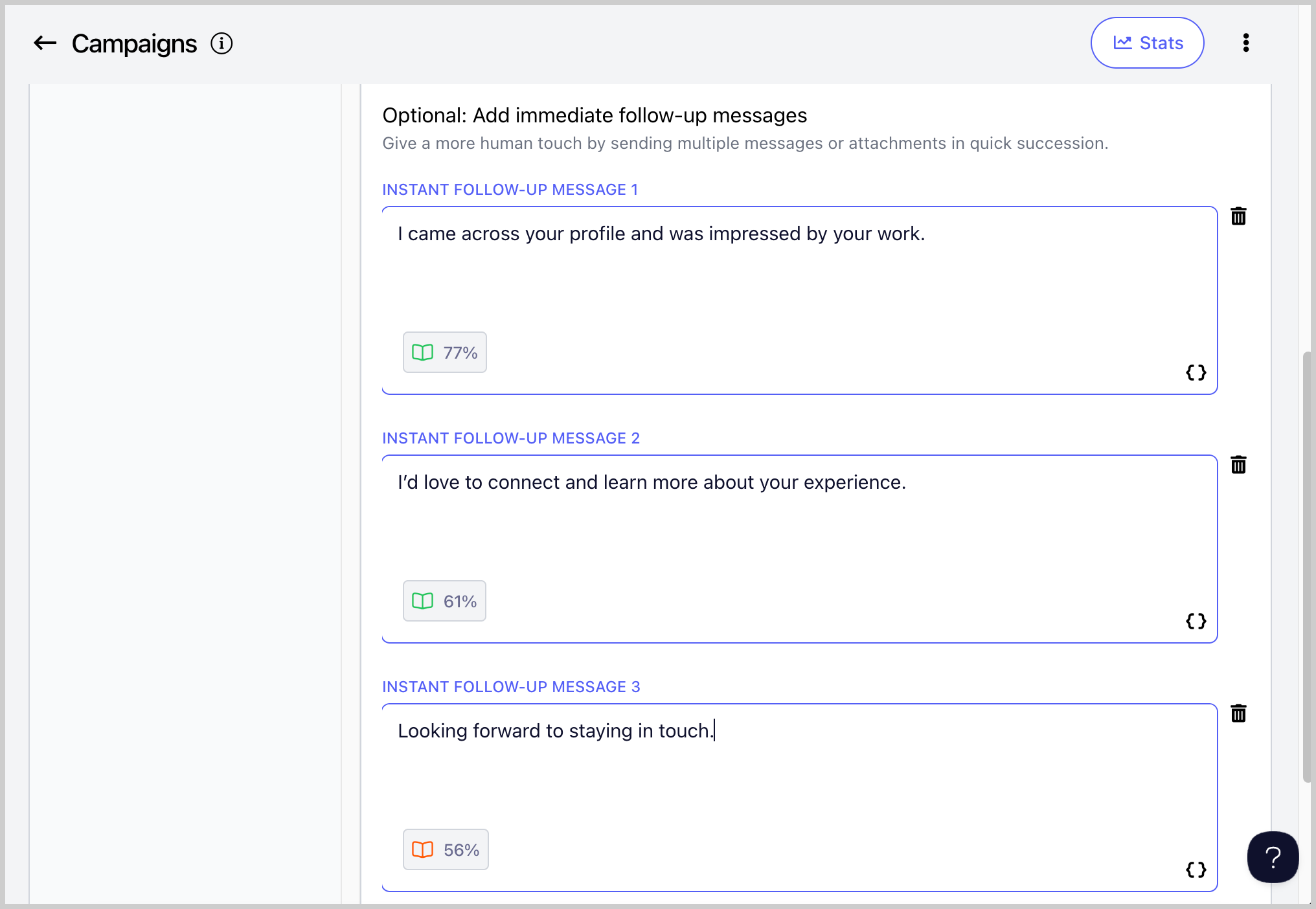
Step 3. Add more follow-up messages as needed.
FYI: While instant messages are being sent, we check your LinkedIn for any replies. This way, if a lead replies, no instant message will be sent anymore.