Campaigns
Archiving Campaigns
Archiving Campaigns
Archiving campaigns lets you hide them without permanently deleting anything. This is useful if you want to keep your workspace organized while still being able to access those campaigns in the future.
How to Archive a Campaign?
Go to the campaign you'd like to archive → click the menu icon (three vertical dots) → Archive → Confirm
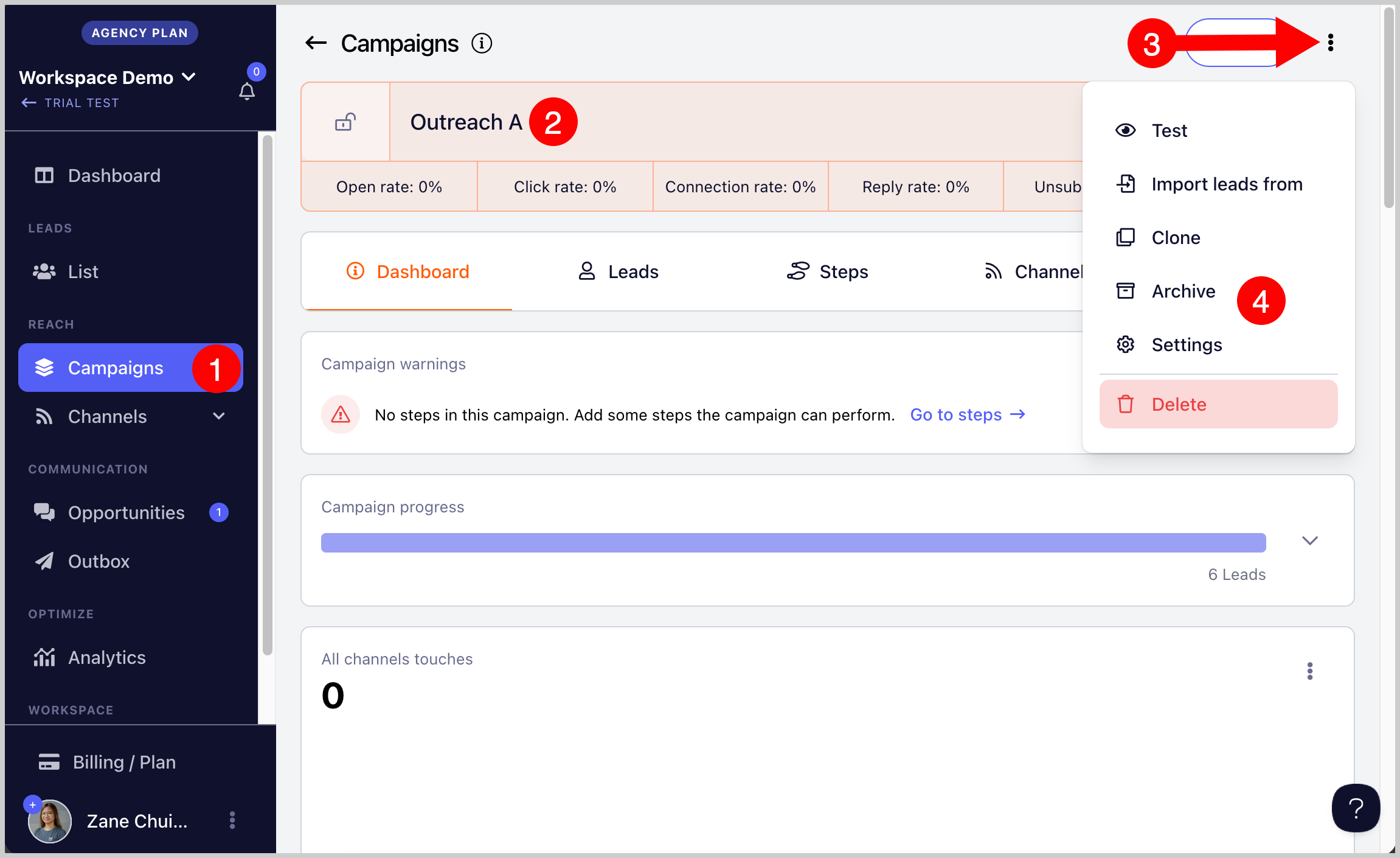
Once archived, the campaign will no longer be visible in the campaign list.
Note: There is no option to bulk archive campaigns yet. Each campaign must be archived individually.
How to See Archived Campaigns?
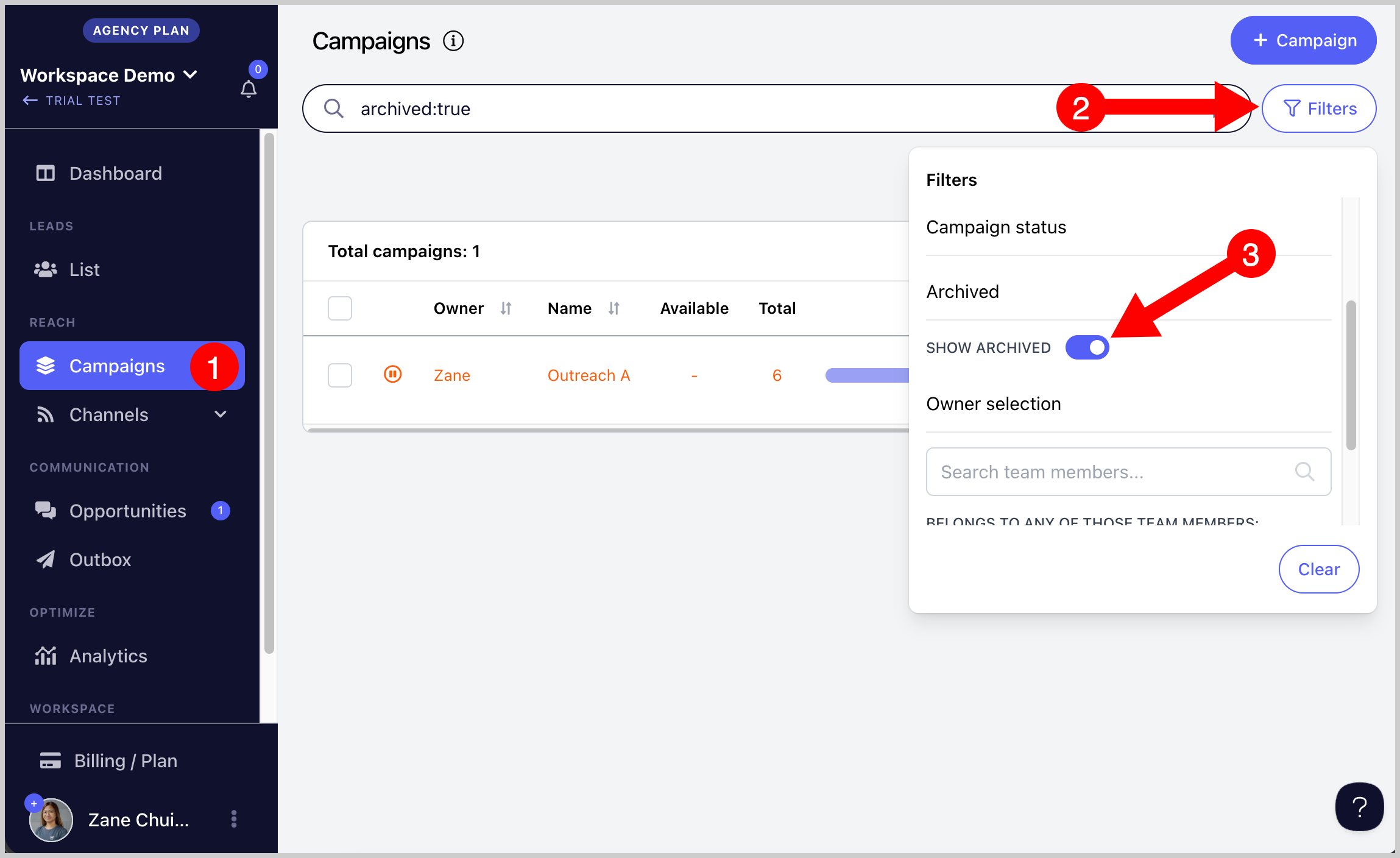
Go to the Campaigns page → Filters → toggle on Show Archived
How to Unarchive a Campaign?
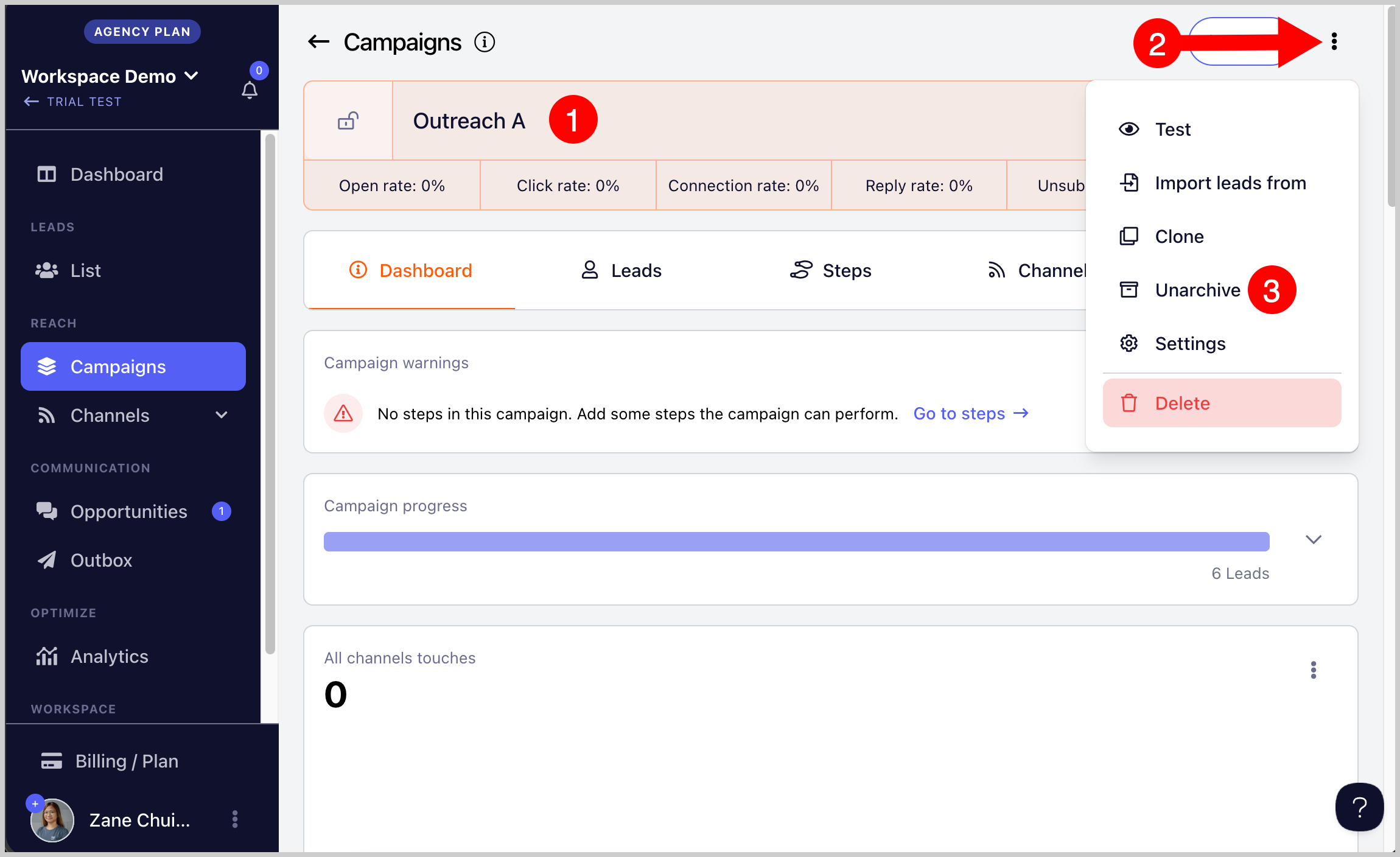
Go to the archived campaign using the filters above → click the menu icon (three vertical dots) → Unarchive → Confirm