Optimizing Send Times
Optimizing Send Times
In this article:
What are send times for?
How to modify send times?
How to clear send times?
What Are Send Times For?
Send times control when a campaign is allowed to send emails, helping you avoid sending at midnight or on weekends. The default send times are set to 8:00 AM–6:00 PM, Monday to Friday, based on the timezone in which the account was created.
How to Modify Send Times?
Go to your preferred campaign → Automation tab → select your preferred timezone.
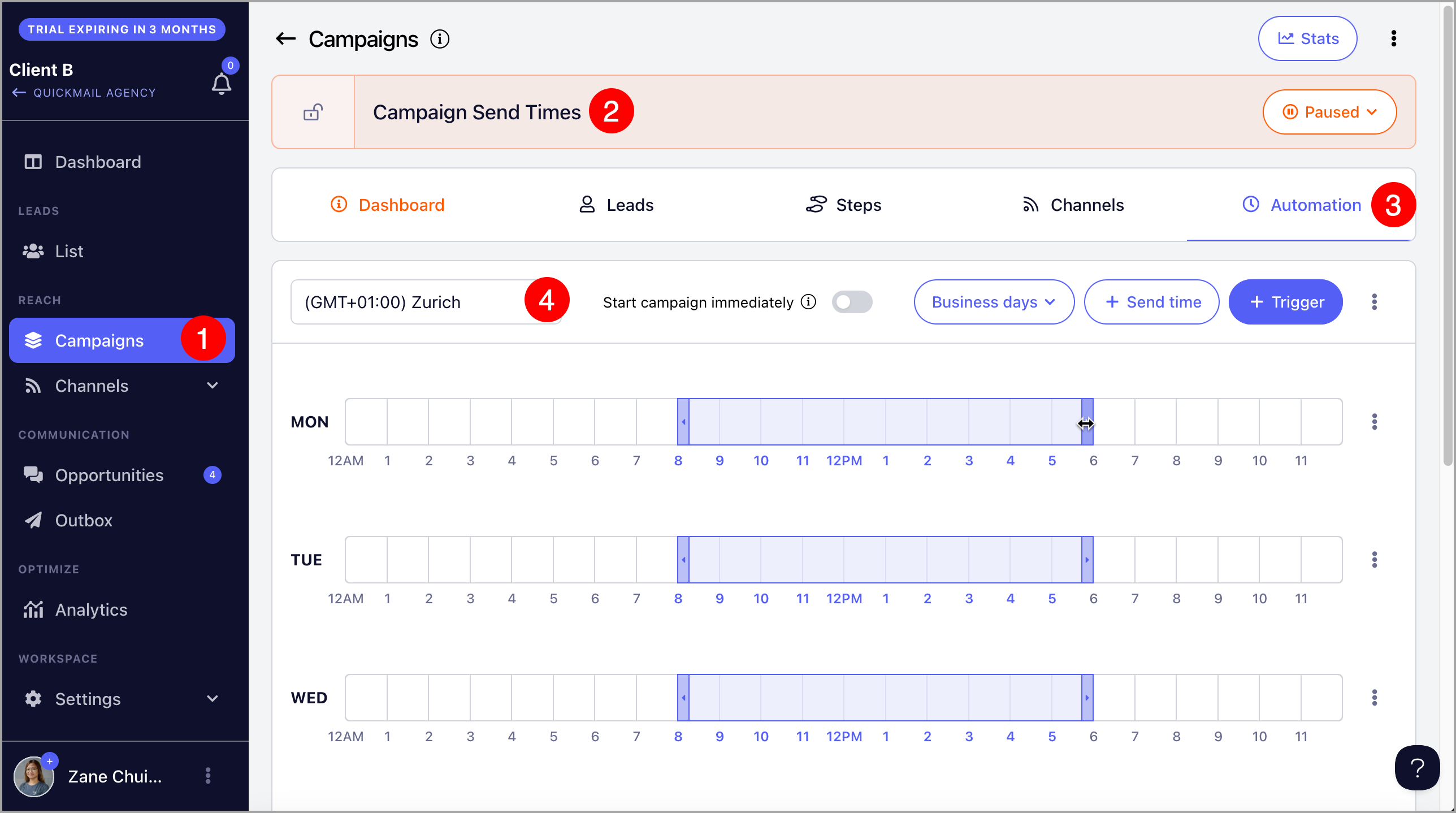
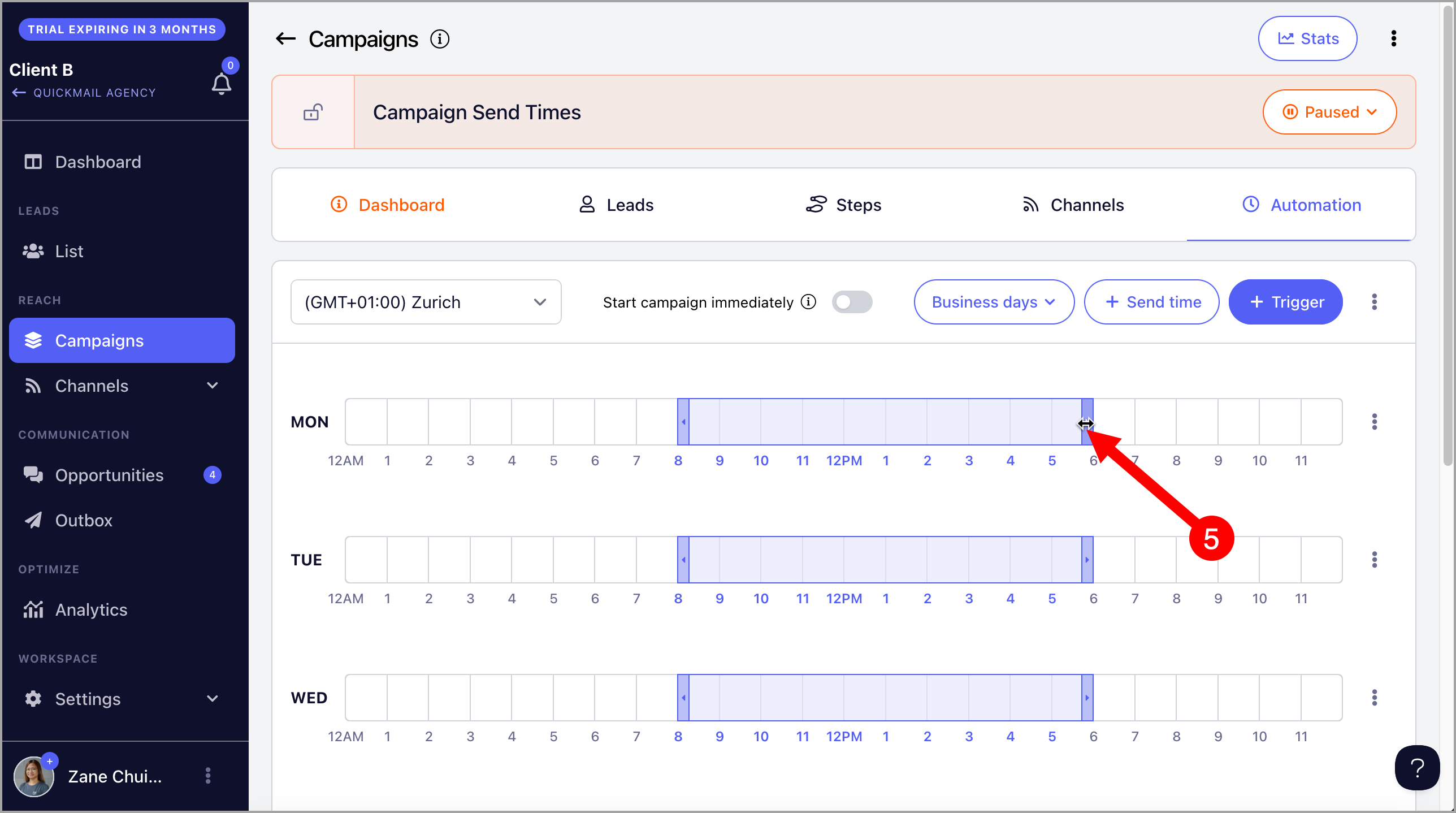
Then, drag to set your preferred send times.
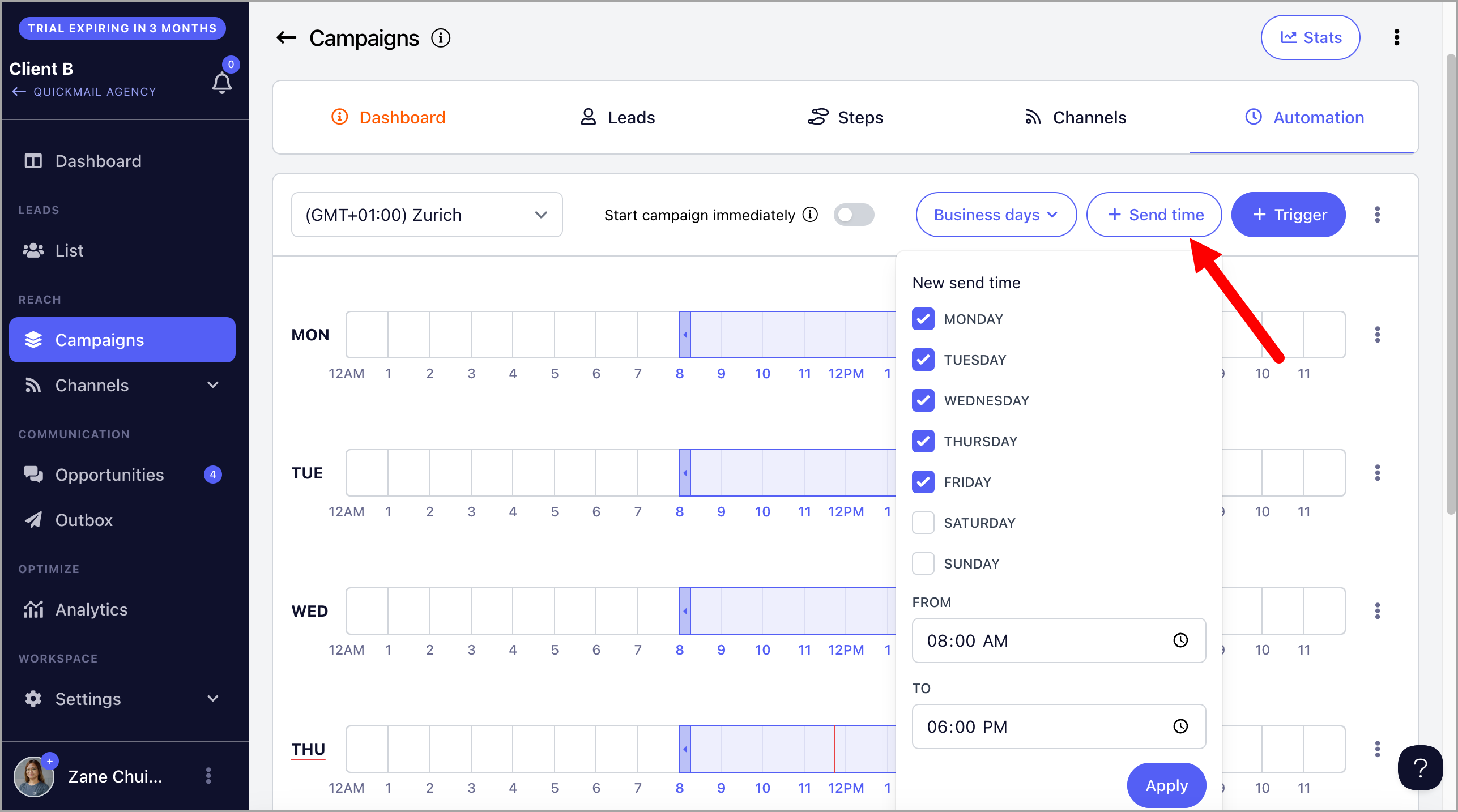
Alternatively, click the Send Time button and enter your preferred times manually.
To allow the campaign to send emails across all business hours at once, click the menu next to Triggers → Fill All Business Days Send Times.
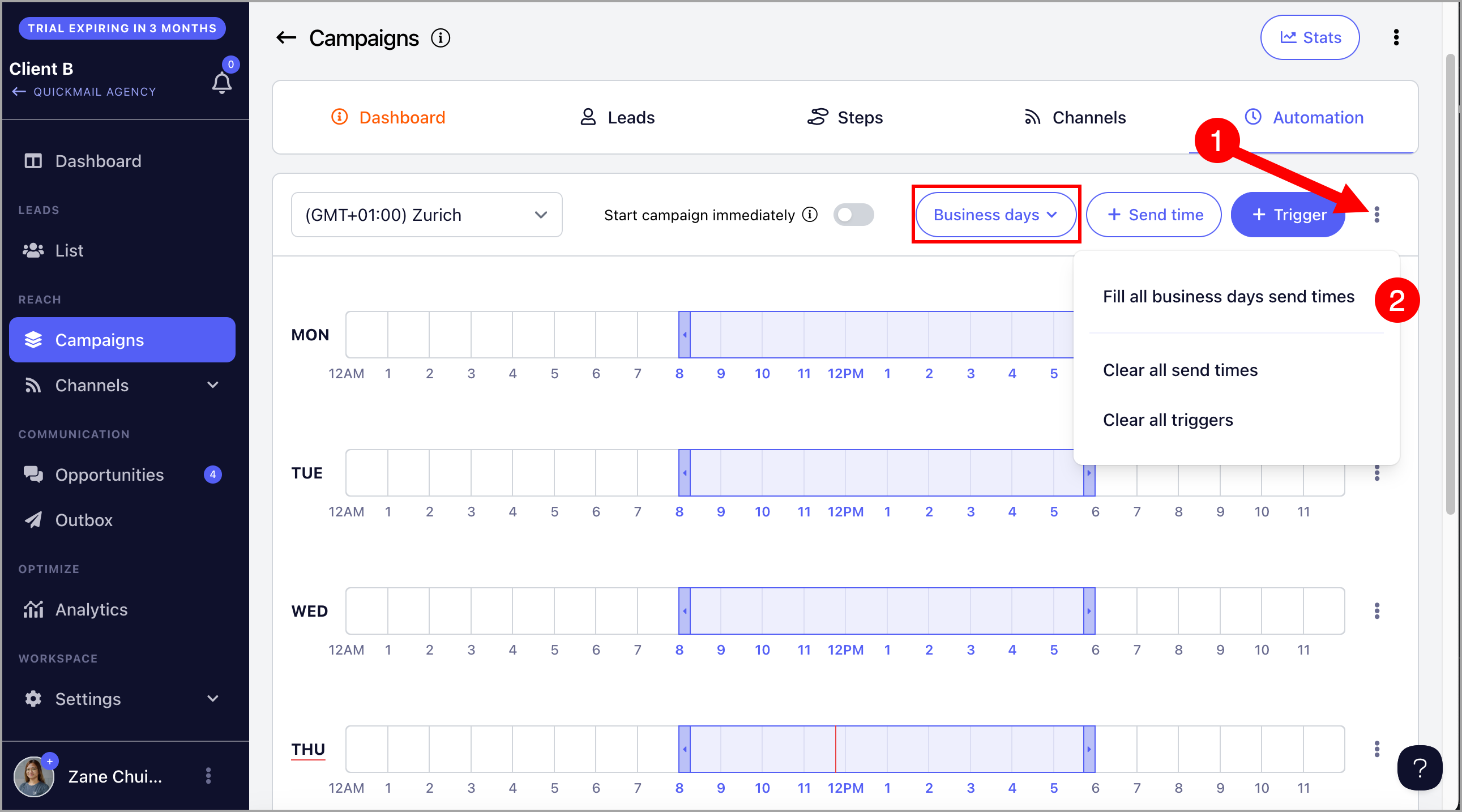
Tip: The red line in the send times grid indicates the current day and time.
How to Clear Send Times?
To clear send times for a specific day, click the menu for that day → Clear Send Times.
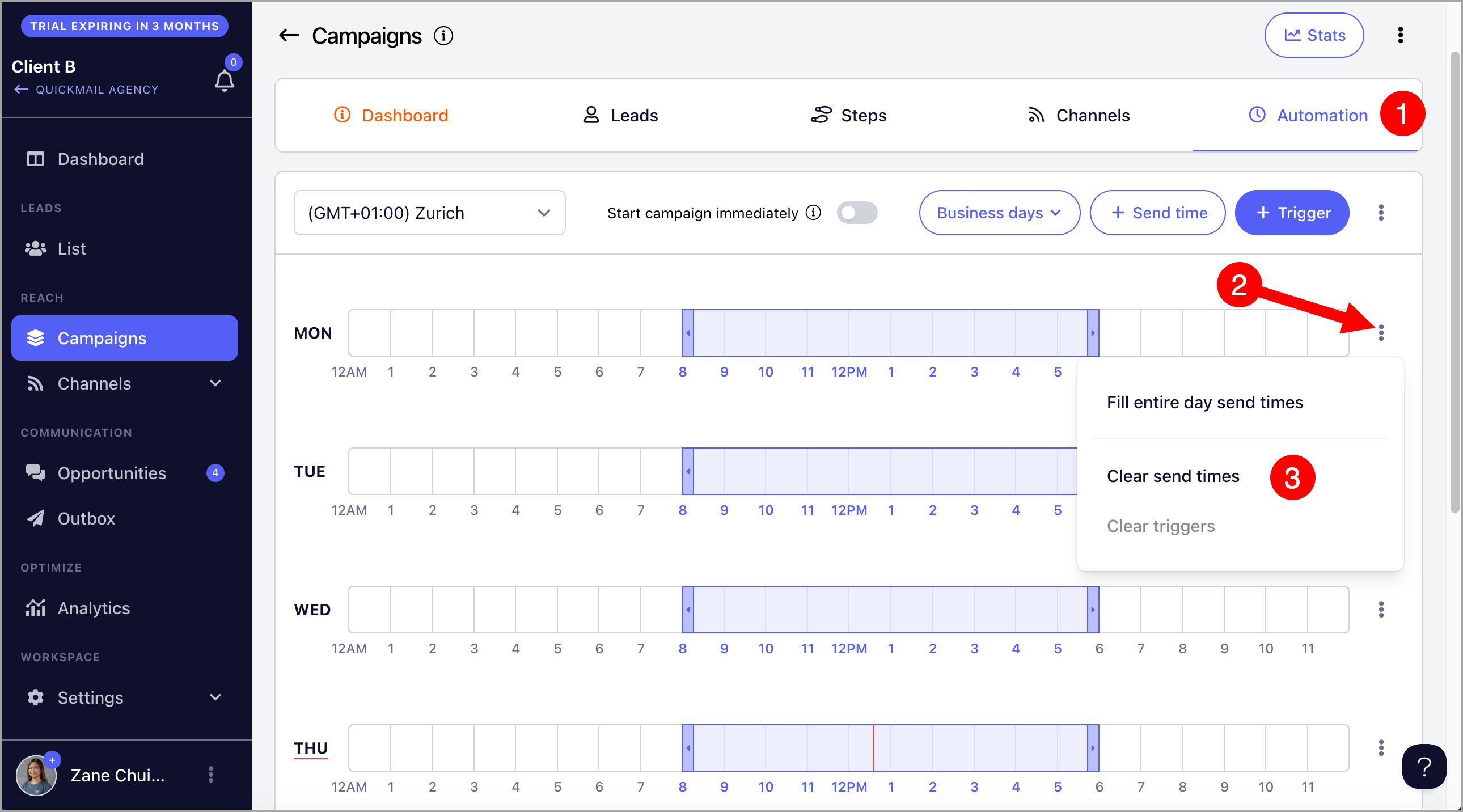
To clear all send times at once, click the menu next to Triggers → Clear All Send Times.