Campaigns
Setting a Campaign to Private
Setting a Campaign to Private
In this article:
- How to set a campaign to private
Note: By default, the campaign owner is the user who created the campaign.
Setting a campaign to private restricts access so that only the campaign owner can view and manage it. This is useful when you want to prevent other team members from editing or managing your campaigns.
How to Set a Campaign to Private
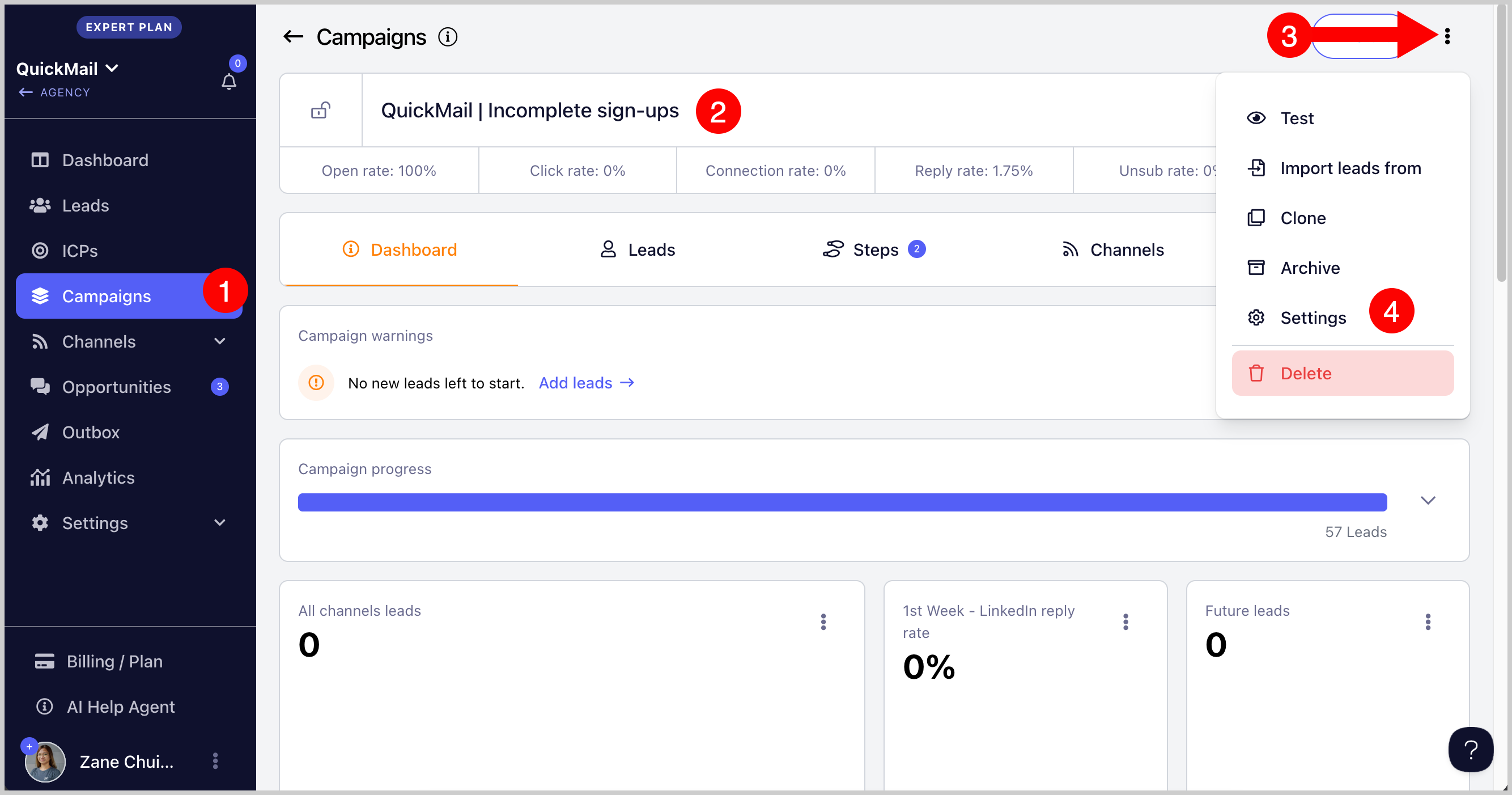
Option 1: From Campaign Settings
Open the campaign → click Settings.
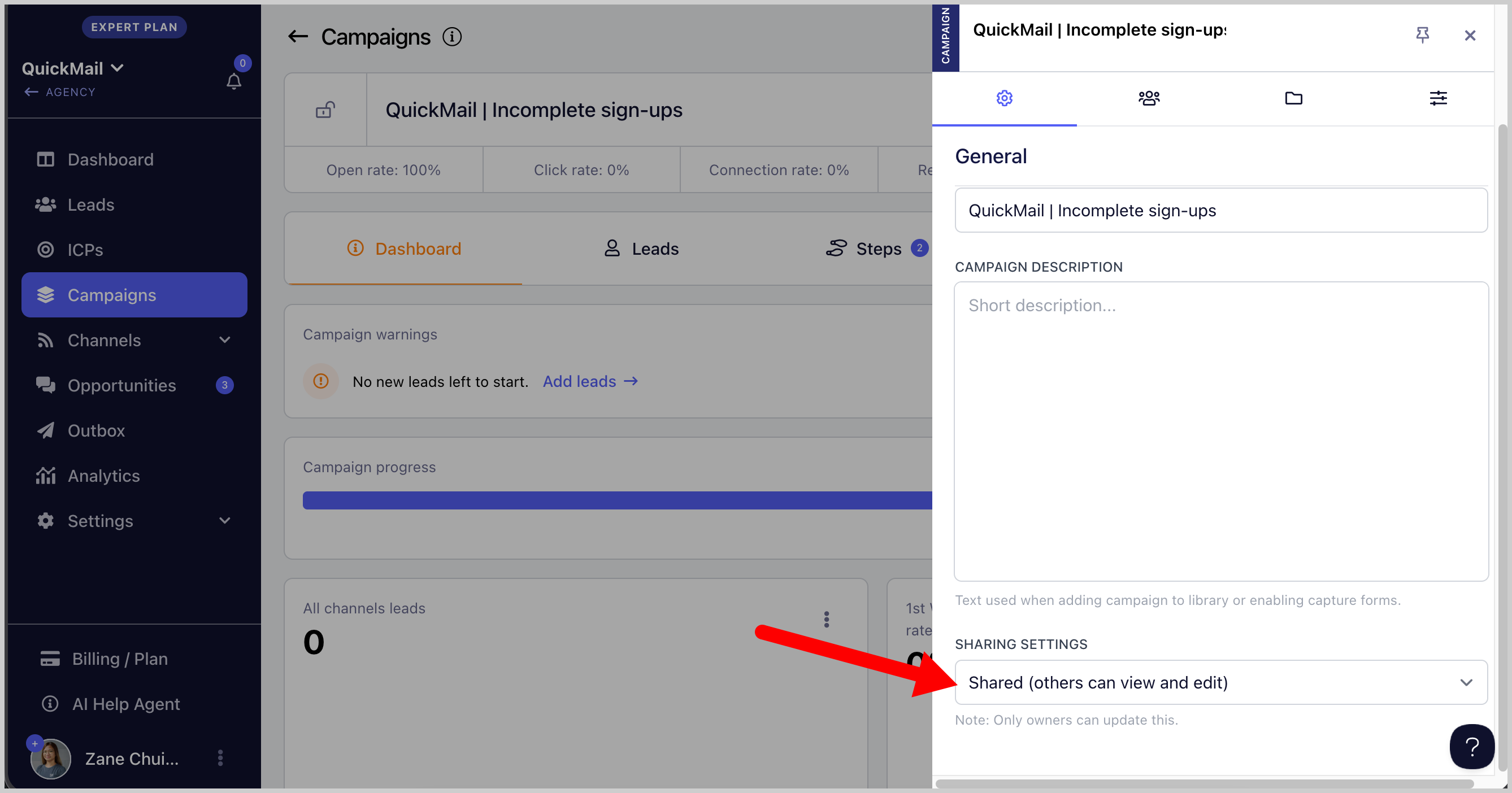
Go to Sharing Settings → change from Shared to Private.
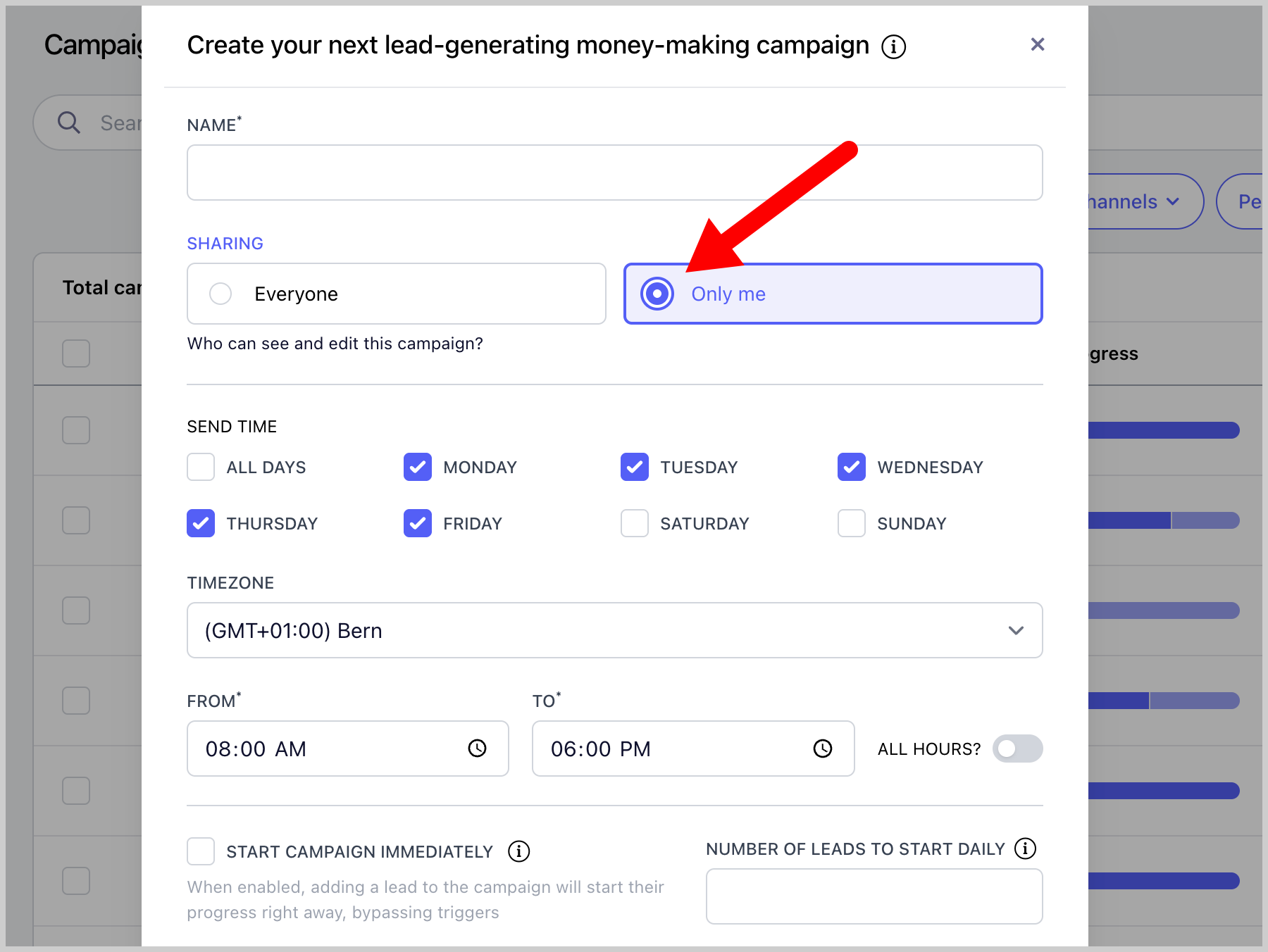
Option 2: During Initial Campaign Setup
You can also set a campaign to private when creating it. Select Only Me during the setup process.
Note: Users who are not the campaign owner cannot view or make changes to the campaign, even if they are an admin.