Pausing and Unpausing Campaigns
Pausing and Unpausing Campaigns
There are two ways to pause and unpause campaigns: Manually and in Bulk.
In this article:
Manual
In bulk
Manual
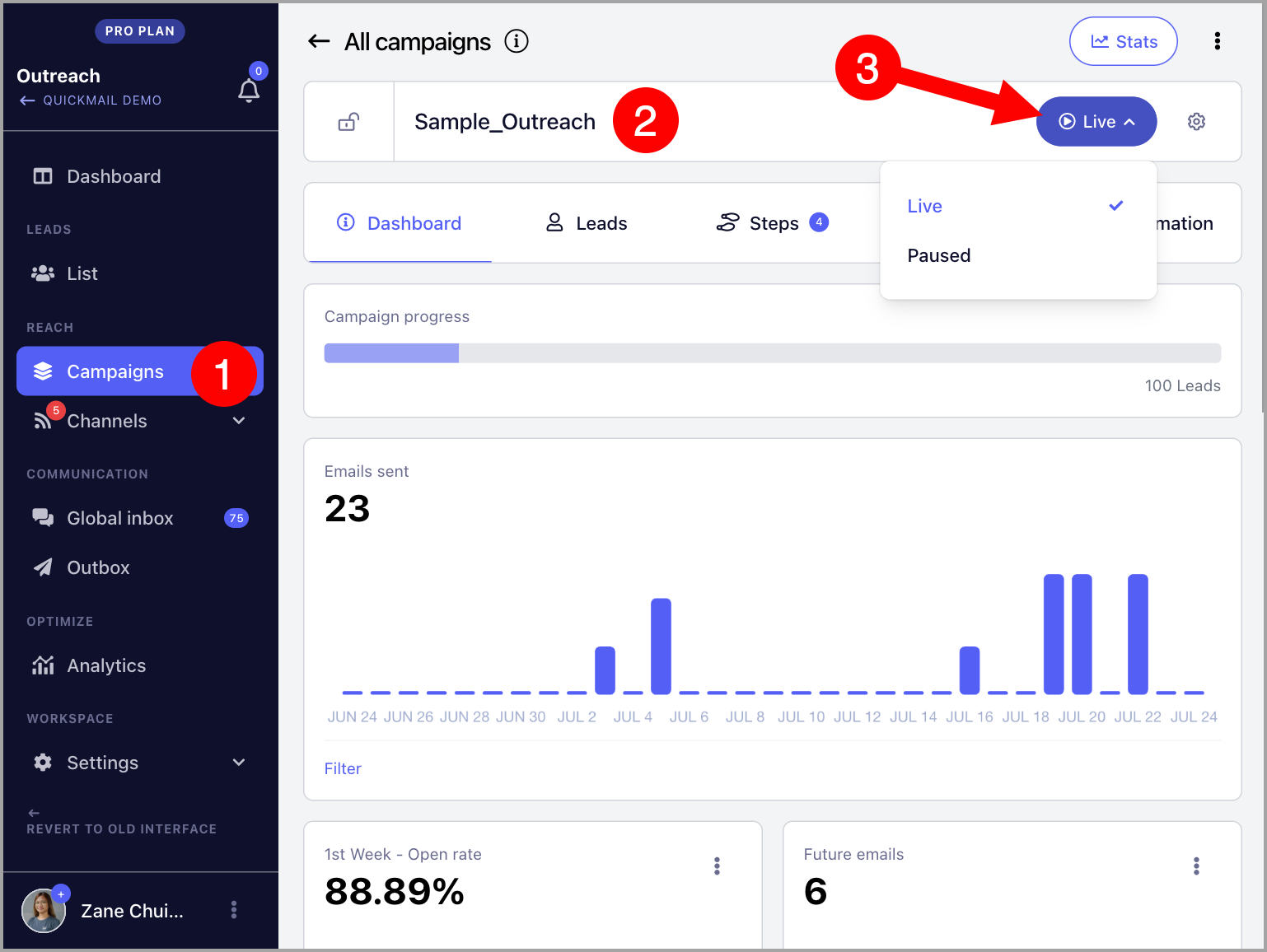
To manually pause or resume a campaign, go to the campaign → click the Live or Pause button.
In Bulk
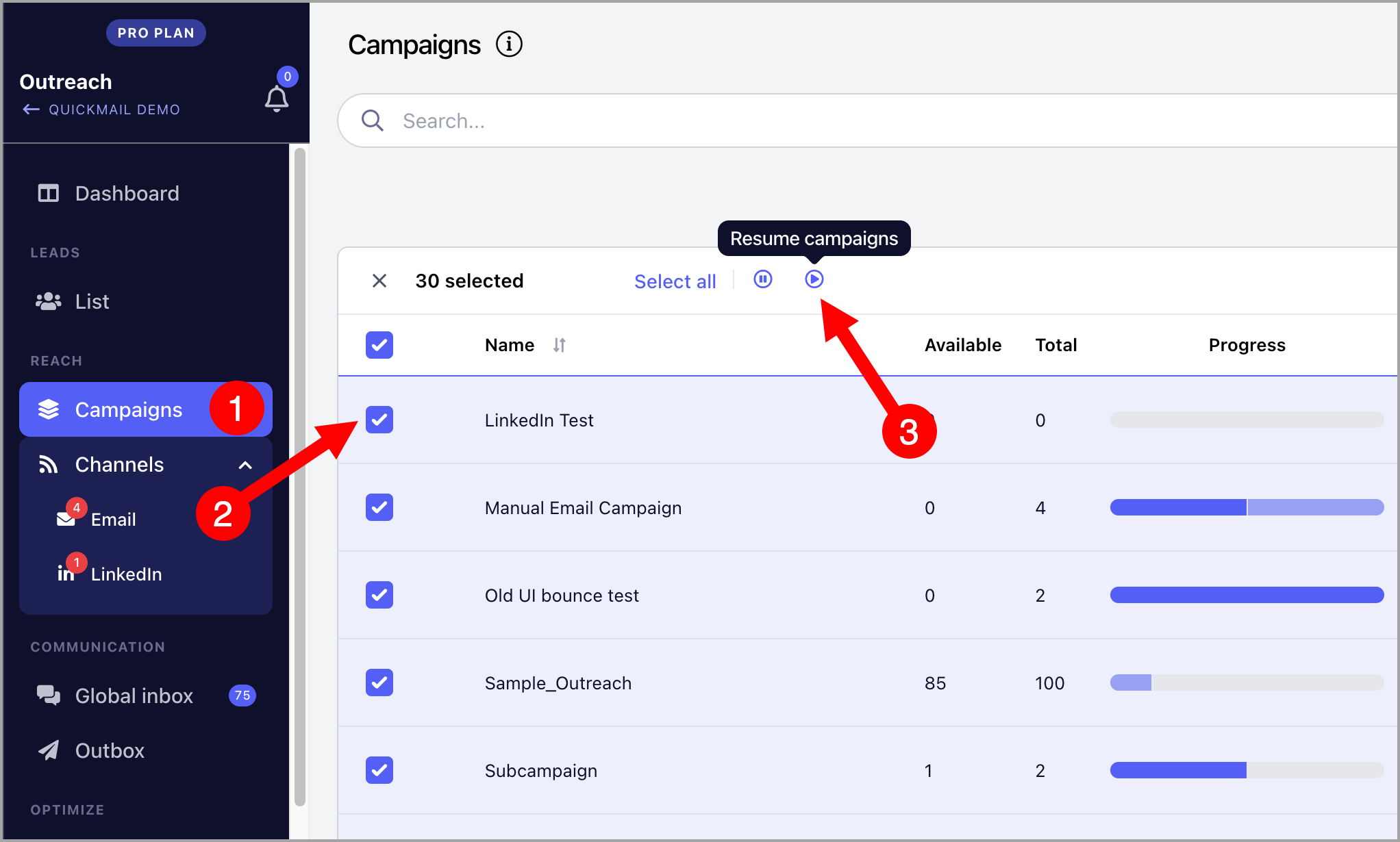
To pause or resume multiple campaigns at the same time, go to Campaigns → select your preferred campaigns → click the Pause or Resume button.
What happens when I pause and unpause a campaign?
When a campaign is paused, no emails are sent and leads won’t move to the next step. Once the campaign is unpaused, leads continue from where they left off.
However, if a lead is on a wait step, the wait days keep counting even while the campaign is paused.
For example, say a lead is on a 3 day wait step, and you pause the campaign on day 1 of that wait. If you unpause the campaign 3 days later, the lead will move to the next email step right away, since the 3 day wait has already passed.