Campaigns
Cloning a Campaign
Cloning a Campaign
Cloning a campaign allows you to replicate all the steps and settings of an existing campaign, eliminating the need to build everything from scratch. This lets you quickly launch a new campaign with the same structure and settings.
What Elements Will Be Copied When Cloning a Campaign?
Elements that will be copied:
All steps within the campaign
Assigned email accounts
Send times
All campaign settings, except those listed below
Elements that will NOT be copied:
Leads
Assigned LinkedIn account
Sub-campaigns
"Add to Library" setting
"Confirm Unsubscribe" setting
How to Clone a Campaign?
Go to the campaign you'd like to clone → click the menu icon (three vertical dots) → Clone Campaign.
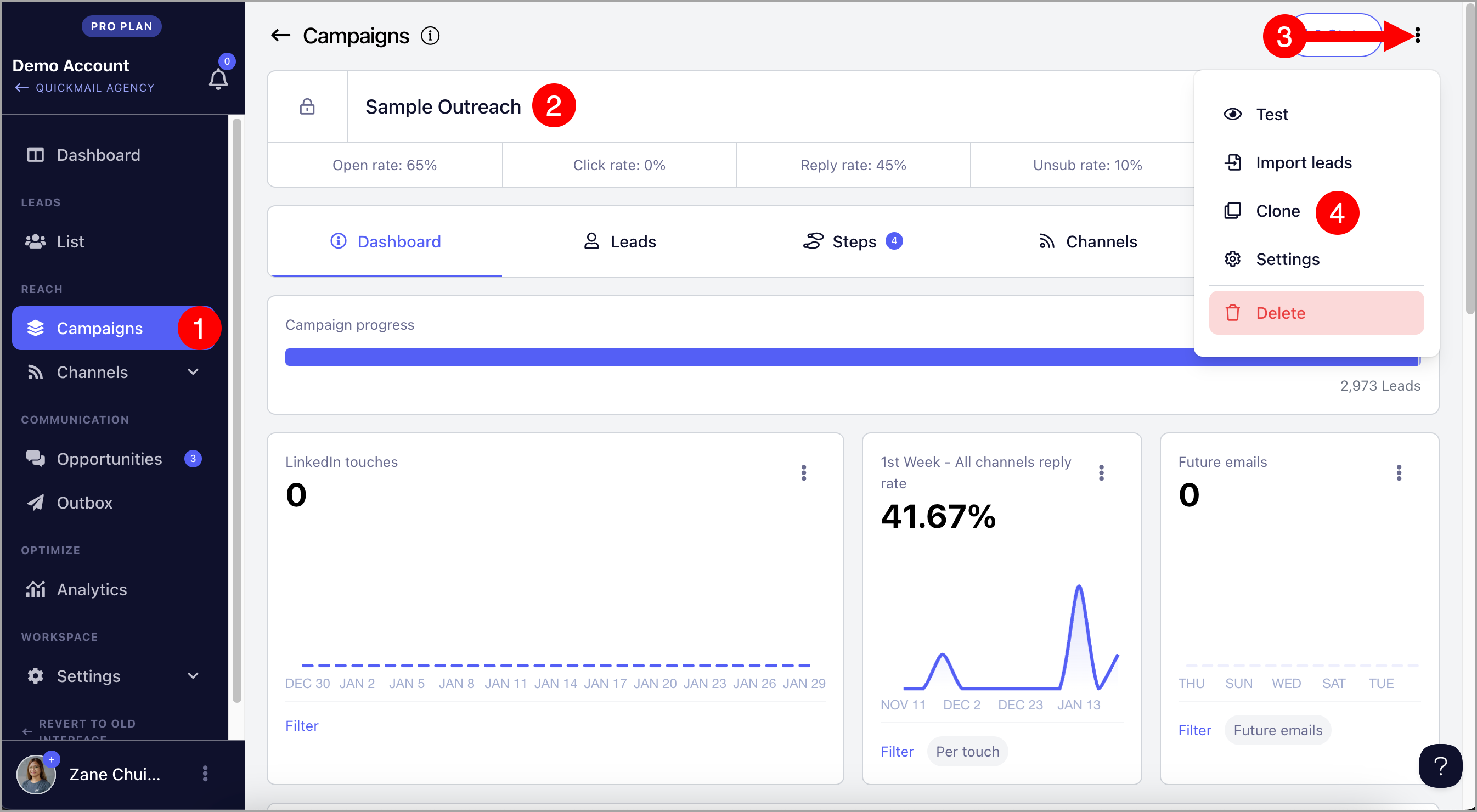
After cloning, you will be redirected to the new cloned campaign.