Campaigns
Viewing Stats per Email Step & Variation
Viewing Stats per Email Step & Variation
Users can see the stats per email step or per email variation. This allows users to identify which specific step or variation is performing well and which is not.
You can view stats per email step or variation for:
Total leads who went through that step
Opens
Clicks
Replies
Unsubscribes
Positive replies
Negative replies
LinkedIn connection acceptances
How to see stats per email variation?
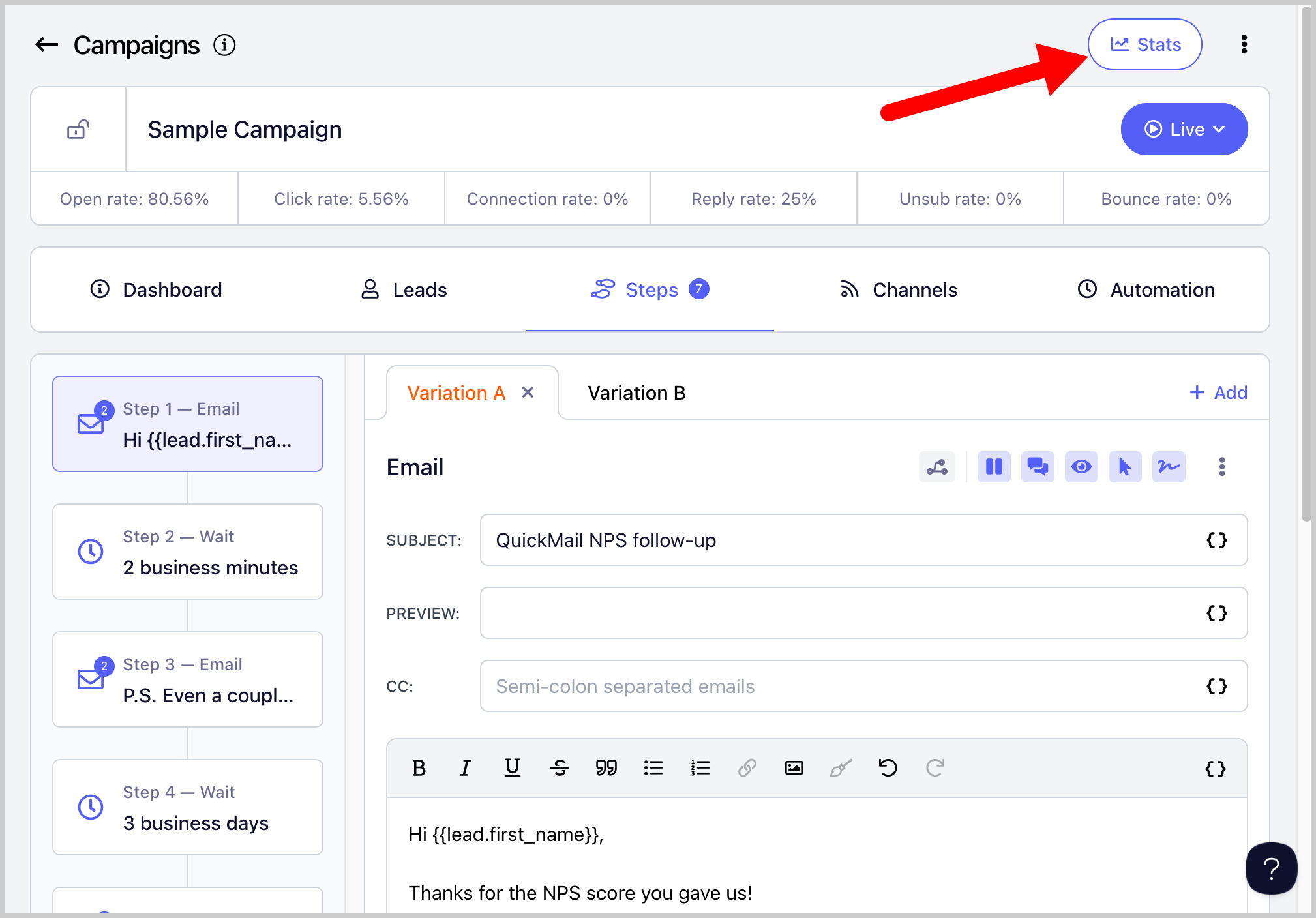
Step 1. Go to a specific campaign → Stats
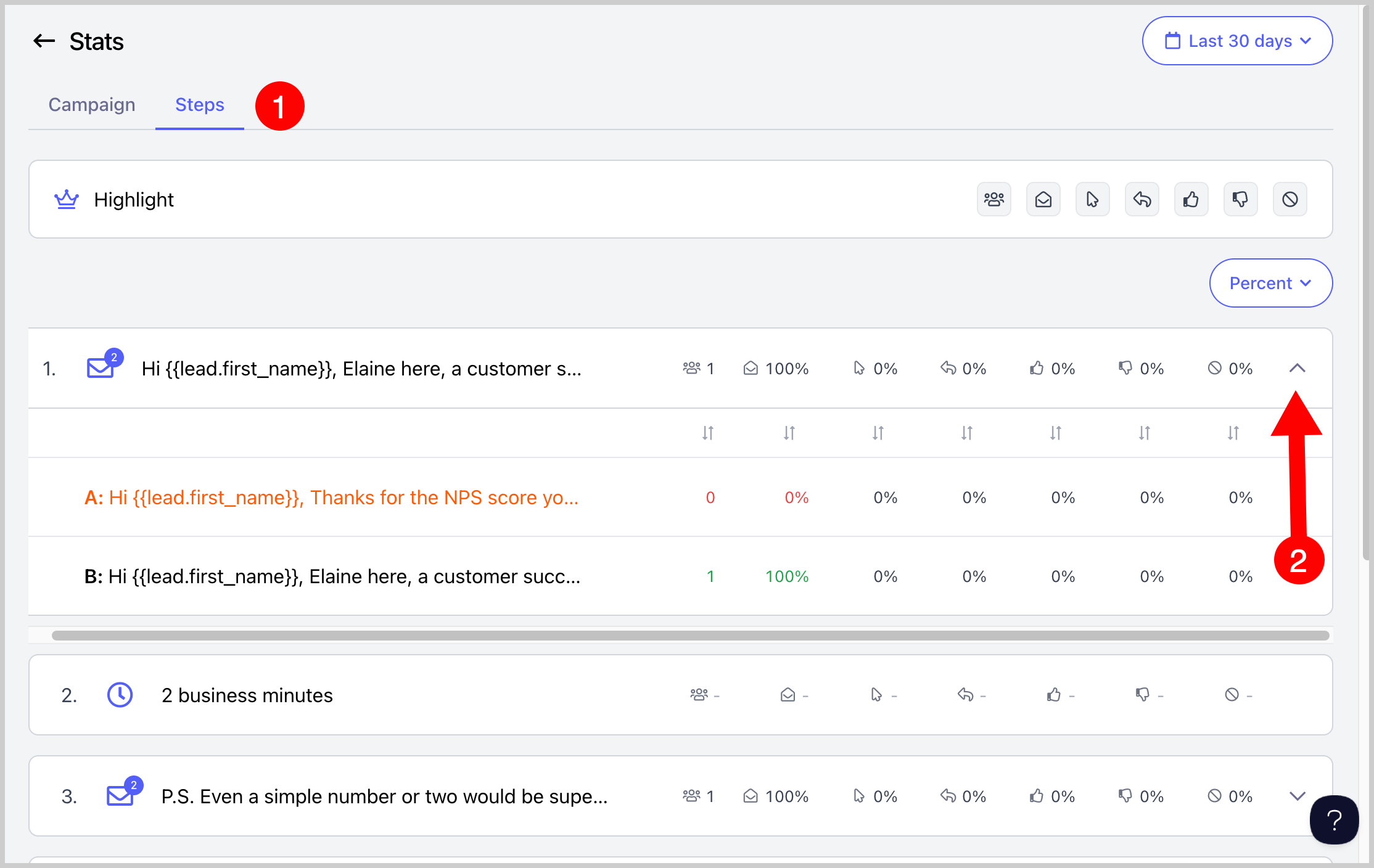
Step 2. Go to the Steps tab → To view variations, click on the dropdown button next to the step